
Table of Contents
Key Takeaways
- Automated reminders, especially SMS, can cut dental no-shows by up to 40%, protecting revenue and eliminating empty chair time.
- In one study of 1,193 appointments, SMS had the lowest no-show rate (1.9%), outperforming phone and email.
- Modern platforms like CERTIFY Health elevate reminders into two-way workflows with forms, payments, and recalls, reducing admin load and improving patient experience
Introduction
In a private orthodontic practice study of 1,193 appointments with patient-chosen reminders, overall no-show rates were low as 4%. Telephoning (no show rate = 3.49%), Email (no show rate = 2.68%), and SMS (no show rate = 1.90%)
Dental appointment reminders are the unsung heroes keeping modern dental practices humming, simple automated texts that slash no-shows and free up your front desk from phone tag hell.
Let’s dig into everything you need to know about Dental Appointment Reminders!
What Are Dental Appointment Reminders?
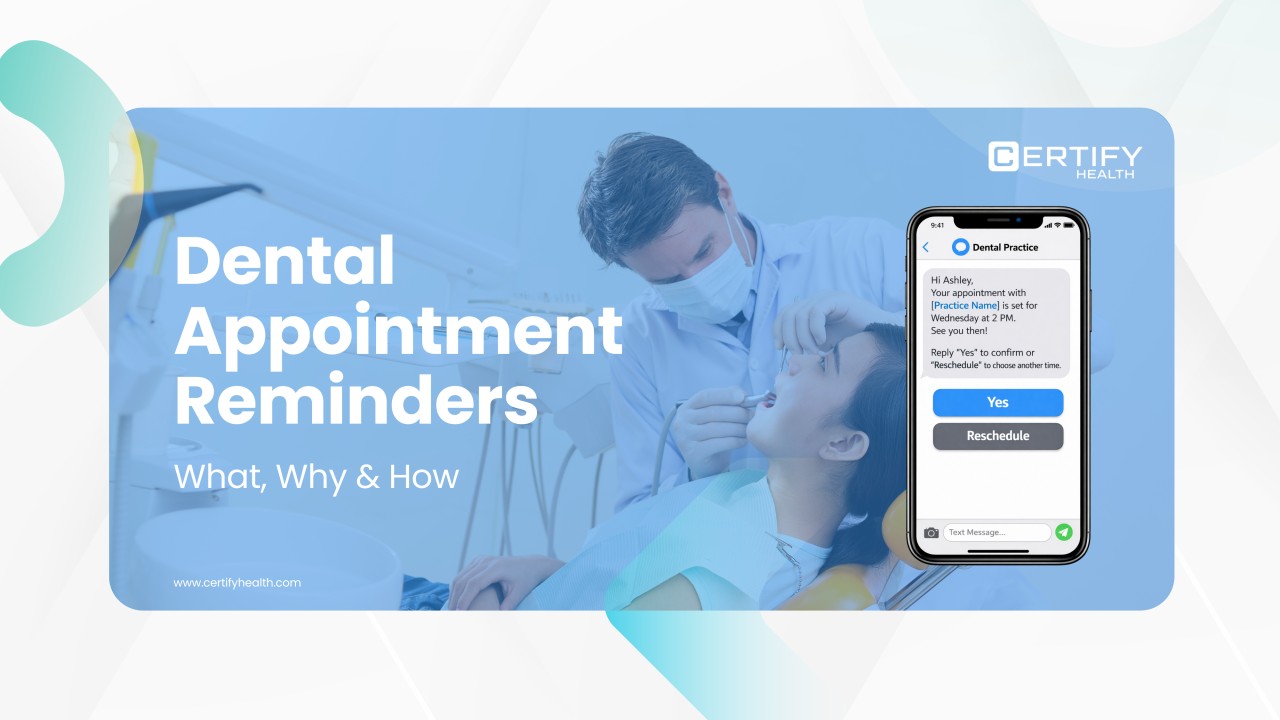
Dental appointment reminders are automated SMS or text messages sent via dental reminder software to notify patients of upcoming visits, packing in the date, time, location, and a quick call to action like confirm, cancel, or reschedule.
Most dental appointment reminder software supports two-way replies, so patients tap back instantly without calling your office. No more voicemails stacking up.
Here’s an example:
Your patient gets a ping on their phone two days before their cleaning.
“Hi Ashley, your appointment with [Practice Name] is set for Wednesday at 2 PM. See you then!
Reply ‘Yes’ to confirm or ‘Reschedule’ to choose another time.”
Common Question:
Do dental appointment reminders work for all practice sizes?
Yes. Dental appointment reminders work for practices of all sizes. Solo dentists use reminders to reduce no-shows and keep schedules full, while multi-location and group practices rely on them to manage large patient volumes efficiently.
Why Dental Appointment Reminders Matter Now
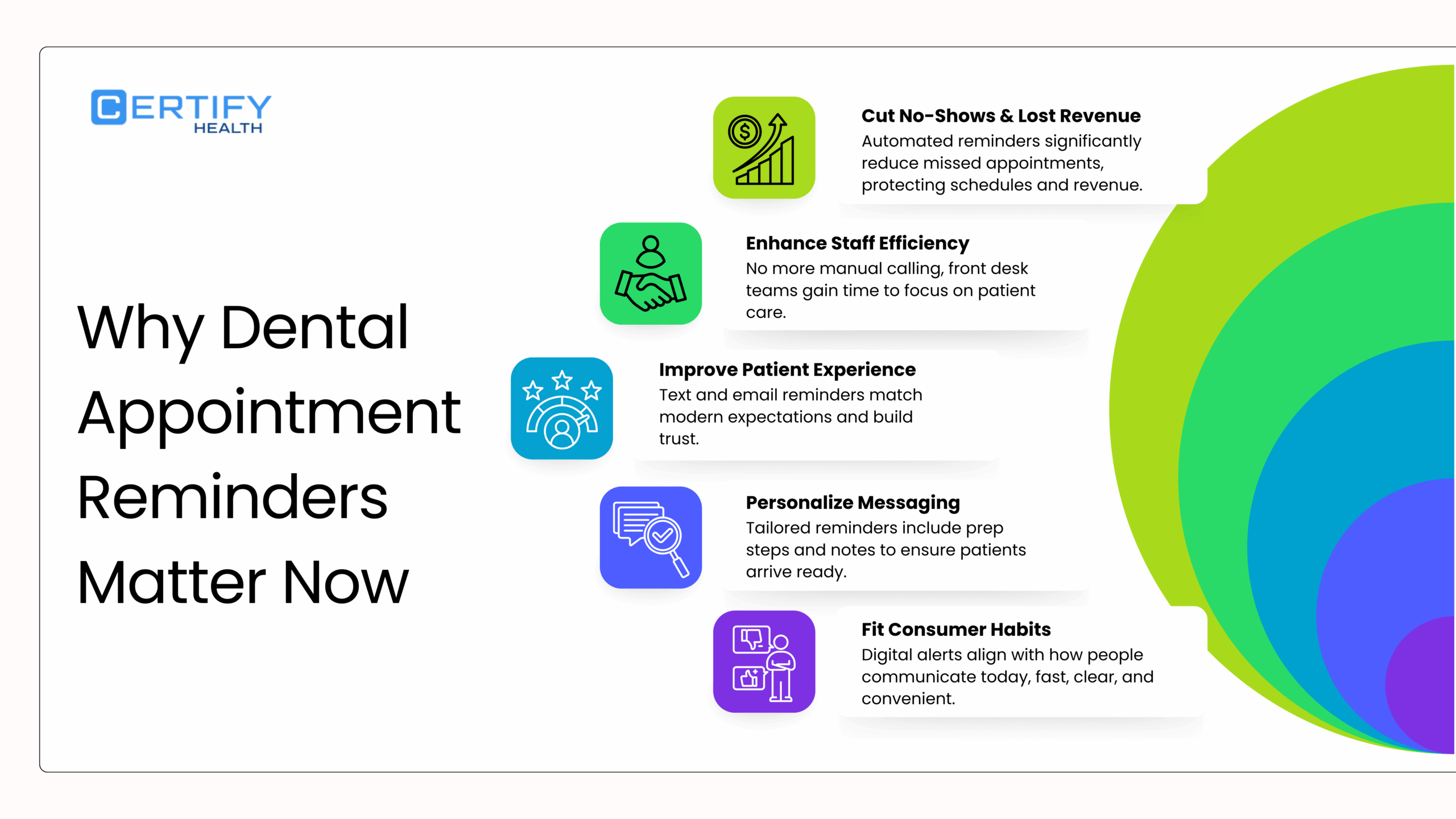
No-shows aren’t just annoying; they’re revenue killers. Missed slot can cost your practice $150 billion yearly – that comprises everything from schedule disruptions, lost output, staff time, and overhead allocation
Dental Appointment Reminders can reduce no-shows by up to 40%, while boosting improved patient experience through timely, friendly nudges. Front desk teams save hours daily, no more manual calls, making the whole operation cost-effective compared to emails or postcards. Patients love convenience, leading to higher satisfaction and loyalty.
Here’s the real cost breakdown in a busy clinic:
| No-Show Impact | Average Loss per Incident |
|---|---|
| Lost Revenue | $150B/year |
| Staff Chase Time (calls, rescheduling) | 15-30 minutes/per slot |
10 Types of Dental Appointment Reminder Texts
Dental reminders come in flavors for every scenario; here are automated text reminders tailored to keep patients on track. Let’s run through the top 10.
These automated SMS reminders via dental appointment software turn chaos into control.
Setting Up Dental Appointment Reminders: Step-by-Step
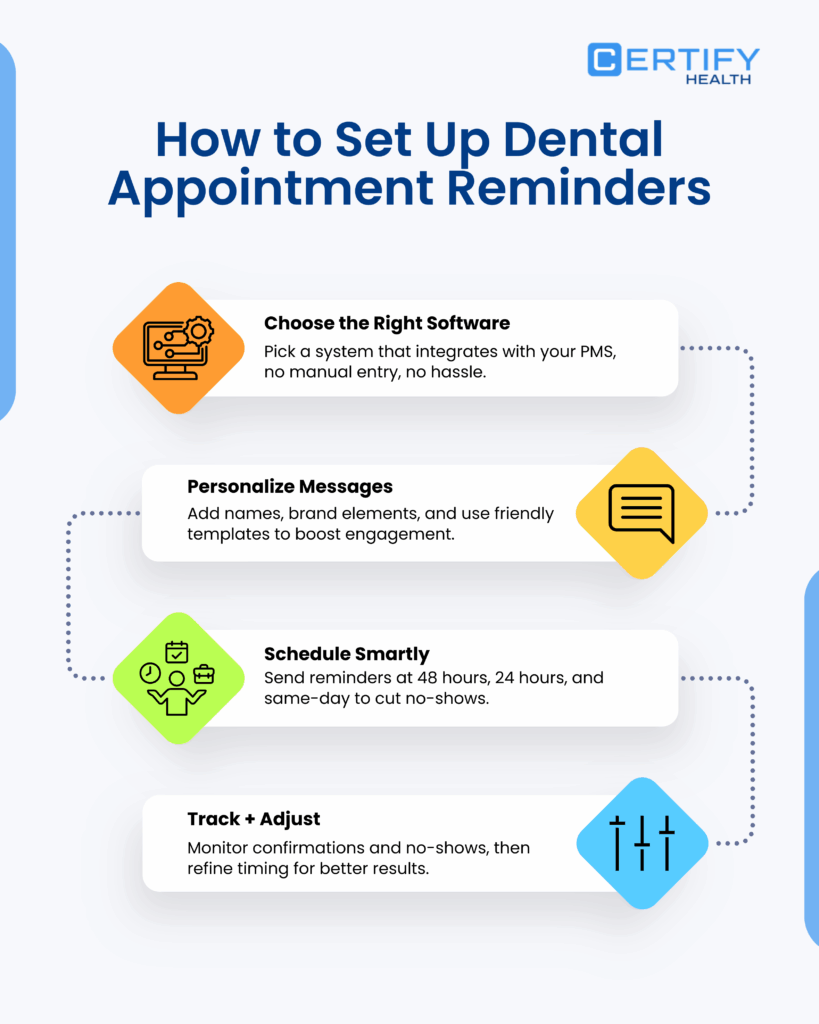
Ready to ditch the phone marathon? Here’s how to launch dental appointment reminders without tech headaches.
First, pick reliable dental appointment reminder software that integrates seamlessly with your practice management system, no clunky data entry.
Next, customize messages: Swap in patient names, add your logo vibe, and craft dental appointment reminder texts that feel personal or use one from available templates.
Set a reminder schedule like 48 hours (bulk reminder), 24 hours (confirmation reminder), and same-day (last minute reminder).
Finally, track responses and tweak timing if no-show rates are still high or there are no responses.
Pro tip: Start small with one type, like automated text appointment reminders, and scale.
Common Question
How soon do I see results from dental reminders
Most practices notice improvements surprisingly fast. As reminder usage increases, missed appointments begin to drop almost immediately.
Studies show that when more patients receive SMS reminders, no-show rates decline in a measurable and meaningful way.
Many dental offices see a 20–30% reduction in no-shows within the first few weeks, and with small adjustments to timing and messaging, some achieve up to a 50% reduction over time.
In short, reminders don’t take months to work; you’ll often feel the impact within the first month.
CERTIFY Health Patient Experience Platform (PXP): Smart Dental Reminders in Action
Ever wish your dental reminders could do more than just say, “See you tomorrow at 3 PM”?
CERTIFY Health’s Patient Experience Platform doesn’t just send a one-off dental appointment reminder and call it a day. It runs intelligent, automated text reminders across multiple touchpoints so patients are nudged at the right time, on the right channel, and with the right context.
Instead of relying on a single message, you can build multi-touch sequences, like a gentle reminder 72 hours before the visit and a tighter confirmation 24 hours before, dramatically cutting last-minute schedule gaps and no-shows.
More Than Just Appointment Reminders
The real power of reminders & nudges by CERTIFY Health is that it delivers different types of reminders, not just standard appointment alerts. You can:
- Send text message reminders for patients to confirm upcoming visits in one tap.
- Build multi-touch sequences (for example, 72 hours plus 24 hours before the appointment) to keep the visit top-of-mind without feeling spammy.
- Configure reminders by specialty, visit type, and patient preference so surgical cases, hygiene visits, and cosmetic consults get different messaging and timing.
This means a pediatric orthodontic follow-up, a hygiene recall, and an implant consult can all have tailored automated text appointment reminders that match the clinical and operational needs of each visit type.
Nudges That Power the Whole Patient Journey
PXP also acts as a nudge layer across the full patient journey, not just the appointment slot. It can:
- Send prompts for digital forms, eConsents, or insurance capture so patients arrive prepared and your staff isn’t chasing paperwork at check-in.
- Trigger automated payment reminders by SMS or payment reminder email, helping reduce outstanding balances and smoothing cash flow.
- Deliver seasonal or specialty-based promotions, such as whitening offers before holidays or ortho consult campaigns, to drive reactivations and elective treatments.
combining these nudges with core dental appointment reminders, practices can reduce no-shows, close revenue leaks from empty chairs and unpaid balances, and create an improved patient experience that feels proactive instead of reactive.
All while ensuring HIPAA compliance locks down patient data. It optimizes workflows for dental practices, syncing with your existing setup to reduce front-desk burnout. Think seamless across specialties, no silos.
Best Practices for Killer Reminder Texts
Short, punchy, human, that’s the dental appointment reminder text formula. Aim for 140 characters max so they read on the go.
- Keep it simple: No walls of text. “Dental appointment reminder: 2pm tomorrow. Reply Y?”
- Clear call to action: “Reply Y/N/C” drives 70% response rates.
- Friendly tone: “Can’t wait to see your smile!” beats robotic.
- Opt-out always: “STOP to end” for compliance.
- Personalize: Use first names via dental reminder software.
- Skip jargon: “Cleaning” not “prophy.”
Pro Tip: Test variation, personalized ones boost opens by 25%.
Real-World Email Reminders Examples That Convert
Let’s steal from winners. These dental appointment reminder texts crush it for reduce no-shows and spark replies.
Dental appointment reminder!
Crown fitting Thu 1pm at Downtown Dental.
Click Y to confirm, C to change, or N to cancel.
😊 Reply STOP to opt out.
— [Practice Name]"
Your 4:00 PM dental cleaning is in 30 minutes.
Reply YES if you’re on your way, RESCHEDULE if you’re running late, or CANCEL if you can’t make it.
See you soon!
— [Practice Name]"
Your whitening appointment is confirmed and scheduled for Friday at 9:00 AM.
If you have any questions or need to make a change, simply reply to this message, we’re happy to help.
We look forward to seeing you soon!
— [Practice Name]"
Copy-paste ready, HIPAA-safe via automated text appointment reminders.
Common Question
Are these email reminders, HIPAA compliant?
Yes, these email reminders are safe and compliant when sent through certified dental reminder software, avoid personal phones.
No More Empty Chairs: Act on Dental Appointment Reminders Today
Dental practices ignoring automated SMS reminders leave money on the table: 10-20% no-shows steal thousands yearly in lost slots and staff grind.
Flip it with dental appointment reminder software and cut no-shows, delight patients, and reclaim your day.
Benchmark your rates: Over 5%? Time to automate.
Start with a demo of dental reminder software, implement, and tweak that reminder schedule, and watch patient engagement soar. Both your bottom line and your patients will appreciate it.
See how CERTIFY Health’s dental reminder software works – Book a demo today.