
Table of Contents
- Point solutions healthcare creates hidden risks by slowing workflows and increasing errors.
- Hiring more staff won’t fix fragmented workflows or repeated manual work.
- Workflow orchestration increases capacity by connecting scheduling, intake, and billing systems.
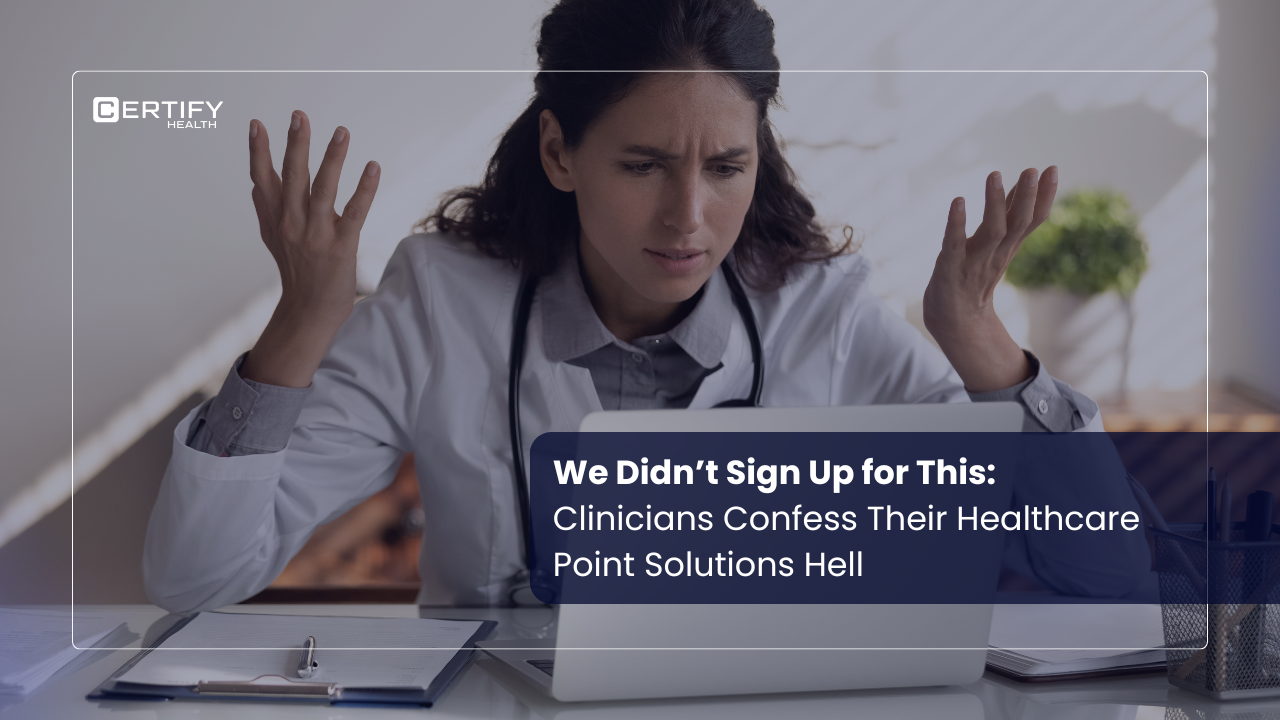
Clinicians didn’t become doctors, nurses, or therapists to spend their days juggling 10 different screens.
Yet today, many spend more time clicking buttons than caring for patients. A big reason? Point solutions healthcare.
Let’s break down what “software hell” really looks like in U.S. clinics and how workflow orchestration can pull teams out of the chaos.
The Confession: “My Day is Wasted Managing Software & Not Caring for Patients”
Many clinicians say the same thing:
“I didn’t become a doctor to manage software.”
That frustration is real.
One dermatologist we spoke with, at HIMSS26, estimated they lose about 2 hours a day just switching between scheduling, billing, and an EHR that never talks to the others.
Indicating towards a problem – point solutions healthcare.
Clinics add one tool for scheduling, another for billing, a third for reminders, and a fourth for intake. On paper, each tool “fixes” something. In practice, they create a swivel chair workflow:
- Open the EHR.
- Open the billing system.
- Open the scheduling tool.
- Open the eligibility checker.
Each time a clinician switches windows, they lose focus. Tasks slow down. Patients wait longer. Errors creep in.
Also, read: Why Data Still Doesn’t Flow Between Systems
HIMSS Reality Check — What We Heard from the Front Lines
At recent HIMSS‑style events, clinicians and administrators shared a common theme:
“We have software, but still data lives in separate system”
They described setups like this:
- EHR for notes and orders.
- Separate scheduling tool for appointments.
- Another system for billing and claims.
Because these tools don’t connect, data stays trapped in healthcare data silos.
Teams rely on swivel chair work to keep workflows moving:
- They log in here, then there.
- They transfer details between systems manually.
- They never see a real‑time, unified view of the patient or the workflow.
What “Software Hell” Really Looks Like for a Practice
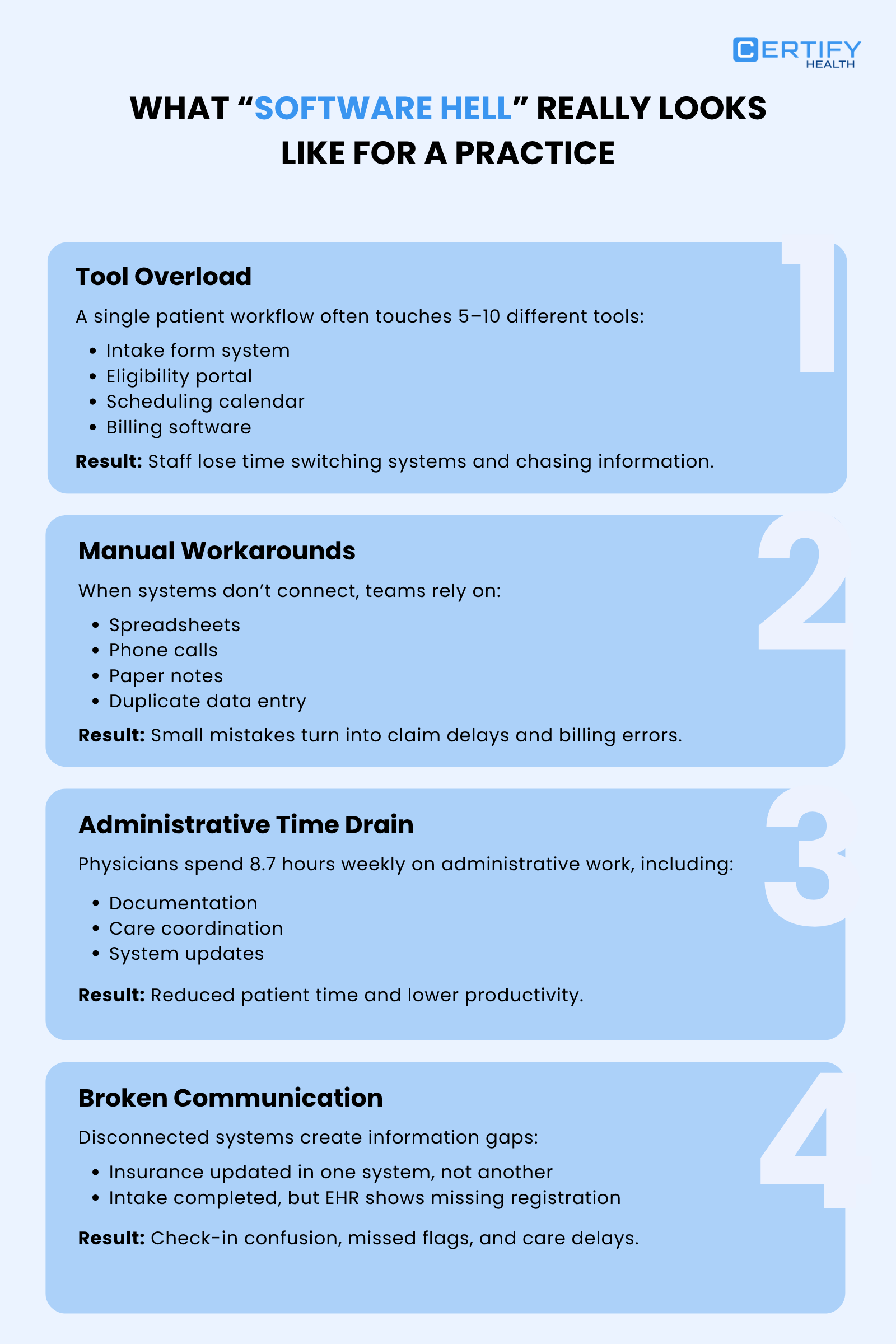
1. Tool Overload
In many clinics, a single workflow touches 5–10 different tools.
- Intake: one form tool.
- Eligibility: a separate portal.
- Scheduling: a calendar app.
- Billing: stand‑alone claims software.
Clinicians and admin’s time can be lost just switching systems and chasing information.
2. Manual Workarounds
When systems don’t talk, staff fall back on:
- Spreadsheets
- Phone calls
- Paper notes
- Duplicate data entry
This “hybrid” model is unstable. Small mistakes become billing errors or eligibility mismatches that delay claims.
3. Time Drain
U.S. physicians spend about 8.7 hours each week, or 16.6% of their working time, on administrative tasks.
For many, that’s more than they spend on direct patient care.
When 50% or more of a staff member’s day is spent on admin work, there is less time for:
- Patient education.
- Care coordination.
- Team collaboration.
4. Broken Communication
With healthcare data silos, information gaps are common.
- A patient’s insurance status may be up to date in one system, but not in the billing tool.
- A completed digital patient intake form sits in one portal, while the EHR still flags “missing registration.”
This leads to confusion at check‑in, missed flags, and care delays.
The Hidden Cost? It’s Not Just Frustration
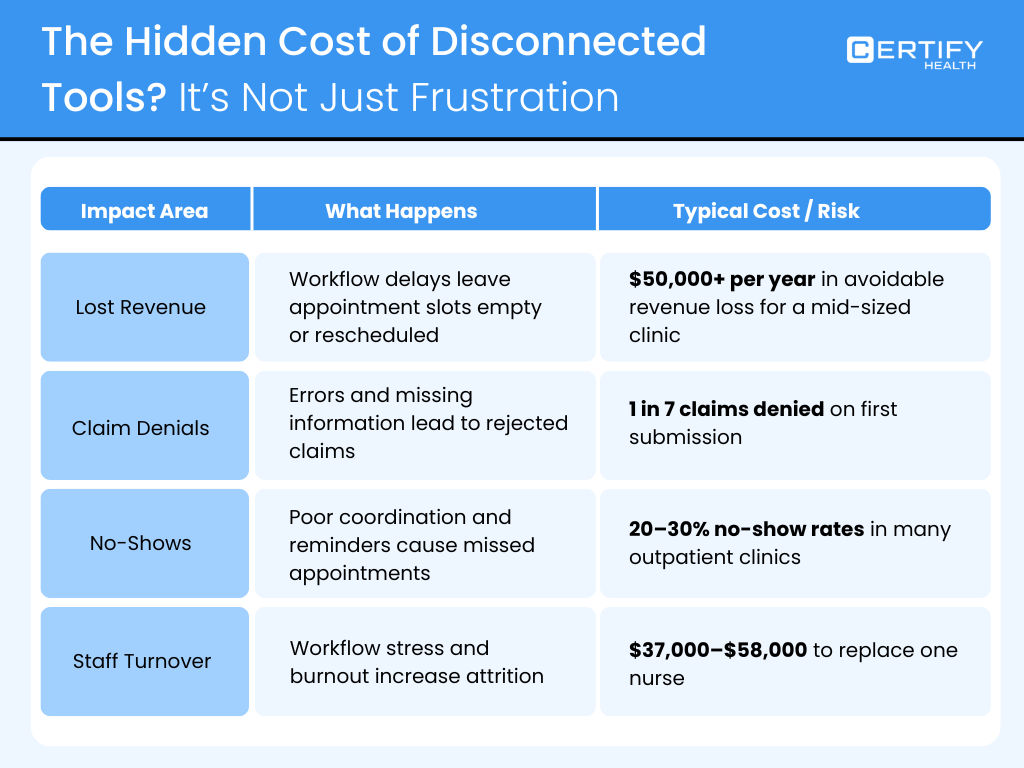
Financial & Operational Impact
Disconnected tools create real costs.
- Lost revenue: When workflows stall, appointments sit empty or get delayed. A mid‑sized clinic can lose $50,000 or more per year from avoidable delays and gaps in scheduling and billing.
- Claim denials: Private payers deny about 1 in 7 claims on first submission. Medicaid and Medicare Advantage can be even higher.
- No‑shows: Across outpatient clinics, no‑show rates often run between 20–30%, especially in pediatrics and dermatology.
- Staff turnover: Replacing a single nurse can cost tens of thousands of dollars, with some estimates of $37,000–$58,000 per nurse.
This isn’t just an IT issue. It’s a business crisis driven by point solutions healthcare.
Every disconnected tool chips away at:
- Revenue.
- Staff morale.
- Patient experience.
The problem is not that clinicians resist technology. It is that the tools never solve the whole workflow.
Why Common Fixes Keep Failing
Clinics often respond to chaos by:
- Adding more tools.
- Hiring more staff to cover gaps.
- Building point‑to‑point integrations between two systems.
Here’s why these moves don’t work long‑term:
Adding More Tools
Each new tool adds another login, another training session, another data silo.
Over time, point solutions healthcare multiplies, not fixes, the problem.
Hiring More Staff
Staffing up won’t repair inefficient processes.
If the underlying system is fragmented, new hires will simply repeat the same manual work.
Point Integrations
A “glue” integration between two systems may feel like progress, but it’s often a temporary patch.
When a third system changes, the whole chain can break again.
Core Problem
Point solutions healthcare creates more silos, not more solutions.
Clinics end up with:
- Separate tools for healthcare workflow,
- Separate tools for administrative burden in healthcare,
- And no unified healthcare system that connects them.
The Shift: From Point Solutions to Workflow Orchestration
There’s a better model: workflow orchestration. Instead of adding more tools, you connect to the ones you already have.
From Disconnected Tools to Connected Workflows
A connected workflows model does three things:
- Unifies data across scheduling, intake, and billing.
- Gives staff real‑time operational visibility: who is scheduled, who is ready for an appointment, who has outstanding authorizations.
- Uses automated patient engagement (like reminders and follow‑ups) to keep patients in the loop.
This approach reduces the need for swivel chair work and lets teams focus on patients.
How CERTIFY Health Solves the Problem
CERTIFY Health steps into the gap.
Instead of another point solution, it acts as a healthcare interoperability solution that ties together the tools you already use.
What CERTIFY Health’s Integrated Healthcare Platform Connects
CERTIFY Health brings together:
- Patient experience (digital intake, reminders, and communication)
- Patient management (Charting, documentation, co-ordination)
- Practice management (appointments, team workflows, and front‑desk tasks)
- Revenue cycle management (RCM) (claims, billing, and denials)
- CERTIFY Pay (built‑in payment gateway for copays, deductibles, and balances)
- Interoperability (data that flows smoothly across EHRs, billing systems, and payment tools)
This means teams don’t have to live in swivel chair work mode, jumping from one screen to another. Instead, they see the whole patient journey in one place.
Outcomes You Can Expect
With CERTIFY Health in place, clinics report:
- About 40% less manual work in repetitive tasks like intake, scheduling, and billing.
- 95%+ clean claims, thanks to better eligibility checks and fewer data‑entry errors.
- Faster patient throughput, because front desks spend less time hunting missing information and more time guiding patients.
Before vs After: A Snapshot
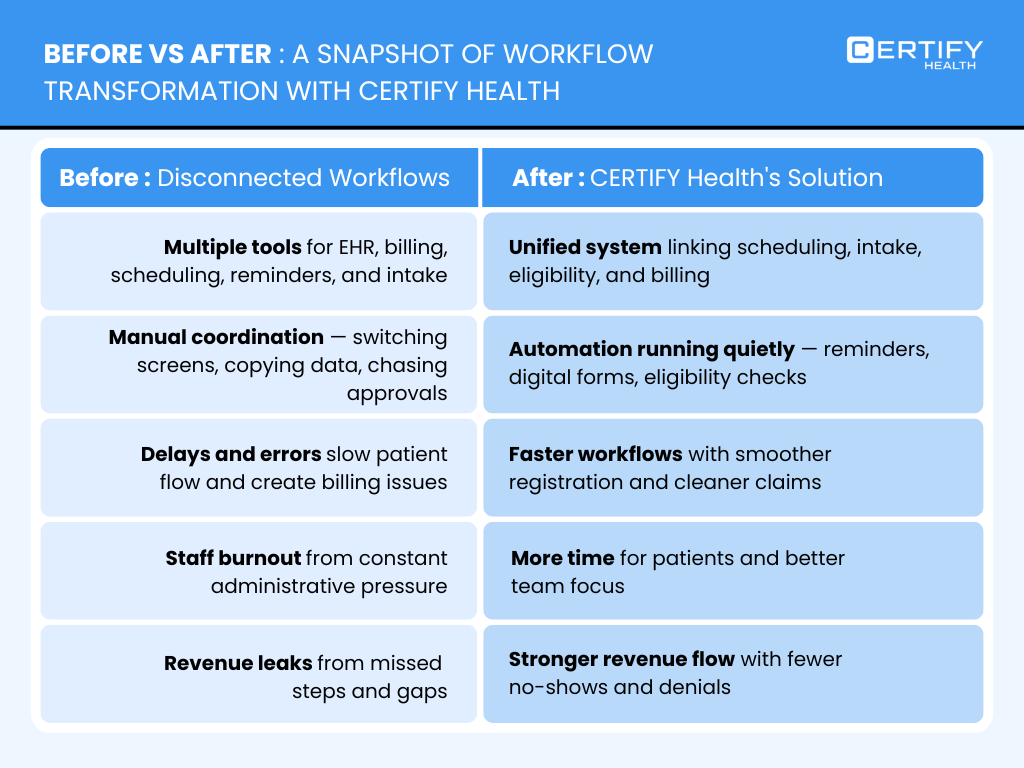
Before
- Disconnected tools: EHR, billing, scheduling, reminders, and intake all in separate systems.
- Manual coordination: Staff constantly switching screens, copying data, chasing eligibility and authorizations.
- Delays, errors, and burnout: Patients wait longer, staff feel overwhelmed, and revenue leaks through gaps in the workflow.
This is the classic point solutions healthcare trap.
After
- Unified workflows: Scheduling, intake, eligibility, and billing linked under one view.
- Automation: Smart reminders, digital forms, and eligibility verification automation run in the background.
- Faster revenue and better care: Registration is smoother, no‑shows drop, claims are cleaner, and staff have more time to focus on patients.
CERTIFY Health turns healthcare workflow chaos into connected workflows that feel calm and predictable.
Fix the System, Not the Staff
Clinicians didn’t sign up for software chaos. They signed up to deliver care.
Yet today, many are stuck in point solutions healthcare hell, bouncing between systems that don’t talk.
The way out is not to add more tools, more policies, or more meetings.
It is to replace point solutions with workflow orchestration.
Final Takeaway
End the point solutions healthcare trap with workflow orchestration.
With CERTIFY Health, clinics can:
- Break healthcare data silos,
- Cut administrative burden in healthcare,
- And create unified workflows that support connected workflows, automated patient engagement, and healthcare interoperability solutions that actually work.
When the system finally works for the team, not against them, clinicians can do what they came here to do: focus on patients, not software.
Book a Demo and watch your entire workflow come to life, guided by CERTIFY Health experts.