

Table of Contents
- Track your no-show rate regularly to spot patterns and prevent revenue loss.
- Use automation like reminders, confirmations, and waitlists to reduce patient no-shows and keep schedules full.
- Set clear expectations early with a simple cancellation policy and timely communication.
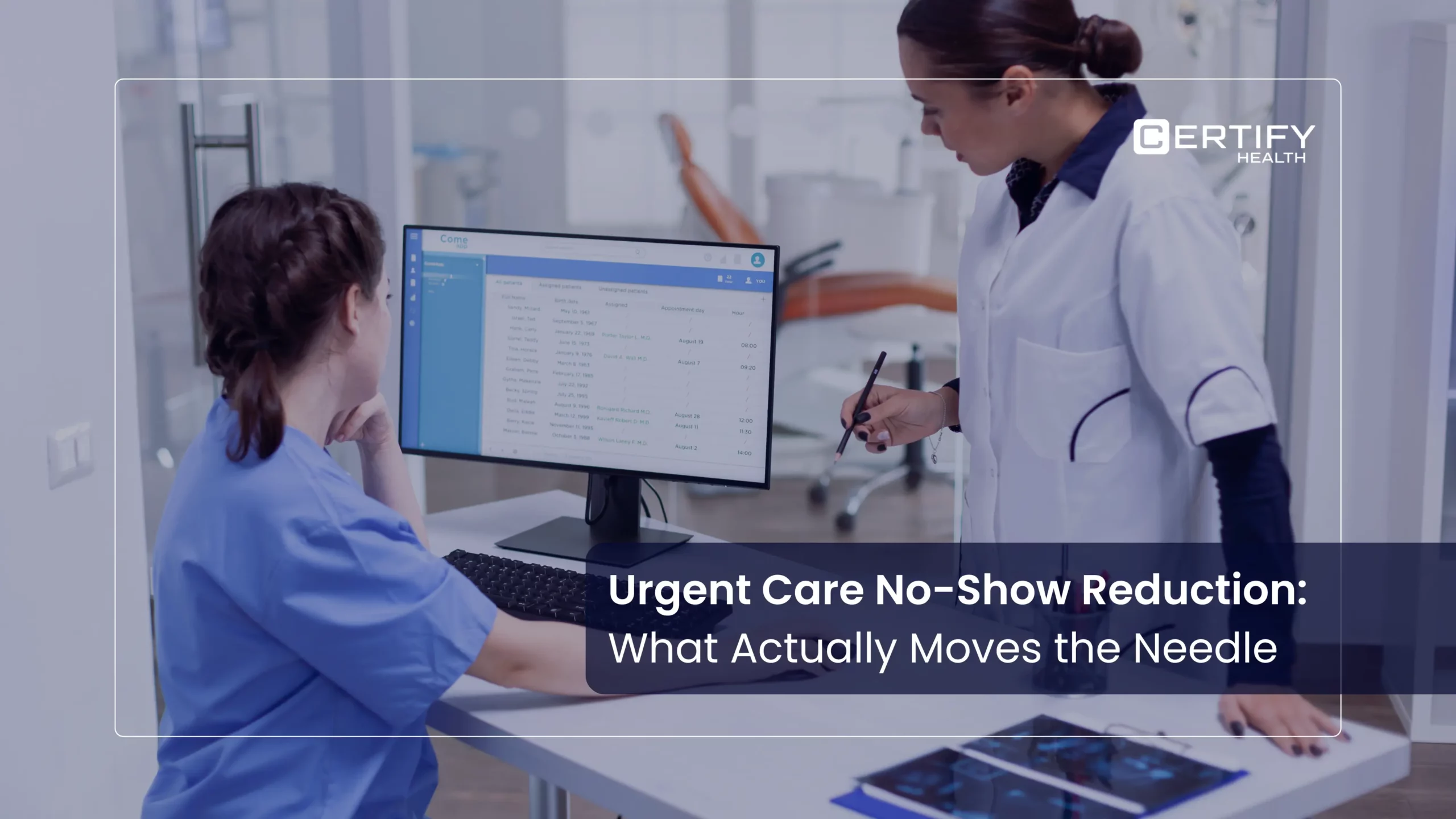
Every empty chair in your clinic costs you money, time, and patient trust.
Healthcare practices lose about $200 per missed appointment;
Now imagine if a practice faces a 10% no‑show rate, it can easily lose ~$1M+ a year.
This guide explains how to reduce patient no‑shows using simple, high‑impact tactics you can start in 2026.
You’ll also learn how to track your no‑show rate, compare it to benchmarks, and put a strong policy in place, so cancellations replace no‑shows.
Why Patient No‑shows Are Costing Your Practice
A patient no‑show wastes more than just one provider’s time.
- Lost revenue. Each missed visit means lost fees from exams, procedures, labs, and follow‑ups.
- Wasted staff time. Staff still prepare rooms, check charts, and plan schedules.
- Higher operating costs. Rent, staff pay, and utilities stay the same even when patients don’t show.
- Lower productivity. Missed appointments directly shrink the number of patients served per day.
- Poorer outcomes. Missed appointments delay care, increase risk, and weaken trust in your practice.
On a national level, missed appointments cost healthcare around $150B per year when you add up all those empty slots.
Reducing patient no‑shows is one of the fastest ways to protect your revenue and improve access.
The No‑show Rate Benchmark: How Does Your Practice Compare?
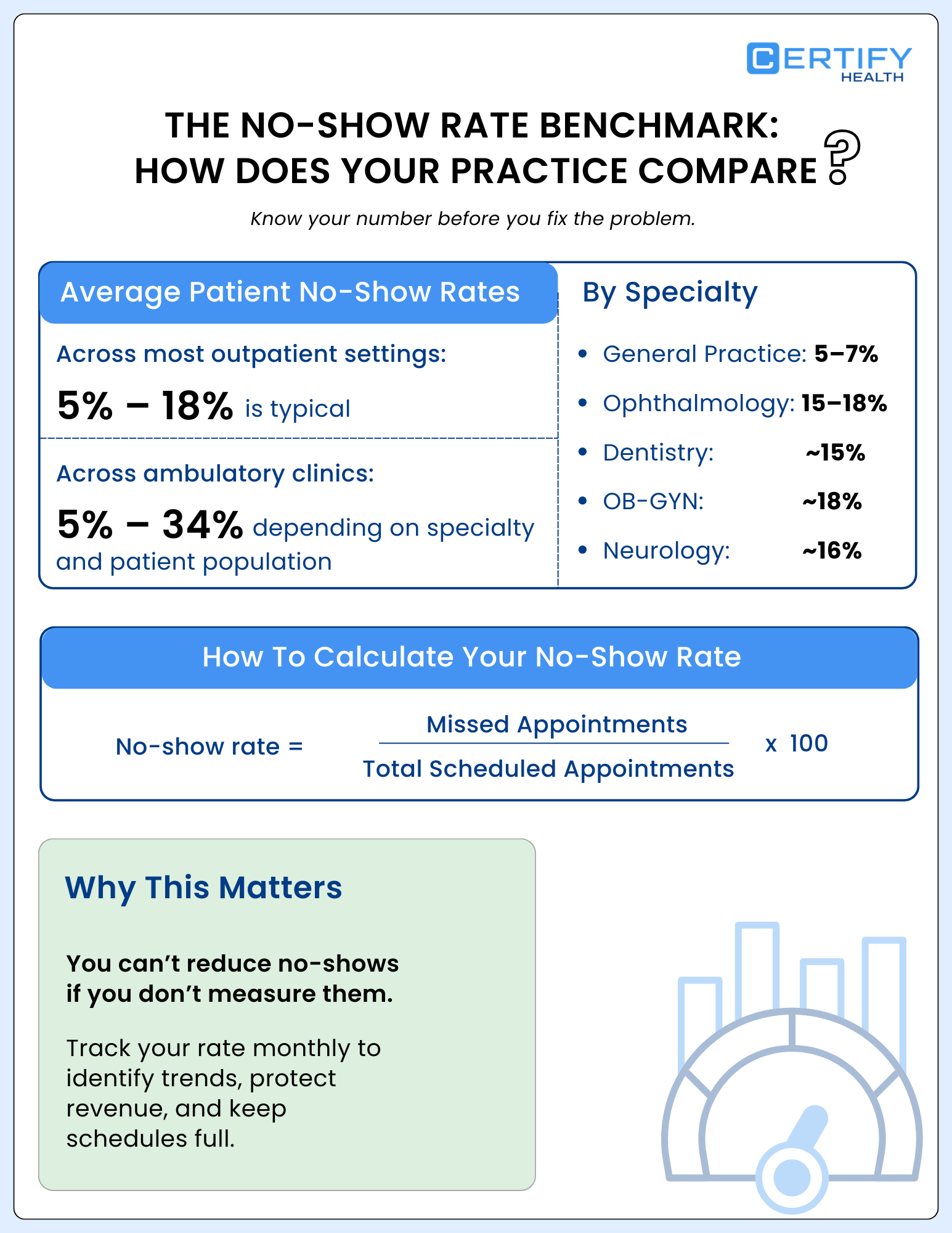
To reduce patient no‑shows, you first need to know your current no‑show rate and how it compares to benchmarks.
What Is The Average Patient No‑show Rate?
Across most outpatient settings, the average patient no-show rate falls between 5% and 18%, with some specialties going higher.
Research shows that no-show rates in ambulatory clinics generally vary from 5% to 34%, depending on patient population and specialty.
- General practice: 5–7%.
- Ophthalmology: 15-18%
- Dentistry: around 15%.
- OB-GYN: often near 18%.
- Neurology: about 16%
A no-show rate benchmark that most high-performing clinics aim for is under 10%. Anything over 20% usually signals that your scheduling, reminders, or access policies need work.
How To Calculate Your No‑show Rate
Use this simple formula:
No-show rate = (No. Of missed Appointments ÷ Total No. Of Booked Appointments) x 10
Example: 10 no‑shows out of 100 scheduled visits = 10% no‑show rate.
Once you track this over a few months, you can clearly see whether your efforts to improve no-show rates are working.
15 Proven Strategies to Reduce Patient No‑shows
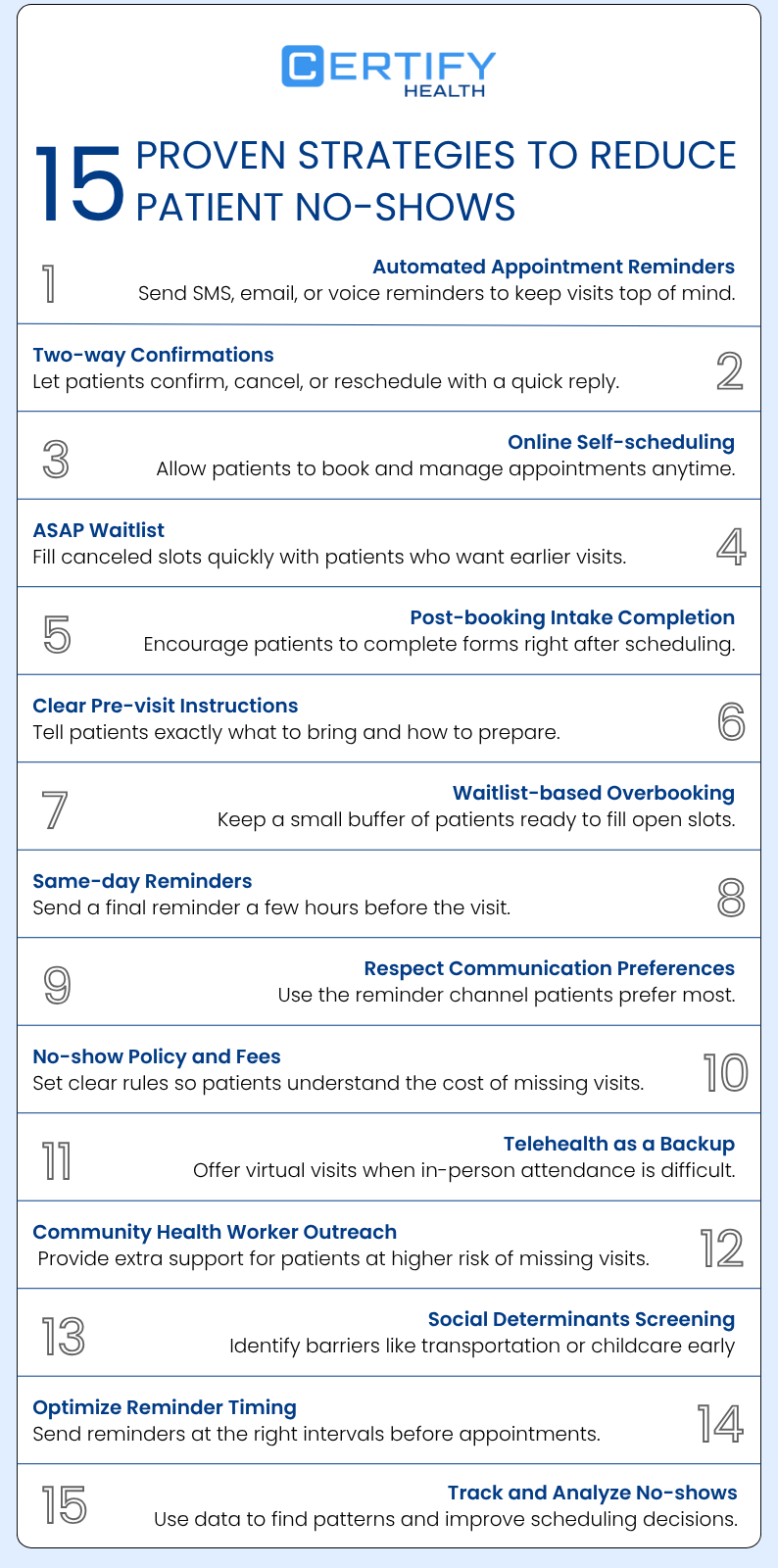
Use these strategies alone or in combination to reduce patient no‑shows, cut down missed appointments in healthcare, and improve access.
1) Use Automated Appointment Reminders (SMS, Email, Voice)
Automated appointment reminders are one of the most effective ways to reduce no‑show rates.
- Send reminders via SMS, email, or voice 2–3 days before the visit.
- Provide complete appointment details, including the scheduled time, facility location, and assigned clinician.
- Add a short note about why the visit matters for the patient’s health.
A U.S. pediatric clinic study found that adding automated appointment reminders reduced no-show rates from 38.1% to 23.5%, lowering missed visits by nearly 15 percentage points.
2) Add Two‑way Confirmations (“Reply Y To Confirm”)
Beyond simple reminders, two‑way confirmations make patients more accountable.
- Let patients respond with a quick code like “Y” to confirm, “C” to cancel, or “R” to reschedule.
- If they don’t confirm, trigger a follow‑up reminder or a call from staff.
Two-way confirmations improve attendance because patients actively acknowledge the appointment, allowing staff to identify cancellations early and keep schedules full.
3) Offer Online Self‑scheduling For Patients
Online self‑scheduling lets patients book, reschedule, or cancel anytime, from a phone or desktop.
Patients who book online are more likely to remember and keep their appointments.
In one outpatient study, online bookings had fewer missed visits than phone bookings (1.8% vs. 5.9%), showing that easier scheduling helps patients show up.
Benefits:
- Fewer scheduling errors and last‑minute no‑shows from phone mix‑ups.
- Patients can see real‑time availability and pick slots that fit their calendars.
- Staff spend less time on the phone and more time on higher‑value tasks.
Modern online self‑scheduling tools plug directly into your EHR and calendar, so time slots stay accurate and backed by real‑time capacity.
4) Fill Cancellations Immediately with an ASAP Waitlist
A waitlist management (or “ASAP list”) turns last‑minute cancellations into quickly filled appointments.
How it works:
- When a patient cancels or no‑shows, the system flags the open slot.
- It pushes the slot to a digital waitlist of patients who want earlier visits.
- Eligible patients on the waitlist receive a notification and can claim the slot in real time.
This approach can turn every no‑show into a recovered appointment, which protects revenue and keeps your schedule tight.
5) Push Post‑Booking Intake Completion
Completed pre‑visit intake makes patients feel “more invested” in the appointment.
- Ask patients to fill out basic forms right after booking.
- Include consent, insurance, and simple symptom or history questions.
- Send intake links via SMS or email for mobile access.
When patients complete tasks before the visit, they are more likely to show up and arrive better prepared.
6) Send Clear Pre-Visit Instructions
Poor instructions increase confusion and anxiety, which can lead to missed appointments in healthcare.
In your reminders or confirmation messages, include:
- What to bring (ID, insurance card, medications).
- Any prep needed (fasting, lab forms, referrals).
- When to arrive and where to check in upon arrival.
Clear, simple instructions help patients feel ready and reduce the chance they skip the visit because they’re unsure.
7) Use A Waitlist‑based Overbooking Strategy
Traditional overbooking can create long waits and patient frustration. Waitlist‑based overbooking is smarter.
- Allow a small buffer of “virtual” slots that are tied to your waitlist.
- If a confirmed patient cancels or no‑shows, fill the slot from the waitlist.
- If no one on the waitlist accepts, the slot stays open without overloading the schedule.
This strategy can help reduce no-show rates by keeping a small buffer of patients ready to fill open slots; keeping patient flow smooth and predictable.
8) Send Same‑day Appointment Reminders
A final reminder on the day of the visit can prevent last‑minute forget‑offs.
- Send a text or email 1–2 hours before the appointment.
- Repeat the time, location, and any special instructions.
- Include a quick confirmation or reschedule option.
Same‑day reminders are especially helpful for patients with busy schedules or those who book far in advance.
9) Respect Patient Communication Preferences (SMS Vs. Email)
Not all patients like the same channels.
Some prefer SMS, others prefer email, and a few like phone or voice.
To reduce missed appointments healthcare, you must implement patient communication tool, that:
- Let patients choose their preferred reminder method when they book.
- Default to SMS for most patients, since it has the highest read rate and lowest no‑show rate.
- Offer a primary channel plus a backup (for example, SMS first, then email).
Matching your reminders to patient communication preferences improves engagement and attendance.
10) Implement No‑show Fees and a Clear Policy
No‑show fees are not punitive; they are a way to protect your schedule and staff time.
Key steps:
- Decide how many no‑shows or late cancellations trigger a fee.
- Write the policy in plain language and share it at booking, in reminder messages, and on your website.
- Collect the fee automatically or at the next visit whenever possible.
A clear no‑show and policy communication helps patients understand that missed appointments have real costs for the practice.
11) Use Telehealth as a Fallback Option
When life gets in the way, telehealth can be a strong alternative to an in‑person visit.
- Offer video or phone options for follow‑ups, chronic‑care check‑ins, and some consults.
- Let patients switch to telehealth if transportation, childcare, or work conflicts arise.
Replacing an in‑person no‑show with a virtual visit keeps the appointment in the schedule and maintains continuity of care.
12) Deploy Community Health Workers for High‑risk Patients
Some patients consistently miss visits due to social, financial, or logistical barriers.
Consider using community health workers or care coordinators to:
- Call or message high‑risk patients ahead of time.
- Help with transportation, insurance questions, or paperwork.
- Offer simple check‑ins or reminders in the patient’s preferred language.
Targeted outreach can meaningfully reduce no‑show rates in vulnerable or high‑no‑show populations.
13) Add Social Determinants Screening at Intake
Social determinants of health often drive missed appointments.
At intake, ask gently about:
- Transportation access.
- Childcare or elder‑care needs.
- Work‑schedule conflicts.
If a patient flag barriers, you can:
- Offer virtual visits.
- Adjust appointment times to better fit their schedule.
- Connect them to transportation or other support programs.
This kind of screening helps you improve no‑show rates by addressing root causes, not just symptoms.
14) Optimize Reminder Lead Time
Sending reminders too early or too late can make them less effective.
A common pattern that helps reduce no‑show rates:
- 48 hours in advance: First reminder with key details and confirmation option.
- 24 hours in advance: Second reminder plus any last‑minute prep notes.
- 1–2 hours before the visit: Final reminder with location and check‑in details.
Testing different timing patterns (for example, 72‑hour vs. 48‑hour) can help you fine‑tune your how to improve patient no‑show rate strategy.
15) Track No‑shows And Analyze Root Causes
How to reduce no‑show rates in ambulatory care clinics? It’s simple, all you need is some data.
Track:
- Total scheduled appointments.
- Confirmed vs. cancelled vs. no‑show.
- Day of week, time of day, and type of visit.
- Patient demographics and visit history.
Use this data to:
- Identify clinics, providers, or days with unusually high no‑show rates.
- Test targeted changes (e.g., new reminder timing, different waitlist rules).
- Measure how your how to improve no‑show rates initiatives progress over time.
How Technology Can Help Reduce Patient No‑shows
Technology alone will not fix no‑shows, but it can automate many of the strategies mentioned above and make them easy to scale.
Key tech features that cut missed appointments
- Automated appointment reminders across SMS, email, and voice.
- Two‑way confirmations that let patients reply to confirm or reschedule.
- Online self‑scheduling so patients can book and adjust visits anytime.
- Waitlist management that automatically fills last‑minute cancellations.
- Integrated intake and pre‑visit forms completed before the visit.
Together, these tools help teams reduce patient no‑shows, shorten staff workload, and keep more patients on track for care.
Pro Tip:
Reducing no-shows gets easier when the right technology supports your workflow.
CERTIFY Health’s Patient Experience Solution enables these strategies with tools like online scheduling, ASAP waitlists, communication, reminders, and digital check-in, helping you keep schedules full and patient flow predictable.
How To Measure and Improve Your No‑show Rate
To reduce no‑show rates successfully, you must measure them regularly and act on the data.
How to measure your no‑show rate
Use the same formula you use to calculate your average patient no‑show rate:
No Show Rate (%) = (Number of Missed Appointments/ Total Appointments Scheduled) x 100
Track this weekly or monthly for each clinic, provider, or specialty.
Compare your rate to the no‑show rate benchmark (5–10% is a strong target).
How to improve your no‑show rate over time
- Start with automated SMS reminders and two‑way confirmations, which can reduce no‑show rates by up to 30–40% in many settings.
- Add online self‑scheduling so patients control their own booking and are more likely to keep it.
- Implement or refine your waitlist management system so cancellations do not sit empty.
- Train staff to communicate your no‑show policy clearly and consistently.
Set a goal such as reduce patient no‑shows by 20% in the next 6 months and track whether your tactics achieve that.
No‑Show Policy Templates for Healthcare Practices
A clear, written no‑show policy helps you enforce expectations and reduce confusion.
Here are simple building blocks you can use or adapt:
- Define a no‑show.
- A patient who does not arrive by 15 minutes after the scheduled time without cancelling.
- Set a cancellation window.
- We ask that you cancel your appointment at least one day in advance.
- Mention a no‑show fee.
- “If a patient does not cancel within [X] hours and does not appear, a no‑show fee of [amount] may be charged.”
- Explain the impact.
- “Missed appointments cost the practice revenue and staff time, and can delay other patients’ care.”
- List exceptions.
- “Fees may be waived for emergencies or documented special circumstances.”
Display this policy at booking, on your website, and in reminder messages so patients understand it before they schedule.
Conclusion
Reducing patient no‑shows is one of the most practical ways to protect revenue, improve access, and deliver better care.
You can start by:
- Calculating your average patient no‑show rate.
- Setting a clear no‑show rate benchmark (aim for under 10%).
- Implementing automated appointment reminders, two‑way confirmations, and online self‑scheduling.
- Adding a waitlist management system to fill cancellations in real time.
Get a free, step‑by‑step checklist to help your practice reduce patient no‑shows, improve no‑show rates, and protect revenue. This downloadable guide covers how to implement automated reminders, online self‑scheduling, waitlist management, and no‑show policy best practices, all in one place.