
Table of Contents
Key Takeaway:
- Start with outcomes, not features: Define goals like reduced wait times, better collections, and fewer front-desk bottlenecks, then select kiosk hardware, software, and workflows that directly support those outcomes.
- Buy must-haves, not toys: Prioritize core capabilities such as patient check-in, consent forms, payments, wayfinding, ID/insurance scanning, and rock-solid privacy/security before spending on optional add-ons.
- Implement in phases and measure relentlessly: Pilot a small footprint, train staff, track metrics like wait time and collection uplift, then scale the kiosk footprint based on real-world performance and patient feedback.
Introduction
Stop watching your front desk turn into a battlefield every peak hour.
And you’re not alone. Healthcare practices everywhere are leaning into self-service, fast. The global medical kiosk market hit $1.42 billion in 2023 and is charging ahead at 15.1% CAGR through 2030, fueled by smarter, AI-enabled kiosks taking over the busywork.
Patients breezing through self-service kiosks – updating information, signing consent forms, handling payments, and finding their way, without a single sigh or side-eye at your staff.
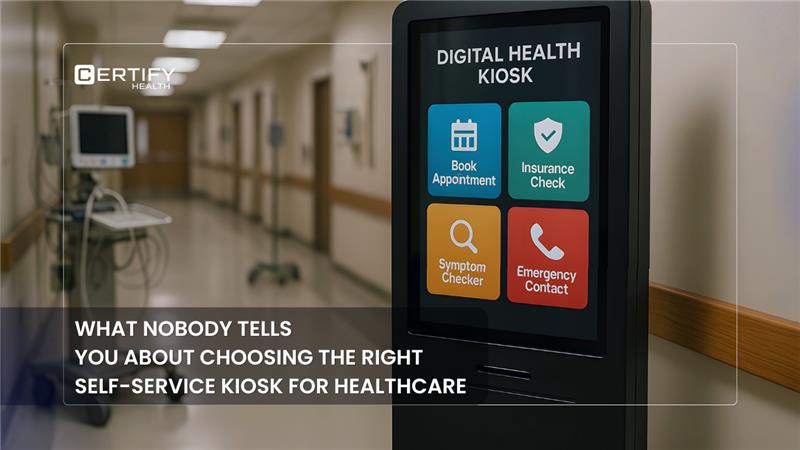
That’s the magic of a digital self-service kiosk in healthcare – tackling patient check-in, demographics, consent forms, payments, and wayfinding like a boss.
But not every shiny feature is a must. We’ll slice through must-have vs nice-to-have so you don’t blow your budget on kiosk hardware or kiosk software that gathers dust.
6 Considerations When Choosing Healthcare Kiosks
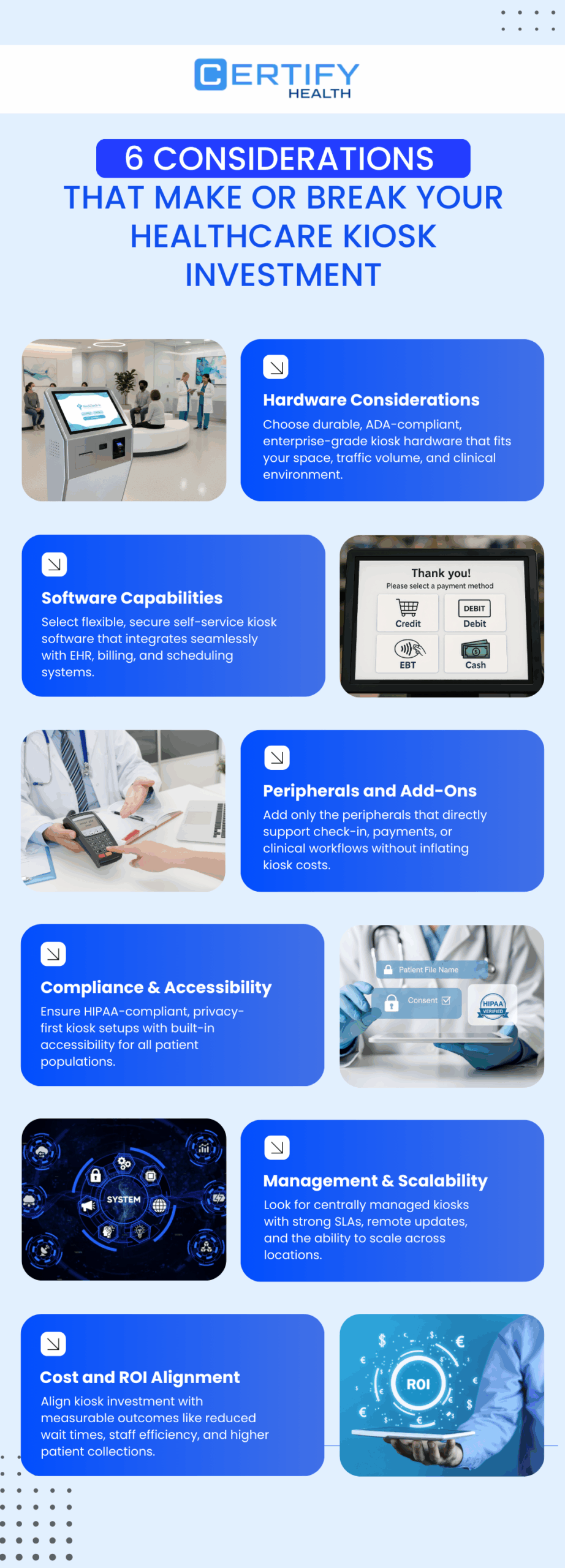
1. Hardware Considerations
What makes kiosk hardware work in real clinics?
The right form factor for your space, medical-grade durability, ADA-compliant design, and enterprise-level connectivity that stays reliable even during peak traffic.
Your lobby’s a zoo, and the wrong kiosk setup makes it worse.
Start with form factor –
- Wall mounted touch screen kiosk for tight spaces
- Countertop kiosk for flexible spots
- Freestanding healthcare kiosk system where traffic roars.
Durability? Go medical-grade with antimicrobial surfaces that wipe clean in seconds, shrugging off spills and germs.
Accessibility can’t be an afterthought.
ADA-compliant kiosk hardware means 34-48 inch screen heights, adjustable stands, big touch targets, high-contrast fonts, and voice guidance for everyone.
Connectivity seals the deal: Gigabit Ethernet for rock-solid links, PoE for power-over-cable simplicity, and Wi-Fi backups. Skip flimsy consumer gear; enterprise hardware considerations ensure 24/7 uptime in your chaotic world.
2. Software Capabilities
Why does kiosk software make or break the patient experience?
Because flexible workflows, seamless EHR integrations, intuitive UI, and airtight security are what keep kiosks fast, frustration-free, and running smoothly even during peak hours.
Ever had kiosk software crash mid-rush, leaving patients fuming?
Self-service kiosk software shines with flexible workflows – drag-and-drop builders let non-techies customize patient check-in or consent forms without calling IT heroes.
Seamless APIs glue it to EHR, PMS, billing, and schedulers, auto-populating data like magic.
The UI? Dead simple: Multilingual prompts, progress bars, and one-tap kiosk use guide even tech-phobes.
Security’s non-negotiable – end-to-end encryption, auto-timeouts, biometric locks, and tamper-proof audit logs keep data impossible to access. This digital self-service kiosk setup turns chaos into calm, boosting kiosk implementation speed.
3. Peripherals and Add-Ons
Do kiosk add-ons drive value or just drive-up costs?
Only the right peripherals like ID and insurance scanning, secure payments, and e-consents, improve accuracy and collections, while unnecessary extras quietly drain ROI.
Kiosk peripherals are game-changers but pick smart.
Must-haves: ID card scanning and insurance card scanning to zap errors, plus EMV-compliant readers for secure payments. Signature capture pads nail e-consents on the spot.
Nice-to-haves: QR scanners, thermal printers, or even blood pressure cuffs? Only if your kiosk add-on list matches real needs – think high-volume payments or vitals checks.
These extras amp better collections without bloating kiosk cost, keeping your digital kiosk for healthcare lean and mean.
4. Compliance, Privacy, and Accessibility
What turns kiosks into a compliance risk instead of a patient win?
Ignoring privacy and accessibility, because only HIPAA-secure, WCAG-compliant kiosks protect patient trust while keeping regulators (and everyone else) off your back.
One data slip-up? Lawsuits galore.
Healthcare privacy laws like HIPAA demand encrypted transmissions, role-based access, and zero data storage on the device.
Prevent shoulder surfing with privacy screens, angled shields, and auto-dimming displays – patients love peeking less.
Accessibility weaves through every tap: Screen readers, adjustable volumes, and multilingual audio for diverse crowds.
Full kiosk setup audits ensure Web Content Accessibility Guidelines (WCAG 2.1) compliance, making your self-service kiosks a safe bet for regulators and grandparents alike.
5. Management, Support, and Scalability
What happens when kiosks don’t scale or get supported?
Downtime, frustrated patients, and stalled growth – unless you have centralized monitoring, ironclad SLAs, and a kiosk platform built to scale from one site to fifty without rework.
Launched and forgotten?
Nope. Device monitoring dashboards track uptime, usage, and glitches remotely – push kiosk software updates fleet-wide overnight. Demand 99.9% SLAs with 24/7 support, plus on-site swaps for zero downtime.
Scalability rocks: Pilot one healthcare kiosk system, tweak via analytics, then roll to 50 sites. Flexible workflows adapt as your practice grows, from solo derm to multi-specialty empire.
6. Cost and ROI Alignment
Are kiosks an expense or a revenue engine?
They’re only costly when ROI isn’t planned. When aligned to reduced wait times, higher collections, staff time savings, and better patient satisfaction, kiosks pay for themselves fast.
Kiosk cost scares everyone – hardware $3K-10K per unit, self-service kiosk software $500-2K/month, integrations $5K upfront.
But tally total ownership: Factor maintenance, power, and gains like reduce wait times by 70%, better collections up 30%.
Staff saves 2-3 hours daily on grunt work, funneling focus to care.
ROI hits in 6-12 months via fewer no-shows and happier NPS scores. Align spends to outcomes – no frills for frugal wins.
Implementation Roadmap
| Phase 1 | Nail SMART goals like "cut waits 50% in 3 months." Map high-traffic zones, spec kiosk hardware/kiosk software. |
| Phase 2 | Pilot 1-2 digital self-service kiosk units. Train staff as cheerleaders, test patient check-in/payments flows. Tweak kiosk implementation based on real runs. |
| Phase 3 | Go big with signage ("Check in here – faster!"), patient QR invites, and load tests. Monitor wayfinding adoption daily. |
Measure Success and ROI
Track wins:
Most kiosks stop at check-in. CERTIFY Health’s Self-Service Kiosk doesn’t.
Practices using it cut wait times from 15 minutes to under 4, hit 95% registration accuracy, and see up to a 25% boost in point-of-service payments, without adding front-desk staff.
What makes it different?
CERTIFY Health embeds real-time analytics directly into the kiosk experience. Dashboards surface drop-offs, peak usage times, and incomplete workflows, so leaders fix friction before it hits patients.
Built-in post-visit feedback loops capture patient input instantly, turning every check-in into a data point for improvement.
The result is measurable ROI:
- ~$50K annual savings from staffing efficiencies
- Higher copay capture and fewer billing errors
- Continuous optimization of forms, scans, and consent flows
With CERTIFY Health, the kiosk isn’t just automation, it’s a performance engine for access, payments, and patient experience.
Conclusion and Next Steps
Self-service kiosks don’t replace your team – they supercharge it, slashing lines, securing revenue, and delighting patients in your digital kiosk for healthcare era. Ditch the desk drama for smooth kiosk setup that pays back fast.
Next: Audit check-in bottlenecks with a CERTIFY Health demo. See self-service kiosk in action – your front desk will thank you.
Download Our Self-Service Kiosk Software Buyer’s Checklist
(Use this checklist to evaluate, select, and deploy self-service kiosks that reduce wait times, improve accuracy, and drive ROI, without disrupting workflows.)