
Table of Contents
Key Takeaway:
- Digital Front Door = Patient Acquisition Engine – A connected, 24/7 digital access strategy turns online searches into real appointments, improving growth and revenue.
- Seamless Experience Drives Satisfaction & Loyalty – Streamlined scheduling, intake, communication, and payments reduce friction, boost retention, and elevate NPS/CSAT scores.
- Integration & Data Are Non-Negotiable – True impact comes from fully integrated systems that automate workflows, reduce errors, and provide measurable results.
Nearly 90% of healthcare leaders expected the use of digital technologies to accelerate in 2025, according to the 2025 Global Health Care Executive Outlook by Deloitte.
In 2026, that shift is no longer a prediction; it is the new reality. Patients expect convenient, digital access to care, from scheduling appointments to completing intake and communicating with providers.
For healthcare organizations, meeting those expectations is not just about convenience, it directly impacts patient acquisition, operational efficiency, and revenue growth.
This guide explains what the digital front door in healthcare is, why it matters today, and how to build one that works.
What Is a Digital Front Door in Healthcare?
The digital front door healthcare is a layer of technology that helps healthcare providers manage a patient’s healthcare journey to drive better access, engagement, and experiences across the service continuum.
Often implemented as a platform of one or more integrated digital solutions, it serves as the primary entry point between patients and the care services they seek, enabling seamless interactions from pre-visit to post-care.
But that definition, clean as it is, doesn’t quite capture the full weight of what this concept represents.
- Think about what happens when a patient is looking for care.
- They might search for your practice name on Google.
- They scan your reviews. They tap on your website link.
- They look for an “appointments” button.
- They want to know if you accept their insurance, how soon they can be seen, and if they can finish paperwork ahead of time.
Every one of those is a digital touchpoint.
The search result, the website, the scheduling widget, the pre-visit forms, the reminder text, and the payment portal are all panels in the door they’re trying to walk through.
The digital front door is all of those panels, working together.
More formally, a digital front door platform integrates tools like online self-scheduling, digital patient intake forms, automated reminders, digital payments, mobile check-in, and patient communication into a unified experience.
It spans the entire patient journey, from the first online touchpoint to post-visit follow-up, and it does so in a way that feels coherent, intuitive, and consumer-grade.
Why the Digital Front Door Healthcare Matters for Patient Acquisition
There is a persistent assumption in healthcare that clinical quality alone drives patient choice.
So, if your physicians are good and your facilities are accredited, patients will find their way to you.
But that’s not true! The landscape has already shifted.
Patients operate more like consumers. They compare. They review. They abandon it.
And when they encounter friction like:
- A website that has slow loading speed on phone
- A scheduling process that requires a phone call during business hours
- An intake packet handed to them on a clipboard in a waiting room
They register that friction as a signal about the quality of care they’re likely to receive.
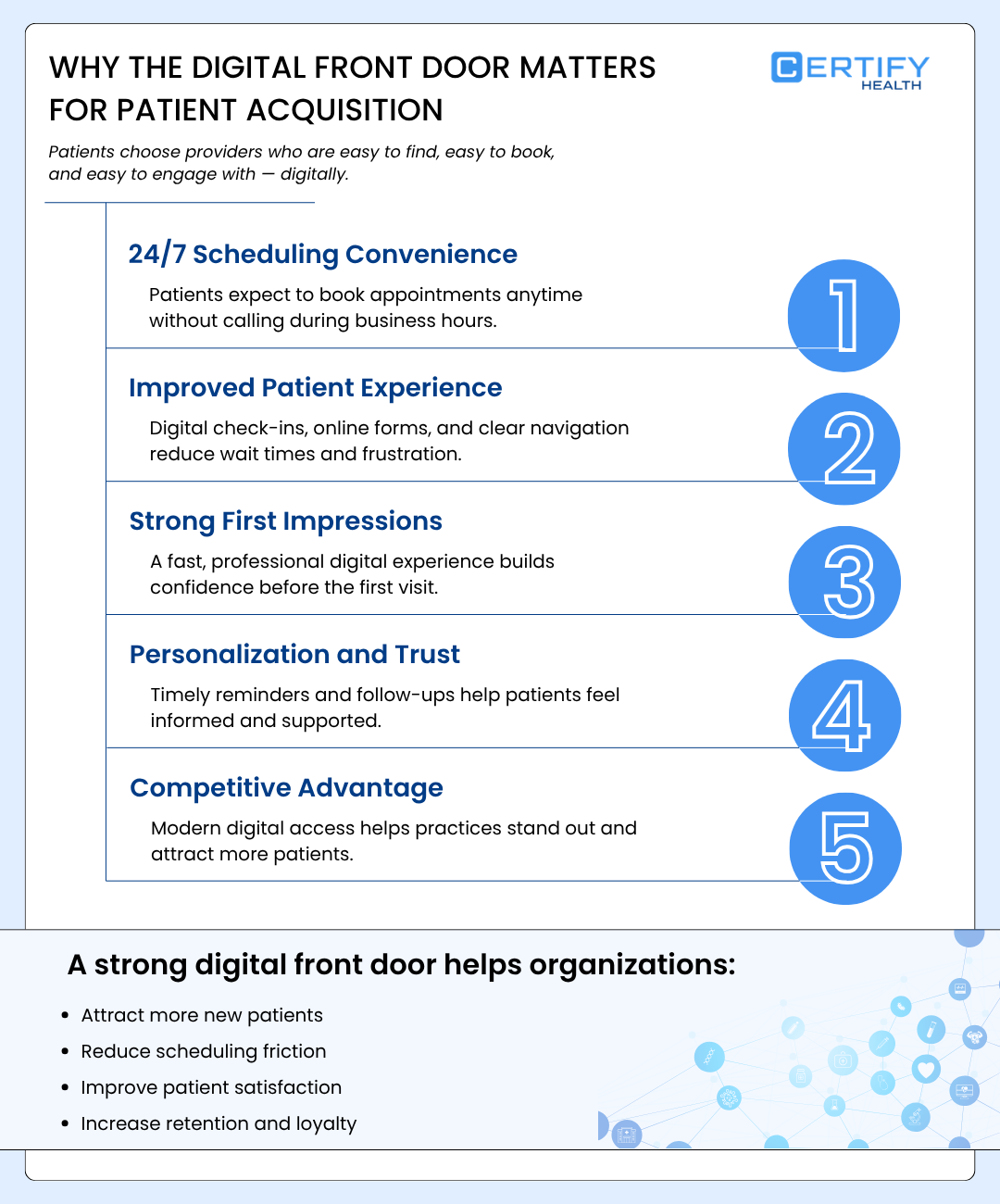
The digital front door matters for patient acquisition for five interconnected reasons:
1. 24/7 Scheduling Convenience
62% patients expect online appointment booking from their providers.
Modern patients, particularly those under 50, have no patience for systems requiring calls during business hours.
A digital front door enables patients to book, modify, or cancel appointments instantly, often after hours, working at midnight as effectively as noon.
2. Improved Patient Experience
In 2021, 28% of the U.S. population faced barriers to accessing specialist care, most commonly difficulty getting appointments and long wait times.
Access to care is one of healthcare’s biggest pain points.
It reduces friction by streamlining navigation, offering online chatbots, and providing digital check-ins.
Digital intake forms, pre-visit insurance verification, and clear care pathways eliminate long wait times and confusing processes, improving satisfaction and loyalty while boosting NPS/CSAT scores.
3. Making a Strong First Impression
Patients who are actively searching for providers expect a fast, frictionless way to take the next step.
Providers need a digital front door healthcare that works 24/7, with a professional website, strong reviews, and services that are easy to find and book. When the path is simple, patients choose you.
For providers, this means turning thousands of online searches into real appointments, not relying on a single front desk interaction.
4. Personalization and Trust
Patient experience directly influences ratings, referrals, and payer contracts.
Personalized communication, such as appointment reminders, follow-up messages, and care instructions, help patients feel informed and supported.
When communication feels timely and relevant, patients feel valued, building trust that leads to higher retention and loyalty.
5. Standing Out in a Competitive Market
Healthcare consumerism means patients now expect the same convenience they experience in retail or banking.
A modern, accessible digital presence helps your practice stand out, attract new patients, and stay competitive as more providers move away from manual, phone-based, and paper-based systems.
This shift happens by adopting a digital front door that supports online scheduling, digital intake, automated communication, and payment processing.
Core Components of a Healthcare Digital Front Door
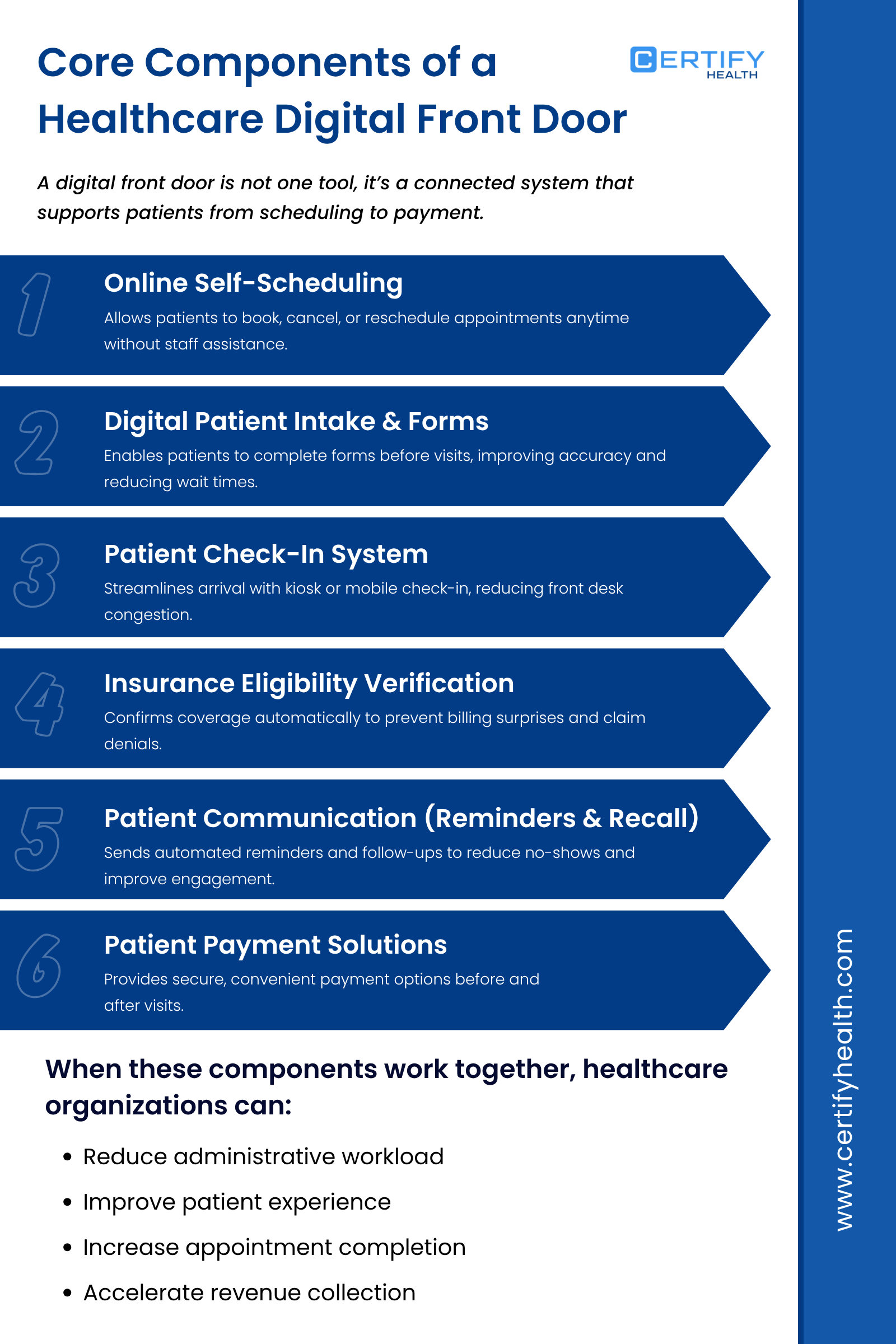
A digital front door is not a single product. It is an ecosystem of integrated tools, each addressing a specific phase of the patient journey.
Understanding these components individually, and how they work together, is essential for any practice or health system evaluating its digital strategy.
1. Online Self-Scheduling Healthcare
Online appointment scheduling healthcare is the most visible and often the most impactful component of a healthcare digital front door.
It allows patients to view real-time provider availability, select appointment types, and confirm bookings directly through a web or mobile interface, without staff assistance.
The value here is twofold.
For patients, it makes booking, canceling, or rescheduling easy anytime, anywhere.
For practices, it reduces front desk workload, shortens hold times, and captures after-hours demand.
Effective medical appointment scheduling software integrates directly with the practice’s EHR or EMR system.
This ensures booked appointments appear automatically in the provider’s schedule, without double entry or manual corrections.
For multi-specialty practices or health systems, good online scheduling also supports intelligent routing, directing patients to the right provider type based on their stated need, insurance, location, and availability.
This is where appointment scheduling software for medical offices begins to function less like a calendar tool and more like a care navigation engine.
2. Digital Patient Intake & Forms
The clipboard in the waiting room is not a neutral inconvenience.
It is a friction point, a delay, an infection risk (in the post-COVID era), and a data quality problem.
When patients fill out paper forms in a waiting room, they rush. They omit information. Their handwriting is difficult to read.
Staff must manually transcribe that information into the EHR. Each of those steps introduces errors and costs.
Digital patient intake forms solve this problem by allowing patients to complete their health history, consent documents, insurance information, and demographic data before they arrive, on their phone, tablet, or computer.
The data flows directly into the EHR, pre-populating fields that staff would otherwise enter manually.
Digital intake forms reduce wait times, improve data accuracy, and allow providers to review patient history before entering the exam room rather than during the visit.
3. Patient Check-In System (Kiosk & Mobile)
Once digital intake is handled prior to the visit, the check-in process at the office can be dramatically simplified.
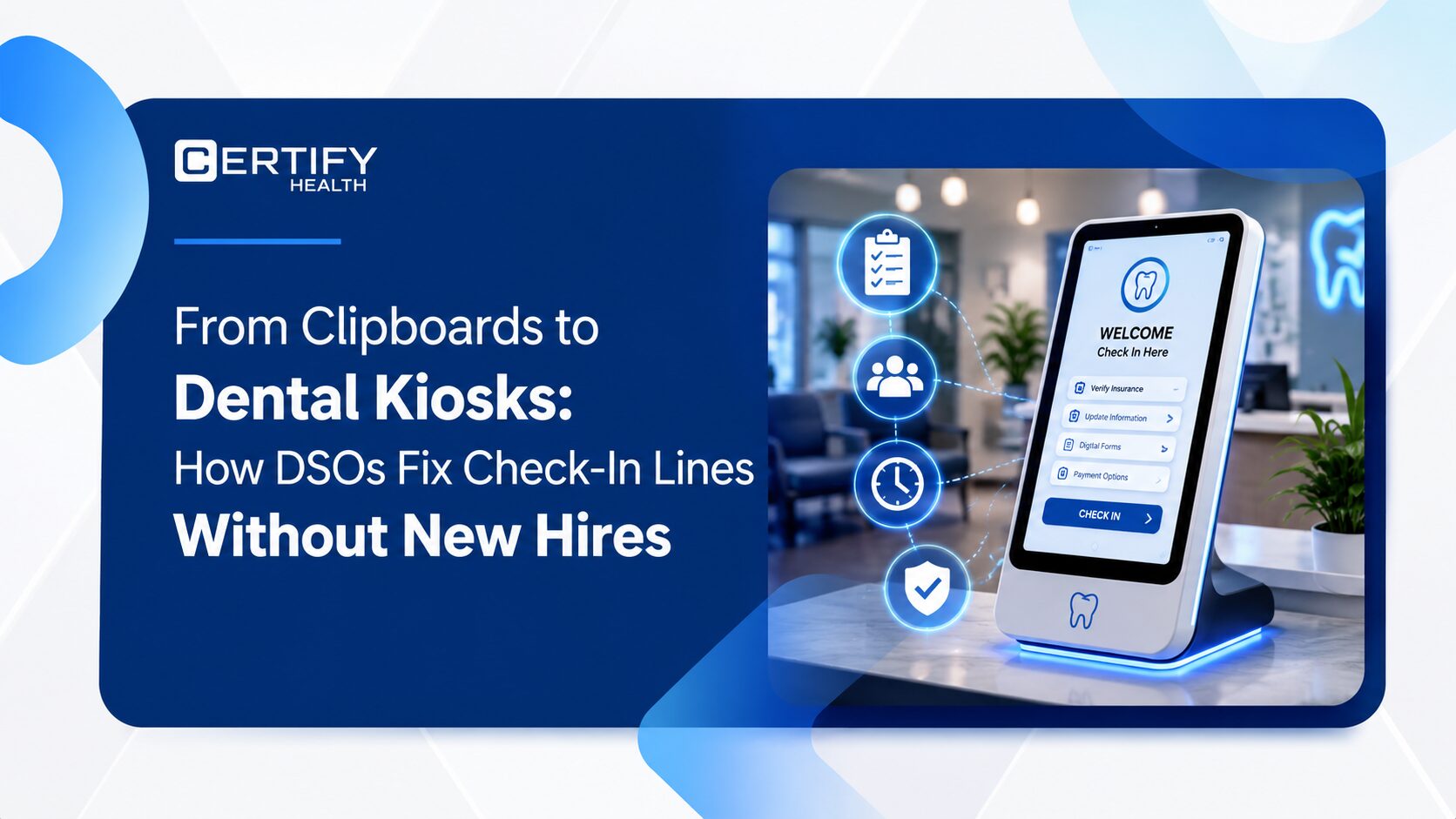
Patient check-in systems, whether deployed as iPad kiosks, tablet stations at the front desk, or mobile check-in via SMS, allow patients to confirm their arrival.
Also, patients can verify their insurance, update their contact information, and complete any remaining paperwork without queuing at a staff counter.
For practices managing high patient volume, a medical office check-in kiosk reduces the front desk bottleneck and frees staff to handle more complex interactions.
For patients, it removes the need to wait in line just to check in. When done well, self-check-in feels effortless, it just works.
4. Insurance Eligibility Verification
28% of claims are denied 10% of the time, and $260 billion is lost annually due to claim denials.
Insurance verification is not just time-consuming; it directly impacts revenue.
Traditionally performed by staff prior to appointments, it involves calling payers, cross-referencing patient data, and identifying coverage gaps, all of which are manual, error-prone, and slow.
Integrated eligibility verification tools within a digital front door platform automates this process.
When a patient schedules online, their insurance information is submitted and verified in real time (or in batch the night before their appointment).
Staff are alerted only when exceptions arise. This reduces claim denials, eliminates day-of surprises about coverage, and keeps revenue cycle performance steady.
Healthcare interoperability, the ability of different digital systems to exchange and use health information, is what makes seamless eligibility verification possible. When scheduling, intake, and billing systems talk to each other, the practice wins.
5. Patient Communication (Reminders, Recall)
No shows are expensive.
Patient no-shows remain a steady operational challenge, with most practices reporting no-show rates between 5% and 7%, according to data from the Medical Group Management Association.
These missed appointments are more than an inconvenience; they carry a significant financial impact. Studies estimate that no-shows cost the U.S. healthcare system more than $150 billion each year.
The primary driver of many missed appointments is not negligence; it is forgetting.
Automated reminders help patients confirm or reschedule in time, reducing disruptions and improving access to care.
Effective patient communication software within a digital front door sends appointment reminders via SMS, email, and push notification, through whatever channel the patient prefers.
It also handles recall messaging: prompting patients to schedule follow-up visits, preventive care appointments, or overdue screenings.
Done right, this turns communication from reactive to proactive, supporting omnichannel patient engagement that keeps patients connected to their care team between visits.
This layer of the digital front door is also where personalized communication happens.
Patients who receive condition-specific educational content, post-visit instructions, or satisfaction surveys feel seen, and they return.
6. Patient Payment Solutions
Financial experience is a major source of patient dissatisfaction, yet it is often overlooked in the digital front door healthcare.
Late billing statements, phone-only payments, unclear cost estimates, and limited payment options are signs of outdated payment systems.
Integrated patient payment solutions fix this. Patients can view balances, understand insurance coverage, and pay securely online or by SMS, before or after their visit.
Mobile-friendly payment workflows also benefit practices. They reduce days in accounts receivable (A/R), lower collection costs, and improve patient satisfaction.
These features add value, but the core components remain the foundation.
Digital Front Door vs. Patient Portal: What's the Difference?
| Aspect | Digital Front Door | Patient Portal |
|---|---|---|
| What it is | A connected system that manages the entire patient access and digital health patient engagement journey | A secure online account for patients to view health information |
| Primary focus | Improving patient experience through ease of access and convenience. | Providing access to medical records and communication tools |
| When patients use it | Before, during, and after care, starting from the first search or appointment request | Mostly after a patient is already registered or has received care |
| Scope | Broad, includes scheduling, registration, communication, payments, and reminders | Narrow, focuses on records, results, and messaging |
| Business impact | Drives new patient acquisition, reduces no-shows, and improves operational efficiency | Supports communication and information sharing with existing patients |
| Relationship | The full patient access ecosystem | One component within the healthcare digital front door |
This is one of the most common points of confusion in healthcare digital strategy, and it matters because the two are fundamentally different in scope, function, and patient impact.
Patient Portal Definition
A patient portal is a secure, login-protected web application that gives patients access to their personal health information as stored in the electronic health record.
A typical portal allows patients to view lab results, review visit summaries, see medication lists, request prescription refills, send messages to their care team, and pay bills.
Patient portals are valuable. They are also necessary for HIPAA-compliant communication and meet federal requirements under Meaningful Use and the 21st Century Cures Act for providing patients access to their health data.
Digital Front Door
A digital front door is the overarching strategy that encompasses the patient portal and extends far beyond it.
While the portal sits behind a login and manages health data, the digital front door meets patients at the very beginning of their healthcare journey, at the Google search, the website visit, the scheduling decision, the pre-registration form.
Here Is the Clearest Way to Frame the Distinction Between Patient Portal & Digital Front Door:
The patient portal is a data repository, a secure, retrospective tool for managing existing health information.
The digital front door is the path, a proactive, omnichannel experience that begins before the patient ever establishes care and continues through every subsequent interaction.
In practice, a well-designed digital front door often incorporates the patient portal as one of its tools.
But the portal is a component, not the strategy.
Using a patient portal as a substitute for a digital front door is like using a filing cabinet as a substitute for a functional office.
The digital front door healthcare brings together scheduling, intake, check-in, communication, payments, and navigation into a seamless experience that feels like it was designed for patients, because it was.
That distinction is what drives adoption, satisfaction, and retention.
How to Implement a Healthcare Digital Front Door Strategy
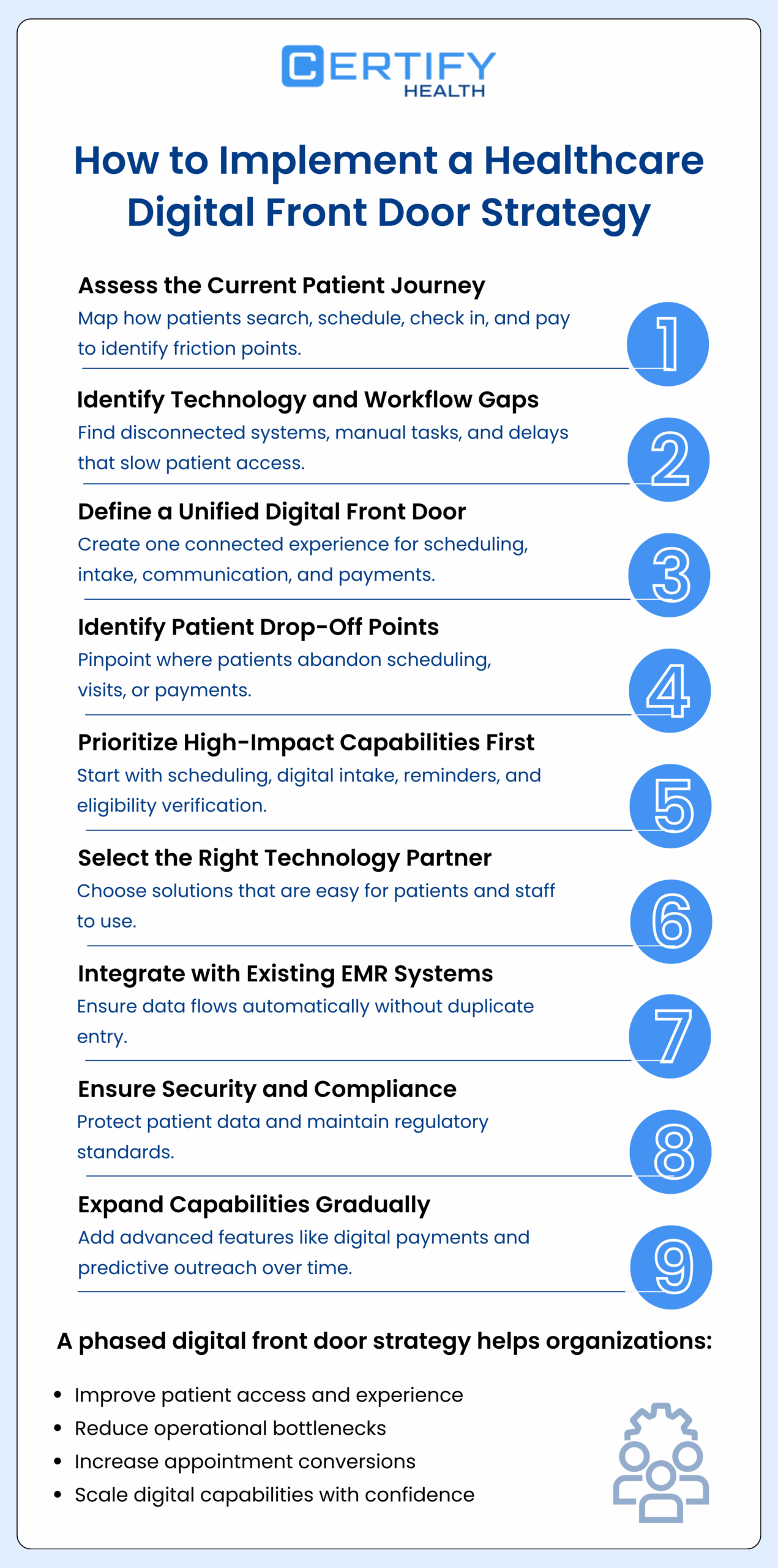
Implementation of a digital front door healthcare requires both strategic clarity and operational discipline. The practices and health systems that succeed do so because they approach implementation as a patient experience initiative first and a technology project second.
1. Assess Current Patient Journey
Before selecting vendors or deploying new features, the most valuable step is mapping the current patient journey in full detail. This exercise reveals how patients actually experience your organization, not how workflows are designed on paper.
Map the Entire Patient Experience
Trace every step a patient takes, from the moment they search for care to the moment they complete payment.
Consider questions such as:
- What happens when a patient searches for your specialty online?
- What can they do on your website?
- What information do they need before calling?
- What paperwork awaits them at the office?
- How is insurance verified?
- How are appointments confirmed and reminders sent?
- How do patients receive and pay their bills?
This process helps organizations inventory their existing tools and workflows while identifying manual steps that slow down access.
Identify Technology and Workflow Gaps
Most practices discover a patchwork of disconnected systems, redundant tasks, and patient experience gaps they had not fully quantified.
These gaps often include:
- Multiple systems that do not communicate
- Repeated data entry
- Paper-based intake processes
- Delayed communication
- Limited self-service options
That journey map becomes the blueprint for the digital front door.
Define the Unified Digital Front Door
The goal is not to deploy isolated tools. It is to create a unified access experience, a single digital front door where patients can:
- Schedule visits
- Complete intake forms & check-ins
- Receive reminders
- Attend virtual appointments
- Communicate with staff
- Manage payments
Patients should not have to navigate multiple disconnected systems to complete basic tasks.
 Pro Tip:
CERTIFY Health brings these capabilities together in one unified platform, giving outpatient organizations the structure, visibility, and operational control needed to scale digital access without adding complexity.
Identify Drop-Off Points
Within the patient journey map, specific drop-off points will become visible. These are the moments where patients abandon the process, where they call but do not book, book but do not show up, or visit but do not return.
Drop-off points represent both lost revenue and unmet patient need. They are also the places where digital improvements generate the fastest return.
Common Patient Drop-Off Areas
Organizations frequently see abandonment in:
- Scheduling processes that are complex or phone-only
- Paper-heavy intake workflows
- Long check-in wait times
- Confusing billing and payment steps
- Lack of appointment reminders
- Limited communication options
Use Data to Validate Drop-Off Points
Identify these friction points using measurable data, such as:
- Call logs
- No-show rates
- Appointment conversion rates
- Patient satisfaction surveys
- EHR workflow metrics
This data-driven approach ensures implementation is targeted, not guesswork.
2. Prioritize High-Impact Capabilities First
Healthcare digital front door implementation should be phased, not rushed. Attempting to launch every feature at once increases risk and slows adoption.
Instead, start with capabilities that solve the most common patient access problems.
Start with Foundational Capabilities
Most organizations begin with:
- Online appointment scheduling healthcare
- Digital intake and registration
- Automated appointment reminders
- Insurance eligibility verification
- Secure patient messaging
These features address the largest operational bottlenecks and deliver immediate value.
Expand Gradually
Once foundational workflows are stable, organizations can introduce more advanced capabilities, such as:
- Digital payments and billing automation
- Predictive scheduling and reminders
- Population health outreach
A phased rollout improves staff confidence, reduces disruption, and increases long-term adoption.
3. Select Technology Partners
Choosing the right technology partner is one of the most important decisions in digital front door healthcare implementation. The platform must support both current operational needs and future growth.
Evaluate Patient Experience, Not Just Features
Assess the platform from the patient’s perspective.
Ask:
- Is scheduling intuitive on a smartphone?
- Are online intake forms easy to complete on mobile devices?
- Can patients understand billing information quickly?
- Are instructions clear and simple?
If digital tools are difficult to use, patients will avoid them.
Staff will return to manual workflows, and technology investments will fail to deliver expected results.
Support Omnichannel Patient Access
Patients expect to interact with healthcare through multiple communication channels.
A modern digital front door should support:
- Website scheduling
- Mobile access
- Text message reminders
- Patient portals
- Phone-based scheduling
- Virtual visits
Patients should be able to start, continue, and complete their care journey from any device or channel.
Ensure Scalability and Flexibility
Technology should grow with the organization.
Look for platforms that:
- Support modular implementation
- Allow new features to be added over time
- Integrate with multiple clinical systems
- Adapt to changing patient demand
This flexibility prevents costly system replacements later.
Pro Tip:
CERTIFY Health combines modular implementation, bi-directional integration, and patient-centered workflows into one scalable access platform.
Confirm Security and Compliance
Security is a foundational requirement.
Digital front door platforms must:
- Protect patient data
- Meet HIPAA compliance requirements
- Maintain secure data exchange
- Provide audit and monitoring capabilities
Trust is essential for both patients and providers.
Choose Healthcare-Specific Expertise
Healthcare processes are intricate and governed by strict regulatory requirements.
Technology partners should demonstrate:
- Experience with clinical operations
- Understanding of revenue cycle workflows
- Knowledge of patient behavior patterns
- Proven healthcare implementations
Industry expertise reduces implementation risk and improves long-term performance.
4. Integrate with Existing EMR
EMR integration is the single most important factor in digital front door success. Without seamless integration, digital tools create additional work instead of reducing it.
What Effective Integration Looks Like
When systems work together, workflows become automatic.
For example:
- Online appointments appear instantly in the schedule
- Patient information flows directly into the medical record
- Insurance eligibility is verified automatically
- Payment links are generated after the visit
- Staff do not need to re-enter data
This automation streamlines workflows while minimizing the risk of mistakes.
Risks of Poor Integration
When integration fails, organizations experience:
- Duplicate data entry
- Scheduling errors
- Delayed workflows
- Staff frustration
- Fragmented patient experiences
Disjointed systems increase operational costs and undermine patient satisfaction.
Look for EMR-Agnostic Platforms
The most effective digital front door platforms integrate with multiple EHR systems rather than requiring a single vendor ecosystem.
This approach allows organizations to:
- Preserve existing infrastructure
- Adopt best-of-breed tools
- Scale digital capabilities
- Reduce long-term technology risk
Pro Tip:
CERTIFY Health is built as an EHR- and EMR-agnostic platform with secure, bi-directional integration capabilities that resolve interoperability gaps and streamline data flow across the care continuum.
Explore Custom Integrations
Measuring Digital Front Door Success (KPIs)
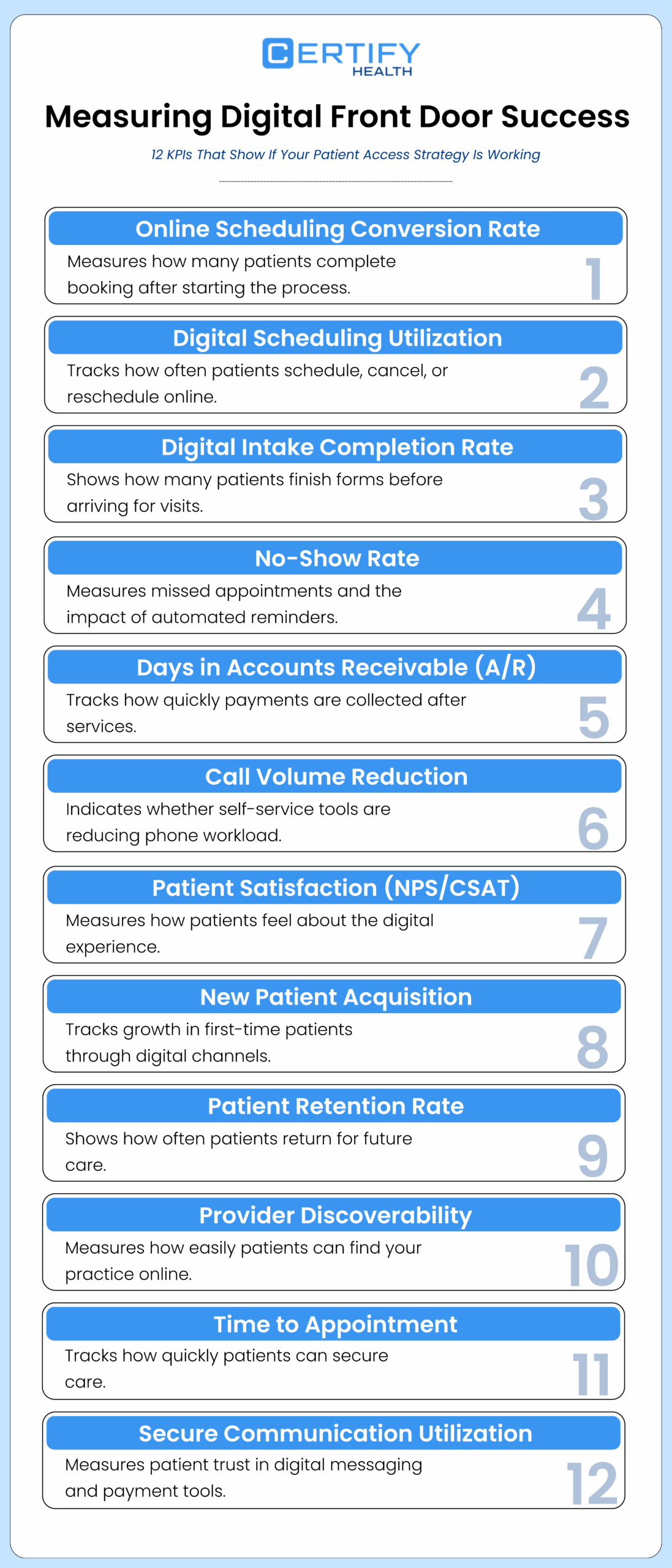
Technology investment without measurement is hope, not strategy. Healthcare organizations that deploy a digital front door need a clear framework for evaluating whether it is working, where it is falling short, and how it is improving over time.
1. Online Scheduling Conversion Rate
The most immediate sign of digital front door success is how many patients who start the scheduling process actually finish booking an appointment. If many patients drop off before completing the process, it usually means there is friction in the workflow.
Common causes include:
- Too many steps
- Confusing instructions
- Limited appointment availability
- Forms that feel too long or intrusive
Tracking this metric before and after implementation helps establish a clear baseline. Monitoring it monthly allows practices to quickly identify when changes in software or workflow create new barriers for patients.
This metric answers a simple question: Is it easy for patients to book care online?
Track Overall Digital Scheduling Use
In addition to conversion rate, organizations should also track how often patients use digital scheduling instead of calling the office.
This includes:
- Appointments booked online
- Appointments cancelled online
- Appointments rescheduled online
When digital scheduling use increases, it usually means patients trust the system and find it convenient.
2. Digital Intake Completion Rate
Digital intake tools improve efficiency only when patients complete them before arriving for their visit. Tracking the percentage of patients who finish their online intake forms ahead of time shows whether the process is working.
Low completion rates often signal:
- The link of intake form was sent too late
- The form is too long
- The instructions are unclear
- The process is not mobile-friendly
High completion rates usually lead to:
- Faster check-in
- Shorter wait times
- Less paperwork
- Better staff productivity
This metric answers a key question: Are patients successfully preparing for their visit before they arrive?
3. No-Show Rate
No-show rate measures how many patients miss scheduled appointments. This metric becomes even more valuable after digital tools are introduced.
Practices that use automated reminders, such as text messages, emails, or phone notifications, often see fewer missed visits.
Tracking no-show rates by communication method helps identify what works best.
For example:
- Text message reminders
- Email reminders
- Same-day reminders
- Multi-channel reminders
Lower no-show rates improve both patient access and clinic efficiency.
This metric answers: Are reminders helping patients show up for care?
4. Days in A/R
Days in accounts receivable (A/R) measures how long it takes to collect payment after a service is provided. It is one of the most important financial health indicators for any practice.
Digital payment tools can reduce delays by making payment easier and faster.
Examples include:
- Pre-visit payment collection
- Mobile payment links
- Online billing portals
- Automated payment reminders
When payment becomes simple and convenient, organizations often see:
- Faster cash flow
- Fewer collection efforts
- Lower administrative costs
This metric answers: Are patients paying quickly and easily?
Track Cost Savings from Digital Workflows
Digital tools also reduce the amount of manual work staff must perform.
Organizations can measure savings by tracking:
- Fewer scheduling calls
- Reduced paperwork
- Less data entry
- Lower staffing burden
Even small reductions in administrative work can lead to meaningful cost savings over time.
5. Call Volume Reduction
As more patients use digital tools, phone calls should decrease. Tracking call volume helps organizations understand whether self-service options are working.
Important call types to monitor include:
- Appointment scheduling
- Appointment changes
- Billing questions
- Registration support
When call volume drops, staff gain more time to focus on patient care.
This metric answers: Are digital tools reducing manual work for staff?
6. Patient Experience and Satisfaction
Digital tools must be easy to use. If patients struggle with the system, they will stop using it.
Patient experience metrics help organizations understand how patients feel about digital services.
Common measures include:
- Patient satisfaction surveys
- Net Promoter Score (NPS)
- Ease-of-use ratings
- Online reviews
These signals often reveal problems before operational metrics do.
This metric answers: Do patients trust and like the digital experience?
7. New Patient Acquisition Through Digital Channels
A strong digital front door should attract new patients, not just serve existing ones.
Tracking new patient growth through digital channels shows whether online access is expanding the organization’s reach.
Important indicators include:
- First-time appointments booked online
- New patient registrations
- Website-to-appointment conversions
Growth in new patient volume often reflects:
- Better online visibility
- Easier scheduling
- Stronger patient convenience
This metric answers: Is the digital front door bringing in new patients?
8. Patient Retention and Return Rate
Digital success is not only about attracting new patients. It is also about keeping them engaged.
Patient retention measures how often patients return to use digital services again.
Key indicators include:
- Repeat appointment bookings
- Returning portal users
- Ongoing digital engagement
High return rates usually signal:
- Trust in the system
- Positive patient experience
- Reliable service
This metric answers: Are patients coming back?
9. Provider Discoverability
A digital front door cannot work if patients cannot find the organization in the first place.
Provider discoverability measures how easy it is for patients to locate the practice online.
Important signals include:
- Search engine visibility
- Accurate provider listings
- Updated contact information
- Appointment availability in search results
- Online directory accuracy
Improving discoverability ensures that patients can find care quickly when they need it.
This metric answers: Can patients find the practice online?
10. Time to Appointment
Time to appointment measures how quickly a patient can secure a visit after requesting care.
Shorter wait times usually indicate:
- Better scheduling efficiency
- Improved capacity management
- Stronger patient access
Long wait times often signal workflow bottlenecks.
This metric answers: How fast can patients get care?
11. Secure Communication Utilization
Patients must feel safe sharing information digitally. Tracking the use of secure communication tools helps organizations measure trust in the system.
Examples include:
- Secure messaging
- Encrypted payment tools
- Verified communication channels
- Patient portal messages
High usage often reflects:
- Strong patient confidence
- Reliable technology
- Clear communication
This metric answers: Do patients trust the digital system?
12. Continuous Feedback and Improvement
Digital front door success requires ongoing monitoring and improvement. Numbers alone are not enough. Organizations also need patient feedback.
Helpful feedback sources include:
- Patient comments
- Survey responses
- Support tickets
- Online reviews
Combining performance data with patient feedback helps organizations keep digital services simple, reliable, and patient-friendly.
This metric answers: Are we learning and improving over time?
Real-World Examples: Practices That Got It Right
Efficient Workflow & Digital Patient Engagement – Colleen Aldridge
“CERTIFY has significantly optimized our workflows, allowing us to dedicate more time to meaningful patient care.”
By streamlining administrative tasks, this practice can now focus on patient interaction, a key goal of a successful digital front door.
Efficient Scheduling & Patient Communication – Nathan Tanner-Braun
“CERTIFY streamlines our dental practice by syncing with the EHR, managing patient communication, and customizing waitlists, keeping both schedules and patients running smoothly.”
Integrating communication tools with scheduling and EHR ensures patients are informed and appointments are efficiently managed, the hallmark of an effective digital front door.
Patient Resources & Training – Chasity Sammons
“Excellent communication, comprehensive training, and outstanding resources that truly benefit our patients.”
Educating patients and empowering staff with resources strengthens digital health patient engagement, a key pillar of the digital front door strategy.
Choosing the Right Digital Front Door Technology
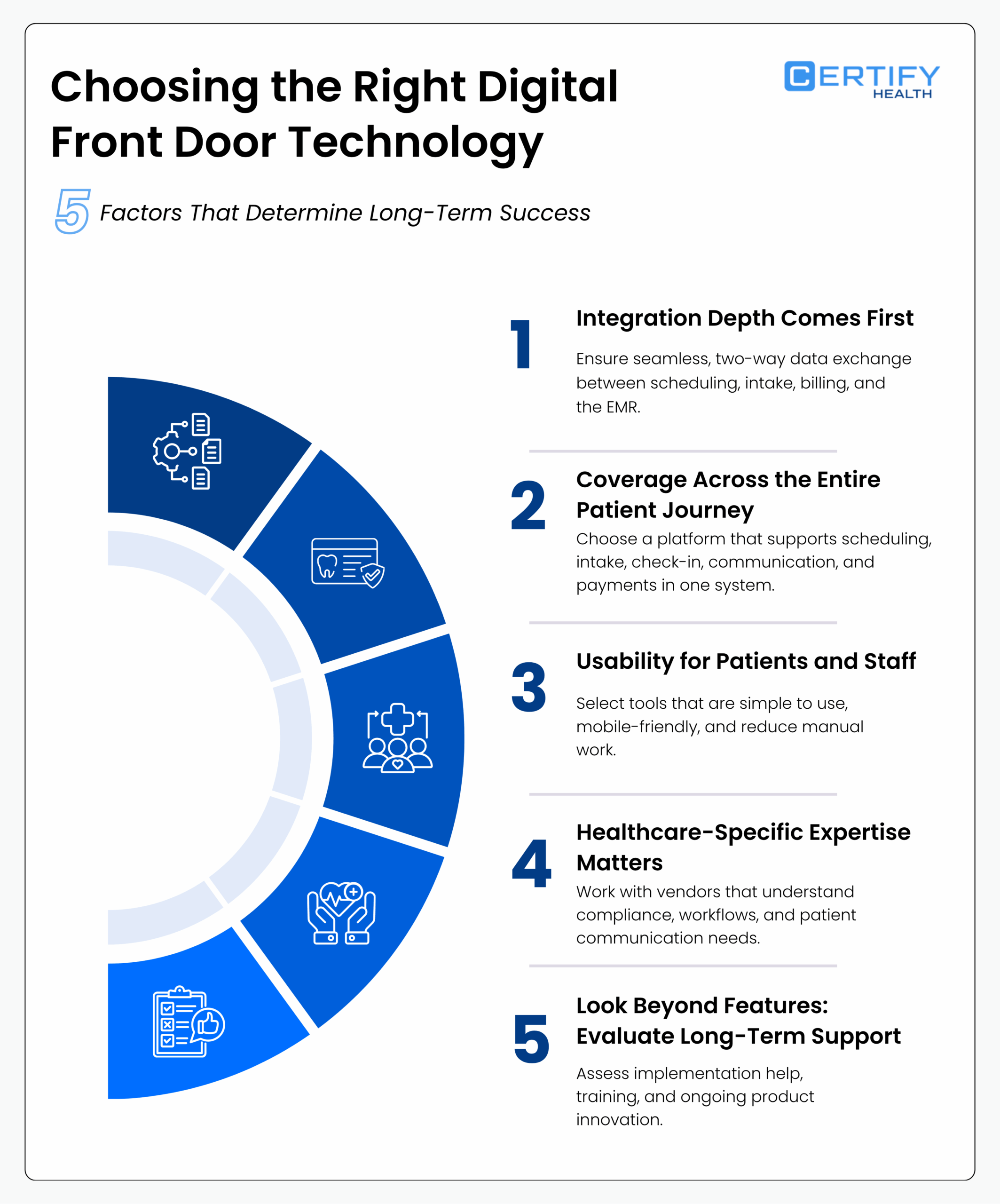
1. Integration Depth Comes First
Integration is the foundation of a true digital front door.
If a platform does not integrate fully with your existing EMR, it is not a front door, it is a disconnected tool.
Genuine integration involves a two-way exchange of data, where:
- Patient information entered during scheduling and intake automatically appears in the EHR
- Clinical data from the EHR flows back to patient-facing tools
- Forms are pre-filled and information stays consistent
- Staff do not need to manually re-enter data
This reduces errors, saves time, and creates a smoother patient experience.
Pro Tip:
CERTIFY Health is built as an EMR-agnostic digital front door platform, meaning it connects with the system you already use instead of requiring replacement. This allows organizations to modernize patient access without disrupting clinical operations.
2. Coverage Across the Entire Patient Journey
A platform that solves only one step like scheduling creates gaps in the workflow.
Practices then rely on multiple vendors, which leads to fragmented systems and inconsistent patient experiences.
The most effective digital front door platforms support the full patient journey in one connected system.
Core capabilities should include:
- Online scheduling
- Digital intake
- Check-in (mobile and kiosk)
- Insurance verification
- Patient communication
- Patient payments
When these functions work together, the experience feels simple for patients and manageable for staff.
Pro Tip:
CERTIFY Health delivers a seamless patient journey by connecting scheduling, intake, check-in, communication, and payments in one unified experience.
3. Usability for Patients and Staff
Technology adoption depends on usability.
Patients need tools that are easy to understand and work on any device. Staff need workflows that reduce effort, not add complexity.
A strong platform should deliver:
For patients:
- Mobile-first design
- Simple navigation
- Fast form completion
- Clear communication
For staff:
- Workflow-integrated tools
- Minimal manual data entry
- Reliable automation
- Easy reporting
Administrators also need dashboards that track performance metrics such as scheduling conversion, intake completion, and no-show rates.
If a system works for patients but frustrates staff, adoption will stall.
If it supports operations but confuses patients, usage will decline.
4. Healthcare-Specific Expertise Matters
Healthcare workflows are complex. Regulations are strict. Patient data requires careful handling.
Technology built specifically for healthcare delivers more value than general-purpose software adapted later.
Experienced healthcare vendors understand:
- Revenue cycle workflows
- Clinical documentation requirements
- HIPAA compliance
- Practice operations
- Patient communication needs
This expertise reduces risk, speeds implementation, and improves long-term performance.
Pro Tip:
CERTIFY Health is a healthcare-native platform built for compliance, ease of deployment, and long-term operational support, helping organizations implement digital workflows without disruption.
5. Look Beyond Features: Evaluate Long-Term Support
A digital front door is not a one-time purchase. It is a long-term operational system.
Organizations should evaluate:
- Implementation support
- Staff training resources
- Ongoing customer success
- Product roadmap and innovation
The digital front door landscape is evolving quickly.
The right platform today should still meet your needs three years from now.
Conclusion
Every healthcare organization already has a digital front door, your website, scheduling process, and first patient interaction. The real question is whether it is helping patients move forward or pushing them away.
Today, digital tools are no longer differentiators. A connected, reliable patient experience is the expectation. Organizations that win make access simple, workflows efficient, and payments seamless.
CERTIFY Health delivers a complete digital front door, scheduling, digital intake, check-in, payments, and patient communication, fully EHR- and EMR-agnostic, integrating seamlessly with your existing systems.
No rip-and-replace. No patchwork of vendors.
A single, coordinated patient experience that works from the first search to the final payment.
Ready to see what a complete digital front door looks like for your practice?