
Table of Contents
Patient engagement software is no longer just a patient convenience tool. For modern healthcare practices, it has become part of the operating infrastructure that affects access, staff productivity, revenue collection, follow-up adherence, and patient retention.
Practices that still rely on paper forms and manual calls are falling behind. Staff spend too much time on tasks that software can handle. Missed appointments hurt revenue. Slow check-in frustrates patients. Manual billing steps create errors. These problems compound quickly — and a practice that struggles with all three is harder to run and harder to grow.
Patient engagement software helps solve these problems by connecting the workflows that often run in isolation.
It gives patients a better way to interact with your practice. It gives staff fewer manual tasks. And it gives leaders better data to make decisions.
This guide covers what patient engagement software is, why it matters, which features to look for, and how to use it well.
1. What Is Patient Engagement Software?
It is a digital tool. It helps care teams stay in touch with patients. It handles self-service tasks. It runs routine steps on its own. It makes messaging easier at every stage of care.
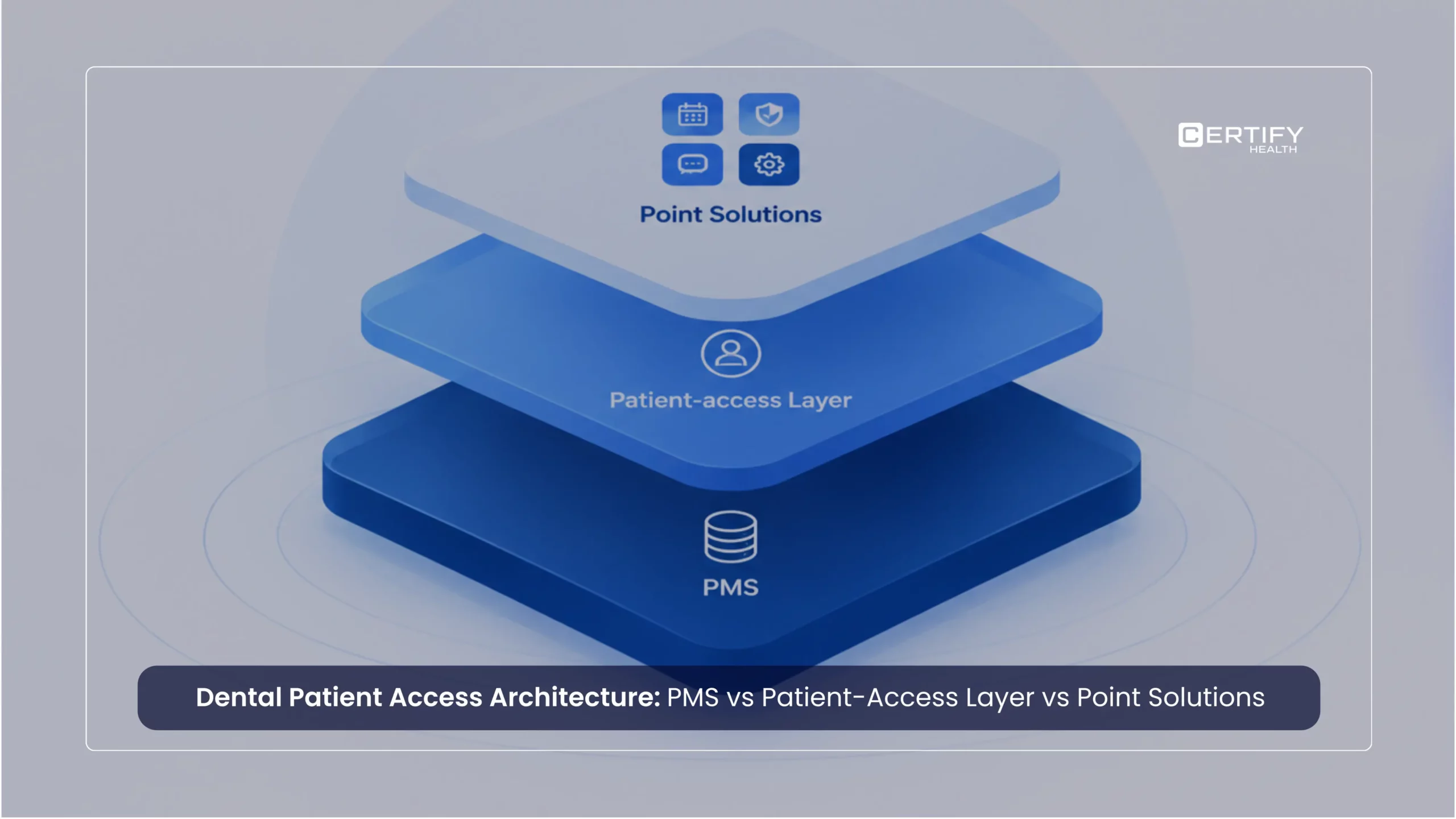
It is not the same as an EHR or billing tool. Those manage records and claims. Patient engagement software works on the patient side. It helps with intake, booking, alerts, messages, and payments.
Think of it as the layer between your practice and your patients. It handles the touchpoints that happen before, during, and after a visit. When those touchpoints work well, patients feel supported. When they break down, patients feel ignored.
A good digital patient engagement platform links all these steps. That makes visits easier for patients. It also cuts manual work for staff.
1.1 How It Differs from a Patient Portal
A basic portal lets patients view records or send a short note. That is all most portals do. They were built for record access, not for active engagement. Most patients use them once or twice and then stop.
Patient engagement software does much more. It helps patients book visits, fill out forms, pay bills, and act on follow-up tasks. It is built around action, not just access.
A portal shows what happened. Patient engagement software helps move care forward.
2. Why It Matters Now
Patients use fast digital tools every day. They use apps for banking, food, and travel. They expect the same ease from their doctor. When a practice is slow or hard to reach, patients feel it. Some will look for a provider who makes things simpler.
This is not just about ease. It is about trust. When a practice is easy to reach and responds quickly, patients feel valued. When they sit on hold or fill out the same paper form for the third time, they feel like an afterthought.
Staff feel this too. Paper slows check-in. Phone calls eat up hours. Missed alerts lead to empty slots. These small gaps add up fast.
Staffing pressure remains real, but the context has shifted. Value-based care contracts now tie reimbursement directly to outcomes – and those outcomes depend on steady patient follow-through between visits. Retail health and urgent care chains have reset patient expectations for on-demand, self-service access. AI and automation have moved from differentiator to baseline: patients and payers now expect them. When staff still manage intake, reminder calls, and insurance checks by hand, errors happen. Patients slip through the cracks. Revenue is lost.
Patient engagement software handles common tasks on its own. Staff can then focus on the work that needs a human touch.

3. How Engagement Affects Clinical Outcomes
Better operations are only part of the story. The deeper case for patient engagement software is clinical.
About half of chronic disease patients skip or miss their medication – a major barrier to better health. Research consistently links staying in touch with a care team to better medication adherence. A published study examining the Patient Health Engagement Model found that patient activation significantly improves reported medication adherence, with the quality of the patient-doctor relationship acting as a key driver. For the healthcare system as a whole, the estimated nonadherence-related complications cost as much as $290 billion annually.
Engagement tools also support preventive care. Studies show that digital patient engagement tools consistently improve access to and use of preventive services. Portal users show meaningfully lower 30-day readmission rates, and high engagement is linked to fewer unnecessary ER visits.
Patients with higher activation show significantly lower rates of post-discharge hospital use. A study in the Journal of General Internal Medicine found that patients with the lowest levels of activation had 75% higher rates of 30-day post-discharge hospital utilization compared with the most activated patients. With twice the risk of hospital readmission alone.
Field results back this up. One multi-site primary care group saw no-shows drop by about 32% in six months after launching auto reminders and digital intake. A regional behavioral health network used two-way messaging and recall outreach and reported follow-up completion rising by about 18% year over year. Stories like these are now common as these tools mature.
The goal is not just to make the front desk run faster. It is to keep patients tied to their care between visits. That is when most chronic conditions are managed – or missed.
4. Core Features of Patient Engagement Software
4.1 Digital Patient Intake and Registration
Paper forms are slow. Staff have to retype data from them. That takes time and leads to errors.
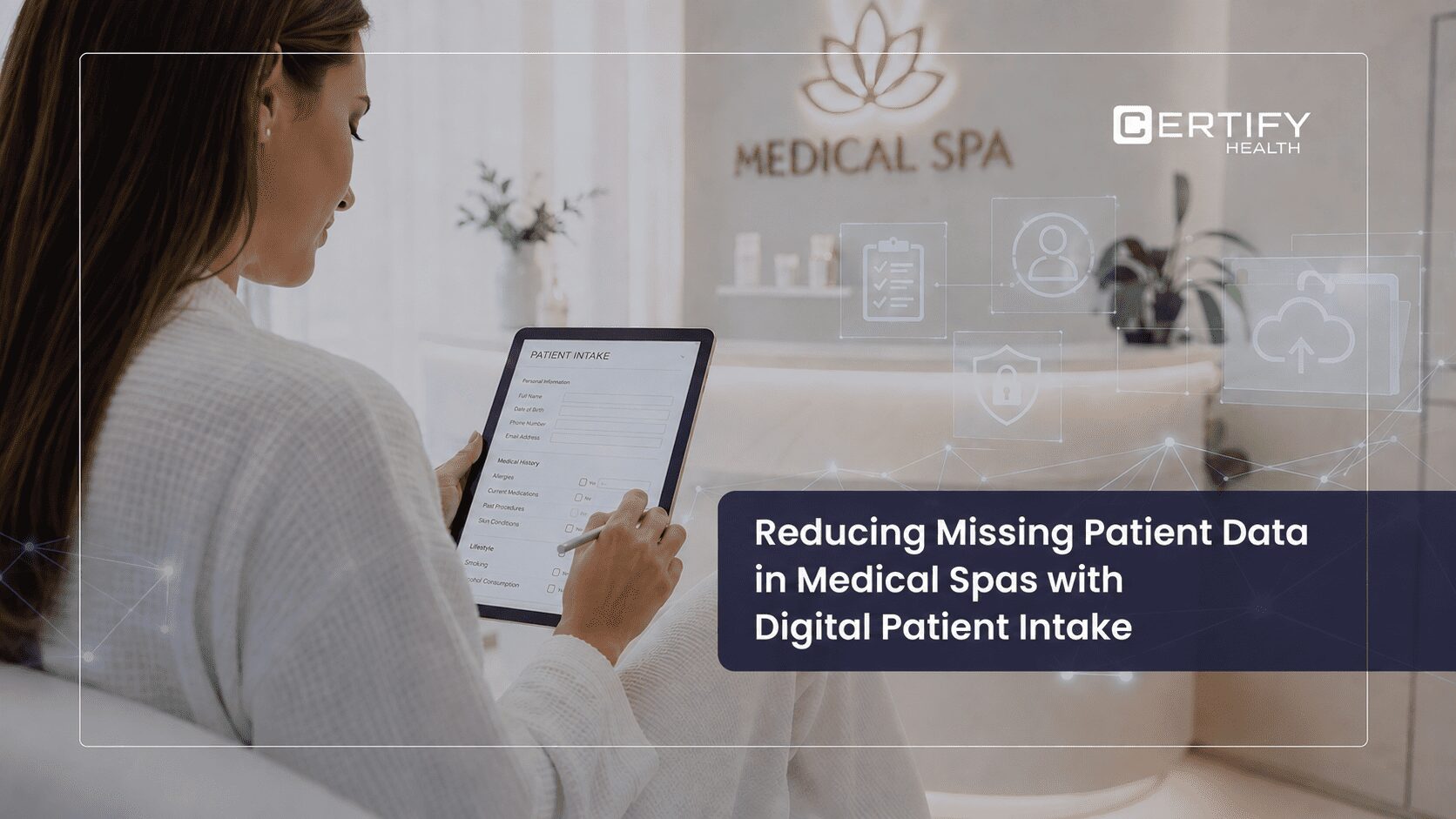
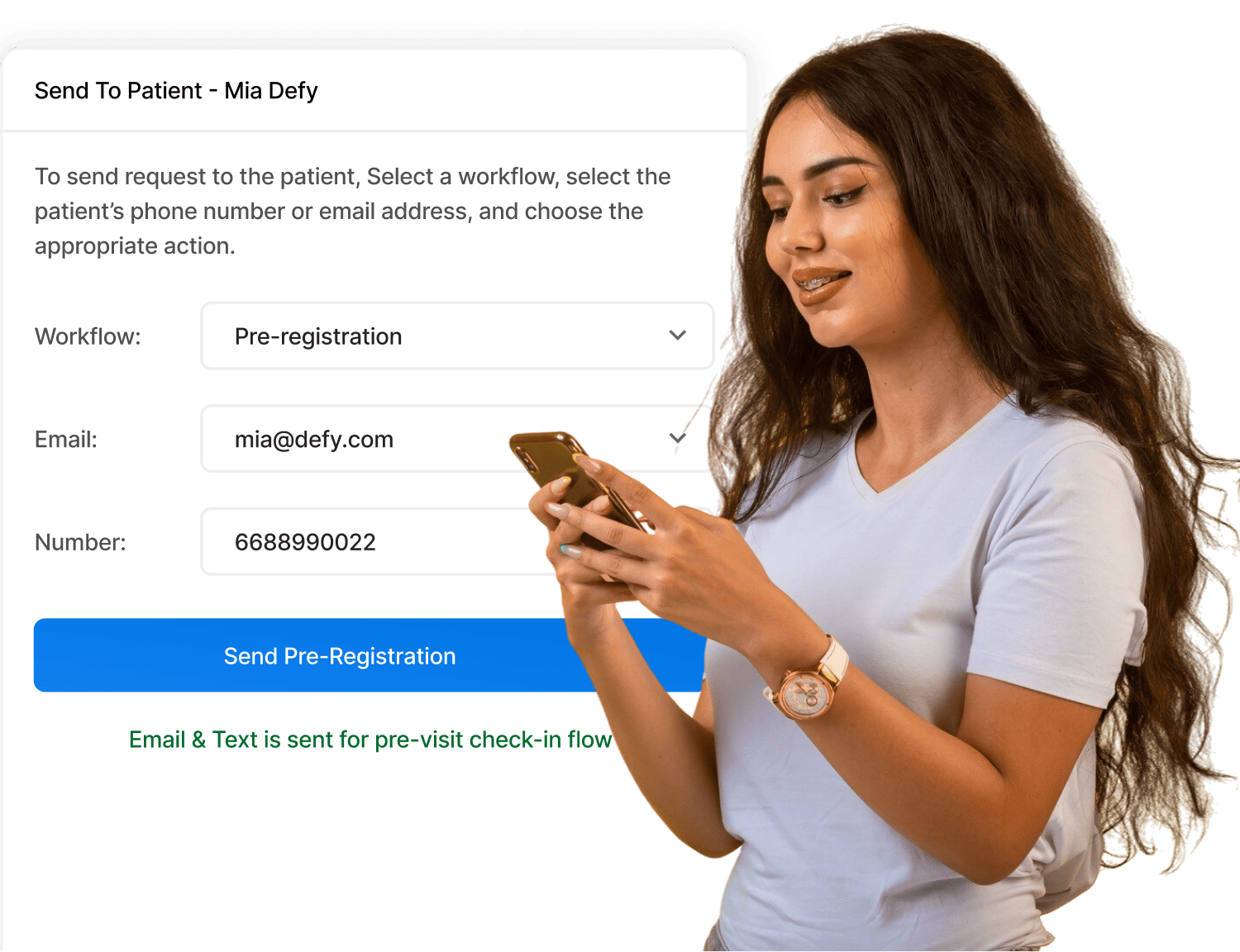
Good patient engagement software replaces paper. Patients fill out digital forms on a phone, tablet, or kiosk. They can do this before they arrive. Staff get clean data from the start. Check-in goes faster. First impressions improve.
Digital forms can require key fields before a patient submits. That means fewer blank fields and less rework. Insurance numbers are captured correctly. Consent forms are signed and stored.
4.2 Online Booking and Auto Alerts
Booking should be easy. If patients cannot book online, some will wait or go elsewhere.
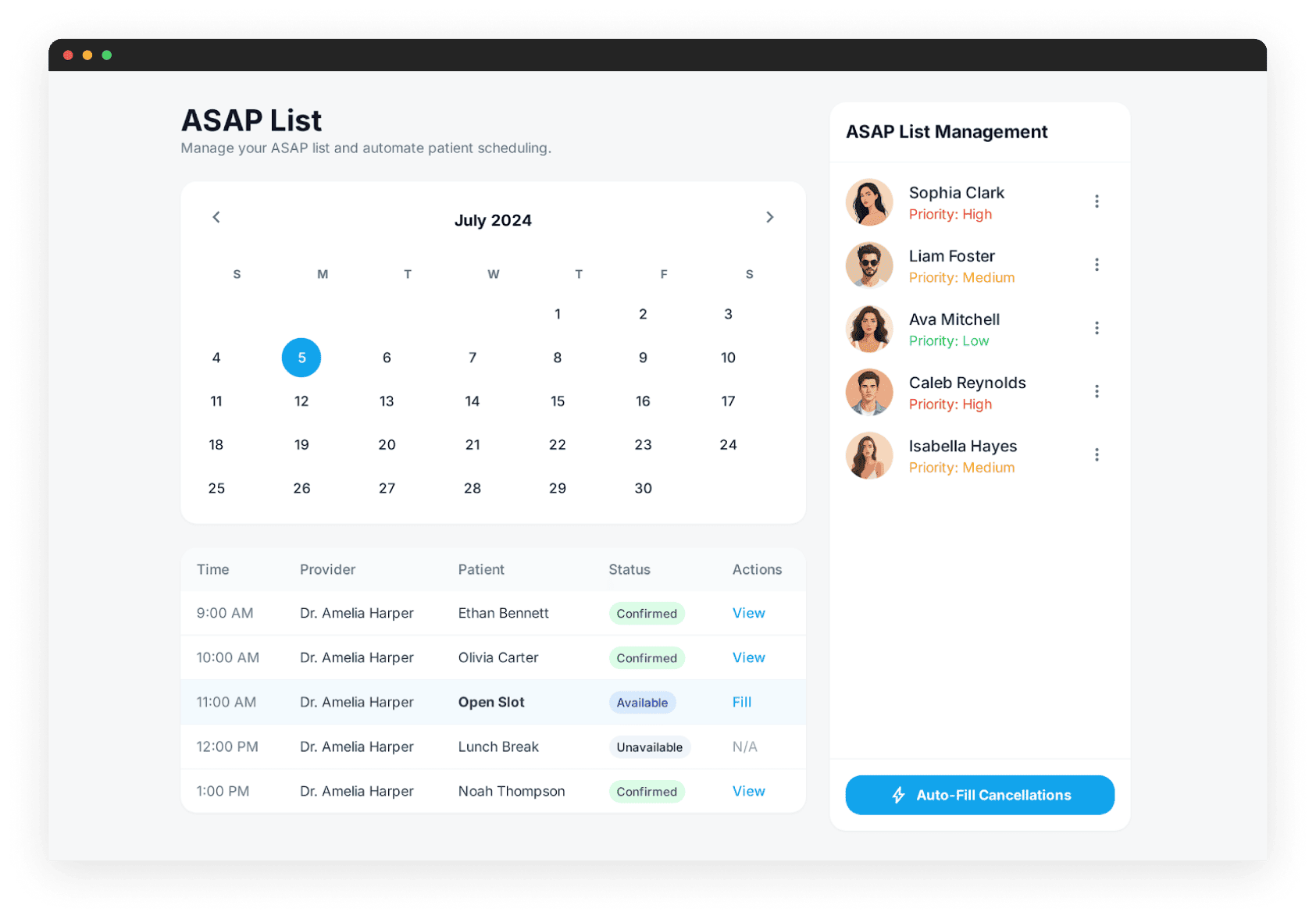
A strong tool supports online booking, auto alerts, recall messages, and waitlists. MGMA data and multiple peer-reviewed studies show that automated appointment reminders are one of the most effective ways to reduce no-shows, with reductions of 30 to 50% reported depending on the practice and implementation approach. That protects revenue and keeps schedules full. Patients get better access. Staff spend less time on the phone.
Auto alerts do more than remind patients about upcoming visits. They can prompt patients to reschedule when they cancel. They can notify waitlist patients when a slot opens. That means fewer empty slots and more stable revenue.
Read Our Blog on: No-Show Reduction: How Practices Cut Missed Appointments
4.3 Two-Way Secure Messaging
Not every question needs a phone call. Many tasks can be handled by message.
Two-way secure messaging lets staff share updates, send care notes, and answer common questions. It cuts call volume. That saves time for both staff and patients. Portal-based secure messaging has become the most widely used patient portal function, according to a comprehensive scoping review of secure messaging research (MedRxiv, 2025).
It also creates a record of each exchange. That is useful when questions come up about what was said and when. For billing questions, a written thread is far easier to manage than a string of phone calls.
4.4 Real-Time Insurance Checks
Insurance issues found after a visit often turn into billing problems. It is better to catch them early.
Patient engagement software with real-time insurance checks helps staff confirm coverage before the visit. This gives the practice time to fix errors early. It also sets clear payment terms up front.
When a patient arrives and their coverage is not active, the conversation is harder. Real-time checks surface these issues hours or days before the visit. That gives both staff and patients time to sort things out without stress.

4.5 Patient Payments and Billing
Patients want clear bills and easy ways to pay. Hard payment steps slow collections.
Modern tools support co-pay collection, pre-visit balances, digital alerts, and secure online payments. This helps patients pay on time. It cuts follow-up work for billing staff.
Pre-visit payment collection is one of the most effective ways to improve collections. Research shows patients are more likely to pay before a visit than after. A digital payment link sent before the visit removes the need for a paper statement weeks later.
4.6 Patient Feedback and Reputation
Without data, it is hard to know what is working.
The best tools include patient surveys, NPS tracking, and report views. Many platforms also support post-visit review prompts, which improve online reputation. Higher star ratings help practices rank in local search and attract new patients. Published response rates for CAHPS-style patient satisfaction surveys range from 34% to 61%, based on independent research on Press Ganey survey response rates (PMC, 2016), making digital post-visit outreach a benchmarked and reliable feedback channel.
Feedback collected right after a visit is more accurate than feedback gathered weeks later. Digital surveys can be sent by text or email the same day. That data feeds into dashboards showing trends over time, not just single data points.
Read Our Blog on: HIPAA Compliance for Patient Engagement Tools
5. Advanced Capabilities
5.1 Patient Education and Content Delivery
Engagement is not only about transactions. Patients also need information to act on their care. Pre-visit instructions, post-procedure guides, and disease-specific content help patients prepare and recover well. Practices that send this content digitally reduce confusion, cut repeat calls, and support better follow-through on care plans. Some platforms let practices send targeted content based on condition or visit type. That keeps content useful and the experience personal.
5.2 AI and Automation
Automation has become a core expectation in patient engagement software. Practices now look for tools that reduce repetitive work across reminders, intake follow-ups, scheduling prompts, payment outreach, and message routing. While some vendors include AI-based capabilities, the real value for most practices comes from reliable automation that reduces manual work without disrupting existing workflows.
Read Our Blog on: AI in Healthcare: How Automation Is Changing Patient Care
6. Support Between Visits
Good patient engagement does not stop at checkout. Practices need ways to stay in touch after care ends. Patients who stay connected between visits are more likely to keep follow-up appointments and stick to their care plans.
6.1 Outreach and Recall
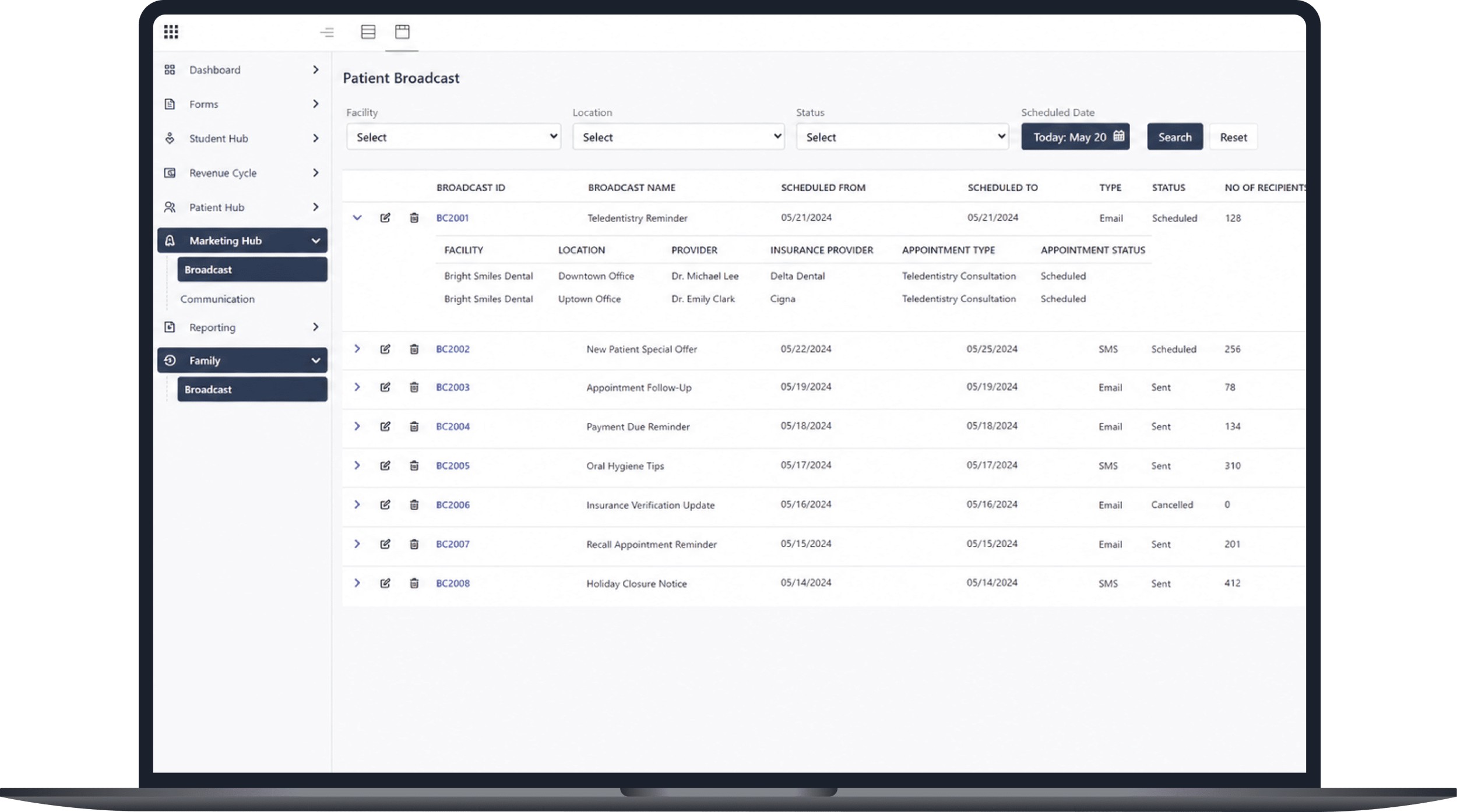
Practices can send digital alerts for follow-up visits, routine care, or screenings. This keeps patients on track. It cuts the need for manual calls. A patient who misses a follow-up does not always know they missed it. A simple message can bring them back. Recall campaigns are one of the highest-return features in any patient engagement platform.
6.2 Follow-Up Messages
Post-visit messages can confirm next steps, share care notes, or remind patients to pick up a prescription. These small steps reduce confusion and lower the chance of a callback.
6.3 Support During Care Changes
After a referral or a change in care, patients need clear next steps. Without them, the next step can be missed. Some platforms support follow-up workflows for this purpose. Practices should confirm with their vendor whether this is included.
7. How to Choose Patient Engagement Software
A strong feature list is not enough. Practices need a clear process to find the right fit. The wrong platform can slow staff down, frustrate patients, and create data problems that take months to fix.
7.1 Step 1: Find Your Gaps
Map the patient journey from booking to follow-up. Look for delays, lost revenue, and staff pain points. A gap audit helps the practice focus on high-impact areas first rather than buying features it does not need.
7.2 Step 2: Define Required Connections
The tool must connect with your EHR and practice system. If staff enter the same data twice, the software adds work instead of cutting it. Ask vendors about two-way data flow, not just one-way sync. One-way sync still leaves gaps that require manual correction.
7.3 Step 3: Check HIPAA Rules and Security
All workflows must run on secure systems. Ask the vendor to confirm HIPAA support, access controls, encryption, and audit logs. A signed BAA is required before any data exchange begins. If your practice sends text outreach, confirm TCPA compliance too. Practices with EHR links should also review their 21st Century Cures Act duties around data sharing. Some states have added their own privacy laws on top of federal rules, so confirm state-level requirements with legal counsel before go-live.
7.4 Step 4: Test the Patient Side - Including Accessibility
Try the system as a patient would. If forms or booking feel hard to use, fewer patients will complete them. Also check for multilingual support, senior-friendly design, and ADA screen-reader compliance. Access gaps are real. Older adults, non-English speakers, and people with disability use digital health tools far less than others. Research shows overall e-communication use sits at 60%, but drops to just 17% in older adults, compared to 41% in those under 45. Language barriers meaningfully reduce digital engagement among non-English speakers.These are not edge cases. They are key buying checkpoints.
Proxy access matters too. In child and elder care, parents and carers often handle digital tasks for the patient. Studies found that 49% of patients in some groups use a proxy. Those users tend to engage more, not less. Platforms that skip this will lose adoption where it counts.
7.5 Step 5: Review Onboarding and Support
Ask what support is included after go-live. Staff pushback and weak training are the top reasons these tools fall short after launch. KLAS Arch Collaborative survey data identifies training and adoption support as among the most critical factors in successful patient engagement rollouts. A vendor that provides structured go-live support, a named contact, and clear training timelines will reduce that risk. Change management is often underestimated. Plan for it early.
Practices that test the system before launch can catch design issues before they affect real patients. Ask the vendor for a sandbox or pilot period if possible.
7.6 What Healthcare Leaders Should Ask Before Choosing Patient Engagement Software
A feature checklist is not enough. Before committing, ask vendors these questions directly:
- Does the platform integrate with our EHR or practice management system — and is it a two-way sync?
- Can it support multiple locations and specialties under one account?
- What does the onboarding process look like, and what support is included after go-live?
- How is HIPAA compliance maintained, and will you sign a BAA?
- What does the patient-facing experience look like on mobile?
- How are updates and new features rolled out — and is there downtime?
- What reporting is included, and can we export data?
- How are pricing and contracts structured — per provider, per patient, or flat fee?
Vendors who answer these questions clearly and specifically are better positioned to deliver a smooth implementation.
8. Key ROI Metrics to Track
After launch, track a core set of measures. Look at no-show rates, check-in time, patient feedback scores, call volume, payment totals, and time on manual tasks. These numbers show whether the software is cutting friction and helping the practice grow.
Patient activation has been linked to meaningful cost reductions in multiple analyses. A study found that the lowest-activated patients had 75% higher 30-day post-discharge hospital utilization rates compared with the most activated group, including nearly twice the rate of hospital readmissions. Across a broader population, higher activation consistently correlates with lower total care costs.
Track at 30, 60, and 90 days after go-live. Early data shows whether adoption is on track. Later data shows whether outcomes are improving. Share results with staff so they can see the impact. That builds buy-in and supports continued use.
Practices that review ROI data on a set schedule are better placed to expand the platform over time. They can also spot problems early before they become larger workflow issues.
9. Specialty Considerations
Patient engagement needs vary by specialty. A platform that works well for one setting may not fit another. Ask vendors for specialty-specific references and confirm that workflows match your care model.
- Primary care: Focus on recall, chronic care, and preventive outreach. That covers screenings, immunizations, and annual wellness visits.
- Dental: Heavy use of auto reminders, hygiene recall, and treatment-plan follow-up.
- Behavioral health: Careful data handling, flexible scheduling for therapy, and private messaging are must-haves.
- Specialty clinics (cardiology, oncology, orthopedics): Referral follow-up, care-plan tracking, and pre- and post-procedure education matter most.
10. How CERTIFY Health Supports Patient Engagement
CERTIFY Health supports patient engagement by connecting the workflows that often sit apart: digital intake, self-service check-in, scheduling, insurance verification, patient communication, payments, reporting, and EHR connectivity. Rather than requiring teams to manage separate tools for each step, CERTIFY Health helps practices create a more consistent patient journey from appointment booking through follow-up.
When these workflows run through a single connected platform, data moves with the patient instead of stopping at each handoff. Staff spend less time re-entering information. Patients experience fewer gaps. And leaders get a clearer view of how the practice is performing across the full care cycle.
CERTIFY Health holds HIPAA, HITRUST r2, AICPA SOC 2, and PCI DSS certifications. These are not just compliance checkboxes — they reflect the security and accountability standards that healthcare practices need before trusting a platform with patient data and financial workflows.
11. Common Questions
11.1 What is patient engagement software used for?
It handles key parts of the patient journey. This includes booking, intake, alerts, messages, payments, and follow-up.
11.2 Is patient engagement software HIPAA compliant?
It should be built to support HIPAA rules. Practices still need to check vendor terms, request a signed BAA, and confirm security controls before go-live.
11.3 How does patient engagement software reduce no-shows?
It sends auto alerts, makes rescheduling easy, and uses waitlists to fill open slots. MGMA polling data and peer-reviewed studies show automated reminders can cut no-show rates by 30 to 50% depending on the practice and implementation approach.
11.4 Can small practices afford patient engagement software?
Many cloud-based tools use modular SaaS pricing. Some charge per provider, others per patient. Small practices can start with high-return features and scale from there. Implementation costs and contract length vary and are worth asking about upfront.
11.5 How long does setup take?
It depends on EHR connections, data readiness, and vendor support. A realistic timeline for a full deployment is four to eight weeks. Simpler setups go live faster.
11.6 What is the difference between patient engagement and patient experience?
Patient experience describes how a visit feels from the patient’s point of view. Patient engagement describes how active a patient is in managing their own care. Good patient engagement software supports both.
11.7 Do patients actually use these tools?
Yes. Use rates go up when tools are easy to access and simple to complete. A 2024 patient communication preference report found that patients overwhelmingly prefer texting for most routine communications, and 57% are now comfortable sharing protected health information over SMS. Mobile-first design, short forms, and clear prompts all help.
11.8 Does engagement software work for all practice types?
Needs vary by specialty. Practices should ask vendors for specialty-specific references and confirm that workflows match their care model.
11.9 What about patients who are not comfortable with digital tools?
Look for platforms with multilingual support, caregiver and proxy access, and designs built for low-tech users. Not every patient will use every feature. The goal is to reduce barriers for as many patients as possible.
Conclusion
Patient engagement software helps practices cut manual work, improve access, and deliver a better care experience. When used well, it also improves the clinical outcomes that patients and providers care about most.
The shift does not have to happen all at once. Many practices start with one or two features and expand over time. What matters is starting. Every week a practice waits is another week of no-shows, slow check-ins, missed follow-ups, and lost revenue.
The tools exist. The case is clear. Audit where your practice stands today and match the right features to the biggest gaps.
If your practice is reviewing patient engagement software, start by identifying where patients and staff experience the most friction today. CERTIFY Health can help practices connect intake, check-in, scheduling, insurance verification, communication, payments, and reporting through a single platform — reducing the manual steps that slow care and cost revenue. To learn more or see the platform in action, visit certifyhealth.com.