
Table of Contents
A practical resource for practice managers, office managers, and clinic leaders.
Running a medical practice means managing dozens of tasks every day. Staff schedule patients. They collect forms, check insurance, submit claims, and send messages. All at once. When tasks rely on manual steps, things go wrong. Visits get missed. Claims are denied. Staff burn out.
Healthcare workflow automation handles these repeat tasks on its own. The system sends reminders. It checks insurance. It routes forms. No one needs to act. This guide explains what medical practice automation is, where it helps most, and how to get started. It is written for practice managers and clinic leaders who want clear, practical guidance. Not a sales pitch.
What Is Medical Practice Workflow Automation?
The Admin Burden Is Growing
Practice admin has gotten harder over the past decade. A few reasons stand out:
Staff shortages. Admin roles are hard to fill. Turnover is costly. When your process runs on manual steps, one staffing gap slows all work down.
More patients, more touchpoints. Older patient groups need more visits, more follow-ups, and more care handoffs. Each patient visit creates more admin work.
Systems that do not talk to each other. Many practices have an EHR and a practice management system (PMS). But staff still copy data from one to the other by hand. The tools exist. The connection between them often does not.
Compliance demands. Rules keep growing—from HIPAA to CMS. They take time away from patient care.
What Automation Truly Delivers
Done right, the gains are real:
- Less manual work: Staff do work that needs judgment. Not typing and calls.
- Fewer errors: Auto data capture cuts entry errors.
- Better patient journey: Patients wait less. Reminders go out on time. Care feels smoother.
- Stronger billing: Fewer claim errors. Faster submissions. More follow-up on unpaid bills.
- Room to grow: See more patients. No need to add matching admin staff.
These gains build on each other. Reminders cut no-shows. Fewer no-shows mean a steady schedule and steady revenue. This is what healthcare workflow automation delivers in practice.
Why Workflow Automation Became a Priority in 2026
Workflow automation has been discussed in healthcare for years. What changed recently is the convergence of several pressures that made the business case harder to ignore.
Reimbursement pressure. Payer rates have not kept pace with operating costs. Many practices are seeing more visits generate less net revenue. When margins compress, the cost of every manual step becomes harder to absorb.
Rising patient financial responsibility. High-deductible health plans have shifted more of the payment burden to patients. Collecting from patients is slower and less predictable than collecting from payers. Practices that lack automated payment reminders and digital payment options leave significant receivables on the table.
Rising denial rates. Initial claim denial rates hit 11.8% in 2024—the highest in years. Most denials trace back to upstream failures: eligibility not checked before the visit, incomplete intake data, or coding errors that automated pre-submission review would have caught.
Staffing shortages and administrative overload. Admin roles remain difficult to fill and retain. When each patient visit generates multiple manual steps—reminder calls, paper intake, manual eligibility checks, re-entered data—a single staffing gap can slow down the entire practice. Automation removes the dependency on headcount for high-volume, repeatable tasks.
Taken together, these pressures mean that the practices best positioned for 2026 are the ones that have reduced their dependence on manual work—not by cutting staff, but by redirecting staff time toward work that genuinely requires human judgment.
The Hidden Cost of Manual Workflows
The case for automation is often framed around efficiency gains—time saved, tasks eliminated. But the more compelling argument is the revenue and retention risk of staying manual.
Lost appointments. A no-show is not just an empty slot—it is lost revenue that cannot be recovered. Practices relying on manual reminder calls miss patients who do not answer the phone and never follow up by text or email. Automated multi-channel reminder sequences consistently reduce no-show rates, often by 20–30%.
Uncollected patient balances. Without automated payment reminders and digital payment options, patient balances age. The longer a balance sits unpaid, the lower the likelihood of collection. Manual follow-up is inconsistent and labor-intensive; automation applies the same sequence to every open balance without staff effort.
Staff turnover. High-volume, repetitive work is a driver of burnout. When staff spend their day on tasks that a system could handle—making reminder calls, re-entering form data, manually checking eligibility—turnover follows. Replacing an admin employee typically costs $4,000–$7,000 in recruitment and training. Automation removes the low-value work that drives people out.
Patient dissatisfaction and attrition. Long hold times, paper forms in the waiting room, and missed follow-up calls are all signals to patients that a practice is disorganized. Patients who feel underserved do not always complain—they simply switch providers. Automated outreach, digital intake, and timely post-visit communication create a more consistent experience that keeps patients engaged in their care.
These costs are real, but they are largely invisible in practice financials. No line item says “revenue lost to no-shows” or “cost of manual eligibility checking.” That invisibility is part of why they persist—and why a workflow audit is the right starting point before any automation project.
Is Your Practice Ready for Workflow Automation?
Many healthcare organizations assume they are automated because they use an EHR or practice management system. In reality, staff may still spend hours every week manually scheduling appointments, verifying insurance, collecting intake forms, sending reminders, and following up on unpaid balances.
Download our Medical Practice Workflow Automation Readiness Checklist to evaluate your current workflows, identify bottlenecks, and uncover opportunities to improve efficiency, patient experience, and revenue performance.
Key Areas of Medical Practice Workflow Automation
1. Patient Scheduling and Appointment Management
The workflow: A patient needs a visit. They call, use a portal, or go to your site. A slot is picked. It goes on the schedule.
Common problems: Phone booking takes staff time. No-shows leave gaps in the schedule. Waitlists are managed by hand, if at all.
How automation helps:
- Patients can book online, any time, without calling the office.
- Confirmations go out right away.
- Reminder sequences—72 hours out, 24 hours out, morning of—reduce no-shows.
- Open slots fill from a waitlist on their own.
- Related:Patient Scheduling | ASAP List | Online Self-Scheduling
Learn more about patient scheduling optimization
2. Patient Sign-Up and Intake
The workflow: Before a visit, your practice collects basic info. Name, address, insurance, health history, consent forms. Most still happens on paper or a tablet at the front desk.
Common problems: Paper intake is slow. Staff have to re-enter the data. Insurance info collected at check-in causes delays. Full waiting rooms frustrate patients.
How automation helps:
- Digital intake forms are sent before the visit.
- Patients fill them out at home.
- Insurance data can trigger a live coverage check.
- Forms sync to your EHR or PMS. No re-entry needed.
- Consent forms are signed online and stored right away.
Related: Digital Patient Intake | Online Intake Forms | Mobile Check-In | Kiosk Check-In
See how digital patient intake improves front-office efficiency
3. Billing and Revenue Cycle Management
The workflow: After a visit, notes inform coding. Claims go to payers. Payments are posted. Patient balances are billed.
Common problems: Claim errors cause denials. Prior approvals get stuck. Bills go out late. Unpaid balances sit with no follow-up.
How automation helps:
- Coverage is checked before the visit.
- Claims are reviewed before they go out.
- Prior approval requests are tracked and flagged.
- Payment reminders go out on a set schedule.
- Related:Insurance Eligibility Verification | Revenue Cycle Management | Patient Payments | Text-to-Pay
A single eligibility error can create a denied claim. A missed reminder can create an empty schedule slot. A delayed statement can extend reimbursement cycles by weeks.
The numbers are concrete. Initial claim denial rates hit 11.8% in 2024—the highest in years, up from 10.2%—and the average administrative cost to process each denied claim reached $57.23, contributing to $25.7 billion in industry-wide claims adjudication costs in 2023, a 23% year-on-year increase (Premier, 2025). According to Experian Health’s State of Claims 2025, 26% of providers report that inaccurate or incomplete patient intake data accounts for at least 1 in 10 of their claim denials.
Workflow automation is not just about efficiency. It directly affects revenue, collections, and cash flow. Practices that automate eligibility checks, intake accuracy, and pre-submission claim review address the root cause—not just the cost.
Revenue Leakage Often Starts Before the Claim
Most claim denials aren’t caused by the claim itself. They begin earlier—through incomplete intake information, missed eligibility checks, outdated insurance data, or delayed patient communication.
Practices that automate these upstream workflows often see improvements in collections, claim acceptance rates, and administrative efficiency.
Denied claims often start before the claim is submitted.
Learn how automated insurance verification helps practices reduce revenue leakage.
4. Clinical Records and EHR Integration
The workflow: Providers document each visit. Staff prepare charts before appointments. Lab results come in and need to be reviewed.
Common problems: Chart prep is done by hand. Lab results sit unreviewed. Providers spend too much time on notes. Not enough time on patients.
How automation helps:
- Chart prep runs before each visit.
- Lab results alert the right provider.
- Note tools cut time spent on records.
- Post-visit tasks—referrals, follow-up orders—are assigned and tracked on their own.
Patient Messaging and Engagement
The workflow: Your practice stays in touch with patients from visit to visit. Reminders, results, follow-ups, and check-ins all play a role.
Common problems: Manual outreach does not scale. Messages fall through the cracks. Patients disengage between visits.
How automation helps:
- Reminders and recall notices go out based on visit history and care needs.
- Post-visit messages, like discharge instructions or outcome surveys, are sent on schedule.
- Patients at risk of falling out of care get early outreach before a gap grows.
- Messages go by text, email, or portal—based on patient choices.
A note on SMS compliance: Automated text messages to patients are governed by TCPA (Telephone Consumer Protection Act), which requires documented patient consent before certain types of texts are sent. Most healthcare automation platforms include consent capture as part of the digital intake or registration flow. Before enabling automated SMS, confirm that your consent language meets current requirements, that your platform records opt-in status, and that your workflows distinguish between transactional messages (appointment reminders) and promotional ones—each carries different rules.
Not every patient uses digital channels. Older adults, patients with limited English proficiency, and those without consistent smartphone access may not receive or act on text- and portal-based outreach.
A complete engagement workflow pairs digital-first delivery with a staff-assisted fallback: a phone call for patients who have not confirmed after the automated sequence, paper intake available alongside the digital option, and language-appropriate materials where needed. “Based on patient choices” is only effective if your intake process actually asks and records those choices.
Better Communication Drives Better Outcomes
Patients who receive timely reminders, follow-up instructions, and proactive outreach are more likely to attend appointments, complete treatment plans, and remain engaged in care.
See how modern healthcare organizations automate patient communication throughout the patient journey.
How Medical Practice Workflow Automation Works
Step One: Map Your Workflows
Before you automate, map what your team does today. Not what should happen. What truly happens.
This matters most. Automating a broken workflow makes it run faster. It does not fix the issue.
Rule-Based Automation
Most healthcare process automation runs on simple rules. “If X happens, do Y.” For example:
- If an appointment is booked, send a confirmation within five minutes.
- If the patient has not confirmed 48 hours out, send a reminder.
- If a claim is denied, route it to the billing team for review.
Rule-based automation is easy to audit. It works well for high-volume, repeat tasks.
AI Features in Healthcare Automation
AI is an increasingly common selling point in healthcare automation software. Vendor claims in this space vary widely—as do the actual results in live practice settings. Maturity, accuracy, and implementation complexity differ significantly from one platform to the next, and few vendors publish benchmarks from comparable practice settings.
For most medical practices, rule-based automation delivers more consistent and auditable outcomes: defined workflows that trigger reliably and produce the same result every time. These are straightforward to configure, easy to troubleshoot, and well-matched to the high-volume, repeatable tasks that drive the most admin burden. AI-assisted capabilities may add incremental value in specific scenarios, but only after your core workflows—intake, reminders, eligibility verification, and billing—are already running well.
When evaluating any platform that advertises AI capabilities, ask for documented performance benchmarks from comparable practice settings. A well-functioning rule-based workflow that reliably reduces no-shows and denial rates will deliver more measurable value than an AI feature with uneven real-world results. Get the foundation right first.
Integration with Your Existing Systems
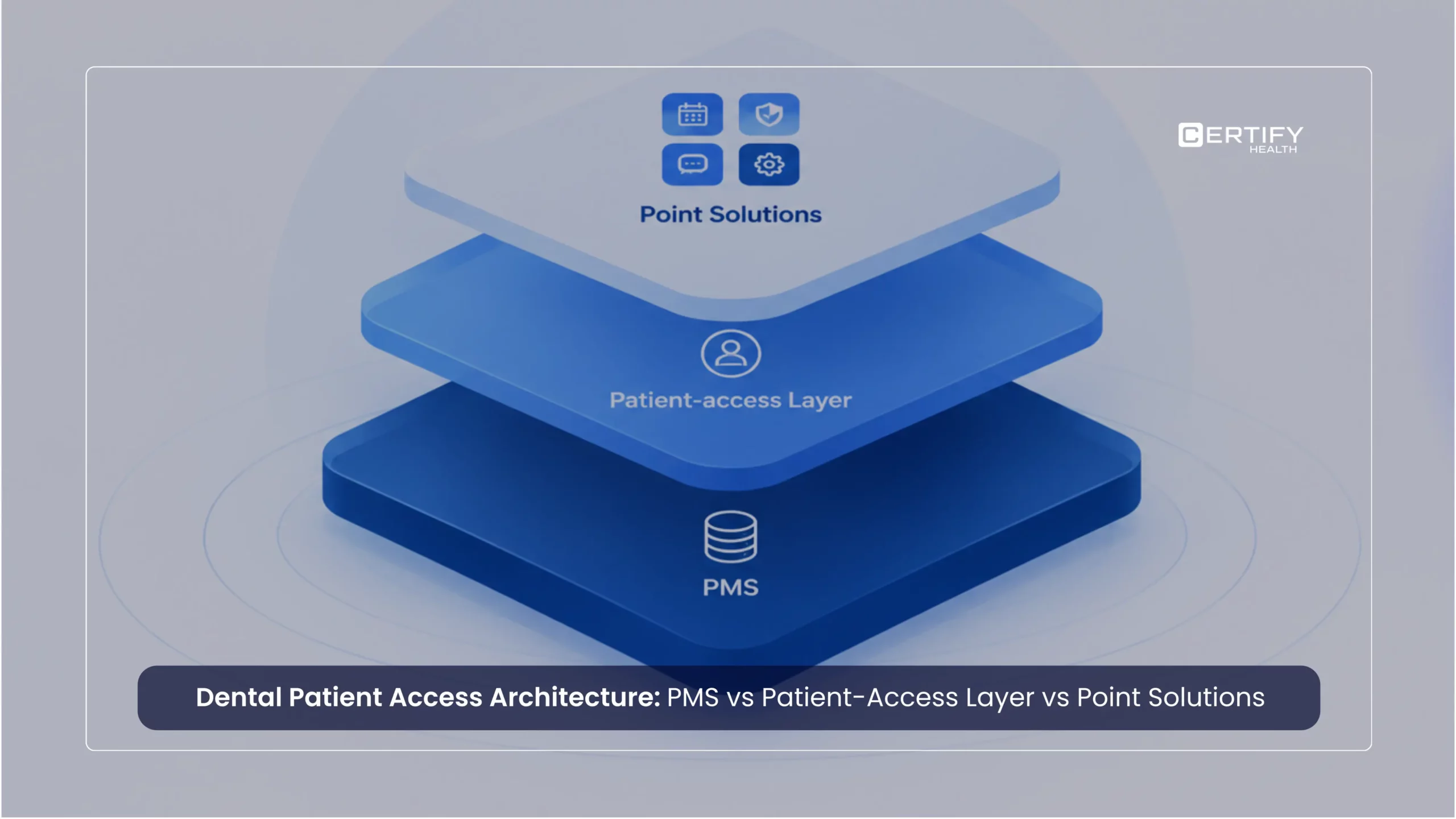
Automation does not replace your EHR or PMS. It connects to them.
For automation to work, data must flow both ways. Patient updates should reach the PMS. When a visit ends, billing steps should start.
Review integration considerations in our practice management software guide
Features to Look for in Workflow Automation Software
| Feature | Why It Matters |
|---|---|
| EHR and PMS integration | Data flows between systems without manual re-entry |
| Automated patient messages | Reduces no-shows and improves communication |
| Digital intake and e-signatures | Eliminates paper and speeds up registration |
| Live coverage checks | Confirms insurance before the visit |
| Reporting and dashboards | Tracks performance and flags bottlenecks |
| HIPAA-compliant systems | Required for any system that handles patient data |
| Role-based access controls | Limits data access to the right staff |
| Flexible workflows | Lets you match the system to how your practice works |
| Room to grow | Supports growth without a major rebuild |
On compliance:Any system with patient data must meet HIPAA rules. Check vendor BAAs before go-live. See HHS HIPAA guidance.
Common Challenges and How to Overcome Them
Staff Resistance
New tools disrupt routines. Some staff worry. Others just prefer what they know.
What helps: Bring your team in early. Explain what will change and why. Frame it as a way to remove tasks staff dislike. Not a way to replace them. Give enough time for training.
Data Migration
Moving records from an old system to a new one carries risk. Lost data hurts billing, scheduling, and care.
What helps: Work with vendors who have a clear, tested migration process. Run old and new systems in parallel during the switch. Check migrated data before you cut over fully.
Integration Gaps
Not all systems connect cleanly. Some EHR vendors limit their APIs. Older systems may not support links at all.
What helps: Check your current systems‘ integration options early. Ask each vendor for a list of tested connections. Know what will and will not sync before you sign anything.
Security and Compliance
Any tool that handles patient data must meet HIPAA rules. This covers messaging, intake, and billing.
What helps: Confirm that every vendor you review will sign a BAA. Review their encryption standards and their breach response process. Review ONC guidance on health IT security.
Best Practices for Setting Up Workflow Automation
Follow these steps to give your project the best chance of success:
- Audit your current workflows. Document what your team does today. Find the steps that slow things down or create errors.
- Find your biggest bottlenecks. Where do delays happen most? Where do errors cluster? Start there.
- Pick high-impact, well-defined workflows first. Appointment reminders and digital intake are common starting points. They are high-volume and easy to measure.
- Train staff close to go-live. Training done too early gets forgotten. Use real examples. Leave time for questions.
- Set baselines before you start. Track no-show rates, denial rates, intake times, and staff workload now. You need a starting point to measure improvement.
- Review and adjust often. Systems get updated. Schedule regular reviews to keep your medical practice workflow automation aligned with how your practice actually runs.
Measuring Success: Key Performance Indicators
| KPI | What It Measures | Goal |
|---|---|---|
| Appointment no-show rate | Reminder and confirmation impact | Decrease |
| Claim denial rate | Billing and coverage check precision | Decrease |
| Days in accounts receivable | Billing cycle speed | Decrease |
| Intake form completion rate | Digital sign-up adoption | Increase |
| Average check-in time | Front-office speed | Decrease |
| Admin tasks per patient visit | Staff workload per visit | Decrease |
| Patient satisfaction scores | Overall care journey quality | Increase |
| Workflow completion rate | Process reliability | Increase |
Review these metrics monthly. Look at trends over time, not just single data points. A dip right after go-live is normal. Sustained improvement over three to six months is the real signal.
Understanding the Cost and Building the Business Case
Workflow automation is an operational investment, not just a software purchase. Practice managers who build a clear business case before selecting a platform make better decisions—and face less friction internally when it’s time to get approval.
How Vendors Price Workflow Automation
Most platforms use one of three pricing models. Per-provider pricing scales with the size of your clinical team and is common for mid-sized and growing practices. Per-location pricing works well for multi-site organizations that want consistent capabilities across sites. Flat-rate monthly pricing is more common for smaller practices or single-module tools (reminders only, intake only).
Before comparing quotes, check what is already included in your EHR or practice management system. Many platforms include basic reminder functionality as part of their standard tier. Paying for a standalone reminder tool when your PMS already sends them is a common budget waste. Identify the gaps in your current system first, then look for tools that fill them.
What Implementation Actually Costs
The subscription fee is only part of the total cost. Implementation also involves staff time for setup, workflow mapping, and training—typically 20 to 40 hours for a single-module rollout at a small practice, more for multi-module or multi-site deployments. Integration setup between the automation platform and your EHR or PMS may carry a one-time configuration fee. Data migration, if you are moving from a legacy system, adds time and risk.
Ask vendors for a realistic go-live timeline and a list of what your team needs to provide. Delays almost always trace back to incomplete workflow documentation, missing integration credentials, or undertrained staff. Budget for the internal time cost, not just the vendor fee.
What a Rollout Looks Like
A single-module rollout—reminders and confirmations, or digital intake—typically takes 8 to 12 weeks from audit to go-live. Multi-module deployments run 16 to 20 weeks, depending on integration complexity and practice size.
Phase 1—Audit and baseline (Weeks 1–2). Document your current workflows. Record starting metrics: no-show rate, denial rate, and admin hours per visit. These become your benchmark.
Phase 2—Vendor selection (Weeks 2–4). Confirm EHR and PMS integration, BAA availability, and the vendor’s go-live support model. Ask for a reference from a practice of similar size and specialty.
Phase 3—Configuration and integration (Weeks 4–7). The vendor configures the platform; your IT contact handles integration credentials. Have those ready before kick-off—missing credentials are the most common source of delays.
Phase 4—Training and parallel run (Week 7–8). Train staff close to go-live, not weeks in advance. Run both systems briefly before fully cutting over.
Phase 5—Go-live and review (Weeks 8–12). Launch with one module. Review at 30 and 60 days. Once stable, add the next workflow.
The people involved: practice manager (workflow mapping and go-live coordination), front-office lead (training and feedback), IT or EHR administrator (integration), and the vendor’s implementation team. Implementation support quality varies—ask about it during vendor evaluation, not after signing.
Building the Internal Business Case
A business case for automation does not need to be complex. It needs to connect the cost of the tool to a measurable reduction in a current problem. The strongest cases use three inputs: your current no-show rate and the revenue value of each missed appointment; your current claim denial rate and the cost to rework each denial; and the admin hours per week spent on tasks the tool would eliminate.
For example: a practice with 500 appointments per month and a 12% no-show rate loses roughly 60 visits. If the average visit generates $150 in revenue, that is $9,000 per month in unfilled capacity. If better reminder sequences recover even 25% of those visits, the gain is $2,250 per month—likely more than the monthly cost of the platform. The math does not need to be precise; it needs to be directionally correct and grounded in your actual numbers.
Set your baseline metrics before the tool goes live. Revenue impact, denial rates, no-show rates, and staff hours are all easier to defend as gains if you have documented the starting point.
Future Trends in Medical Practice Workflow Automation
New-style AI for notes. Some tools draft patient summaries and referral letters. They use structured inputs. Clinician review is still a must.
Full-stack automation. This links your tools into one chain. One trigger—a closed visit—starts billing, scheduling, and follow-up steps at once. This is now within reach for small practices too.
Forward-looking reports. Using past data to predict demand and flag at-risk patients is now a practice-level tool. Not just for large health systems.
Better data sharing. The ONC’s work on FHIR-based data sharing makes it easier to share data. Cross-platform automation gets more steady over time.
Tailored patient engagement. Going past basic reminders. The goal is outreach that fits each patient’s care plan and contact choices.
Which Workflow Should You Automate First?
Not every workflow delivers the same impact.
For most practices, the quickest wins typically come from:
- Appointment reminders and confirmations
- Digital patient intake
- Insurance verification
- Patient payments
- Recall and reactivation campaigns
These workflows reduce administrative workload, improve patient experience, and often generate measurable financial impact within months.
Organizations looking to automate across scheduling, intake, communication, insurance verification, and payments often begin with a workflow assessment to identify their biggest opportunities for improvement.
Priorities vary by size and specialty. A solo or small primary care practice typically sees the fastest return from reminders and digital intake. A multi-provider specialty practice often has higher denial exposure, making eligibility verification and prior authorisation automation worth prioritising earlier. Multi-site organisations benefit most from standardised intake and centralised reporting. The sequence above is a practical starting point—your highest-impact workflow is the one currently generating the most rework or revenue loss.
Still managing intake, scheduling, reminders, and eligibility verification manually?
See how healthcare organizations automate patient workflows from scheduling through payment.
Conclusion
Healthcare workflow automation is not a luxury. It is a practical response to real demand. More patients. More admin. Less staff time.
The practices that gain most are not the biggest. They start with clarity. They know which steps cause pain. They measure before and after. They keep refining.
If you are just starting to review automation, begin by mapping what your team does today. Find where time is lost, where errors happen, and where patients hit friction. Those are the right places to start.
Good automation fits your practice. Not the other way around.
Learn how to evaluate practice management and automation software
Frequently Asked Questions
What is medical practice workflow automation?
It is the use of software to handle repeat admin tasks. No manual effort needed at each step. The system follows set rules. It sends reminders, collects intake forms, checks insurance, and submits claims. Staff focus on work that needs human judgment. The software handles the rest.
How does workflow automation improve patient care?
It frees up staff time. Less time on manual tasks means more time with patients. It also makes care more even. Patients get timely reminders. Follow-ups happen on schedule. Care gaps get flagged early.
What workflows can be automated in a medical practice?
Common options:
- Appointment booking and reminders.
- Digital patient intake.
- Insurance checks.
- Claims submission.
- Prior approval tracking.
- Post-visit messages.
- Care outreach and lab result alerts.
- Task routing.
Clinical choices still need human oversight. Admin steps are where automation helps most.
Is medical workflow automation HIPAA compliant?
It can be—but compliance is not built in by default. Any vendor that handles patient data must sign a Business Associate Agreement (BAA) with your practice. You should also review their data encryption, access controls, and breach response process. Both your practice and your vendor share the duty of staying compliant. See HHS HIPAA guidance.
How much does workflow automation cost?
Pricing depends on size and scope. Common models: per provider, per site, or flat monthly. Some reminders may already be in your EHR or PMS. Standalone tools charge a monthly fee. Think about the gains too. Fewer no-shows. Fewer denied claims. Admin time moved to better use.
Can workflow automation integrate with EHR and PMS systems?
Yes. Integration is essential for automation to work well. Most platforms link to major EHR and PMS vendors. Before you pick a tool, confirm data flows both ways. Know what will sync and what will not. API links are more steady than file exports.
What ROI can medical practices expect from workflow automation?
Returns depend on your start point and which steps you automate. Common gains: fewer no-shows, fewer denied claims, and less admin time per visit. Non-financial gains include better patient satisfaction and stronger staff retention. Set baseline metrics before you go live. That is the only way to track real gains. MGMA benchmarking data can help you compare your results against similar practices.
Key Takeaways
- Rule-based automation software handles repeat admin tasks—cutting manual effort and reducing errors.
- Before selecting a vendor, build a simple business case: connect the platform’s cost to your current no-show rate, denial rate, and admin hours per visit. Even a rough calculation makes the ROI visible and secures internal approval faster.
- Automation works best on mapped, well-understood processes—not on broken ones.
- HIPAA compliance requires a signed BAA with every vendor that handles patient data.
- Set baseline metrics before you launch so you can measure real improvement.
- Integration with your EHR and PMS is essential—confirm two-way data flow before committing to any platform.
- Staff adoption improves when teams are involved early, trained well, and shown that automation removes tasks they dislike.