Dental Patient Payment Software
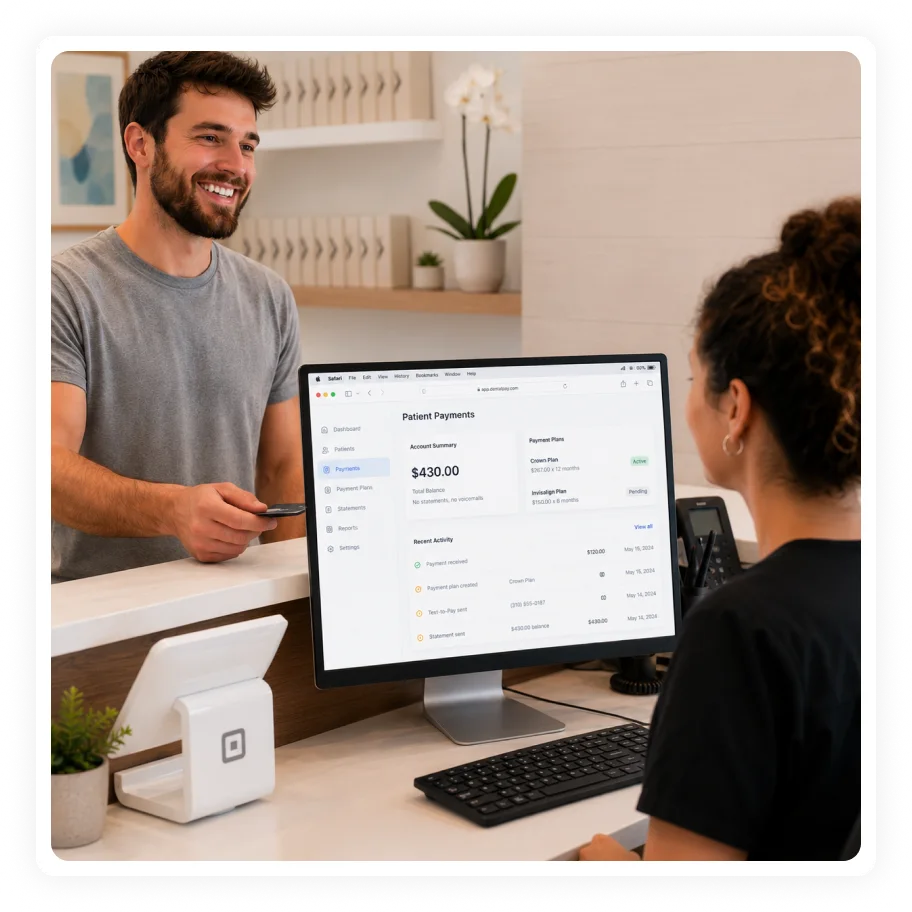
Crown plan: $267 × 12
Autopay · treatment accepted
Copay prompted at check-in
Collected in the same moment
$430 balance paid by text
No statements, no voicemails
- HIPAA compliant
- HITRUST r2 certified
- SOC 2 Type II compliant
- GDPR compliant
- PCI DSS for payment workflows
Works with existing EHR, EMR and PMS systems where configured
HIPAA-aligned workflows
Built for healthcare workflows that require secure patient communication, forms, identity, and payment handling.
Works around existing systems
Designed to support patient-facing and front-office workflows around existing EHR, EMR, PM, PMS, and revenue systems where integrations are available.
Multi-channel completion
Supports web, mobile, kiosk, tablet, portal, and staff-assisted paths depending on deployment.
Built for multi-location control
Supports enterprise configuration and reporting needs across locations, providers, roles, and workflows where configured.
Payment friction that creates revenue leakage
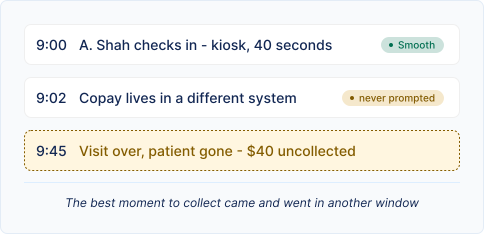
Copays are missed at check-in
When payment prompts are separate from check-in, staff may miss the best moment to collect.
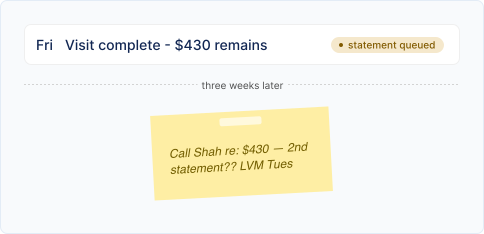
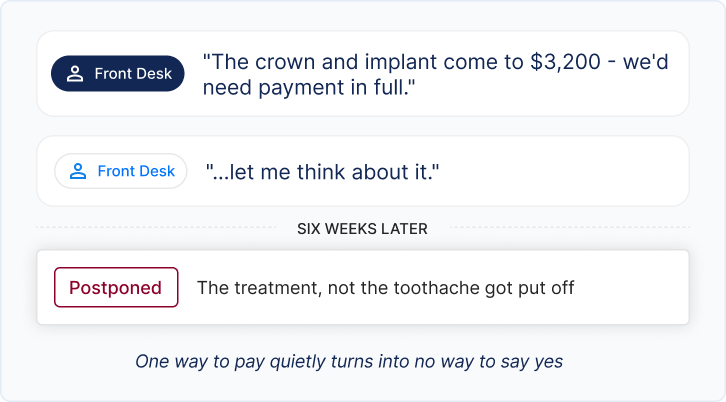
Balances are chased too late
Post-visit payment follow-up can become expensive and inconsistent when teams rely on paper statements and phone calls.
Patients need flexible payment options
Higher out-of-pocket responsibility means patients may need clear payment links, saved methods, plans, or flexible ways to pay.
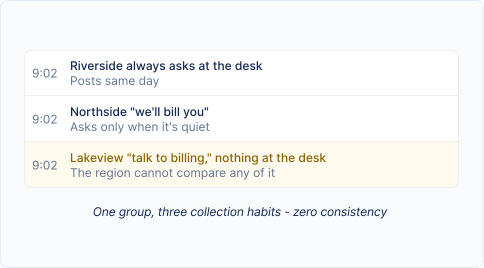
DSOs need consistent collection behavior
A multi-location group cannot depend on every front desk to ask for payment the same way.
How CERTIFY Health supports dental payments
CERTIFY Health connects payment prompts with the visit workflow so collections are easier to manage before, during, and after the appointment. This patient payment solution helps dental practices simplify payment collection, improve the patient experience, and streamline revenue workflow
Text-to-Pay and payment links
Send secure payment links through configured patient communication workflows.
Copay and balance workflows
Prompt patients for copays, outstanding balances, or other payment actions where configured.
Card-on-file and autopay
Support saved payment methods and automated payment options where enabled.
Payment plans
Allow practices to offer payment plans where configured, helping convert balances that may otherwise go unpaid.
Digital statements and reminders
Use reminders and digital follow-up to reduce manual payment chasing.
Reporting and reconciliation support
Support transaction visibility, batches, reconciliation, and payment reporting depending on deployment and integrations.






The Workflow Difference
Patient books or confirms an appointment.
Intake Workflow sent automatically at scheduling OR triggered by staff, any time
Intake and eligibility workflows help identify responsibility earlier where configured.
Payment prompts can surface before arrival, at check-in, or after the visit.
one thread, three moments - no separate system to remember
Patients pay through digital or in-office options.
Teams track transactions, follow-up, and reconciliation with less manual handoff.
Outcome From High-Volume Healthcare Workflows
Outcomes from a high-volume, multi-location outpatient deployment. The metrics below show how connected workflows performed at scale; results reflect a specific deployment and are not a guarantee of future performance.
Collections
Enterprise DSO data shows over $100 million collected through CERTIFY Health in one year, averaging about $11 million per month.
Payment plan
Payment plans generated $110,000 from 168 plans across 87 clinics in six months, with fewer than 5% cancellations, declines, or insufficient-funds events.
Text-to-Pay
Text-to-Pay generated over $1 million through text payment links.
Digital follow-up
Auto-pay and digital dunning processed 14,000+ final collection notices digitally instead of through paper mail.
Frequently asked questions
What is dental patient payment software?
Does CERTIFY Health replace a full RCM service?
Can patients pay by text?
Can payments connect to check-in?
Why does this matter for DSOs?
DSOs need consistent payment behavior and visibility across locations, not manual collection habits that vary office by office.
Keep the Episode Moving From the First Visit Forward