
Table of Contents
If you are looking to evaluate practice management software now, you have picked up a tough year to do so.
Why? The market changed, vendors merged, and AI features are everywhere in sales decks, but they’re just words, not reality.
Poor automation, manual entry, mistakes, claim denials, burnout, and attrition are just a few of the operational challenges your front desk already encounters.
You can’t waste another year on software that doesn’t connect, automate, or deliver as promised.
This guide is intended for administrators, operations leaders, and practice leaders who wish to make better choices in 2026 and beyond.
We will walk you through how the PMS market has evolved, what’s actually working in 2026, and give you a checklist that’s genuinely useful, not just words on a page.
Quick Definition
Practice management software (PMS) is a digital platform that manages the administrative and financial operations of a medical practice, including patient scheduling, insurance eligibility verification, charge capture, claims submission, patient billing, and reporting.
It is distinct from an EHR, which focuses on clinical documentation, though modern systems increasingly integrate both.
Why Making This Choice in 2026 Is More Important
Here’s what has changed over the years and why getting a wrong practice management software solution is harmful for your practice.
1. Increased Out-of-Pocket Costs (OOP)
Insurance no longer means low patient financial responsibility. As per a study, patient OOP for hospital care increased 42% between 2012 and 2022 (from $105 to $149 per enrollee annually).
Now that the financial burden is shifting from payers to patients, it creates another operational burden for your staff. Your staff must collect the payments at the front end.
If your software cannot check insurance, collect patient forms, or take payments online, you may lose money before the visit starts.
2. The Market Has Become More Consolidated
Mid-tier practice management software vendors have been acquired, merged, or shut down over the past few years.
For example, in 2023, Thoma Bravo acquired NextGen Healthcare, an EHR vendor serving over 100,000 providers, for $1.8 billion. (Note: the $1.8B figure reflects total deal value including net debt; the equity purchase price was approximately $1.6B.) This was one of the largest health IT acquisitions of that year.
This shows why practices should work with vendors that have stable ownership. Changes in ownership can affect daily operations, long-term planning, and the overall direction of the software.
3. AI in Sales Pitch, but not in Workflow
Most practice management software vendors promise AI documentation, denial prediction, or another AI feature.
Later, you may realize these solutions don’t align with your existing workflows.
In fact, a study found that 71% of medical practices already use AI in patient visits, but only 39% report that it has reduced staff workload.
Don’t trust big promises about AI and automation in demos. The best way to evaluate the software is to ask the vendors to show how AI or automation works for your practice in live demos.
4. Rising Staffing Pressure
Staffing pressure is real. Front desks are doing more with less. Medical practice management software with a poor UI, excessive manual steps, and clunky integrations leaves the workforce frustrated.
A study found that nearly half of physicians worked with incomplete staffing more than 25% of the time, and 47.9% met the criteria for burnout.
A poor PMS costs you staff time and contributes to turnover. The right integrated practice management software is a staffing solution as much as a billing one.
What Bad PMS Decisions Have Cost Practices Over 5 Years
Before looking at how to choose a PMS, it is important to understand the mistakes practices have made in the past, since many of those same issues still happen today.
Wave 1: “We’ll Go Paperless.”
When practices first adopted PMS software, it was expected to replace paper-based scheduling, billing, and patient registration with a single system.
What practices actually got was partial digitization. Staff were retrained, but workflows weren’t redesigned. The software sat on top of old processes instead of replacing them.
Wave 2: “The Cloud Will Fix It.”
Cloud-based practice management software promised anytime access and lower IT costs. It mostly delivered. But data migration was harder than expected, and vendor lock-in became a real problem.
Moving from one system to another, especially mid-contract, turned into a months-long project.
Wave 3: “AI Takes Over the Work”
This is where most practices are today. The promise is end-to-end automation and predictive revenue. The reality is partial. The practices getting real ROI from AI features are ones that already had clean data and configured the tools properly.
Practices that bought AI features without a plan to use them are paying for idle capability.
The Lesson from All Three Waves
The gap between what vendors promised and what practices actually experienced has been consistent. The practices that got the most value were the ones that treated PMS selection as a people-and-workflow decision, not a technology decision.
Ask yourself before evaluating any system:
What specific workflow problem am I solving?
If you can’t name three concrete pain points before the first demo, you’re not ready to buy.
Is Your Current System (or Process) Holding You Back?
Run through this quick self-assessment before you talk to a single vendor.
Front Desk & Intake
- Are patients still filling out paper forms at check-in?
- Do staff manually enter data from intake forms back into your system?
- Is insurance eligibility verified manually, or in real-time before the visit?
Revenue Cycle
- Is your denial rate above 8%? (Industry average in 2026 is around 8%; top performers are under 5%)
- Are your days in A/R above 38? (That’s the 2026 industry average)
- Is your clean claim rate below 87%?
Patient Experience
- Do you have an automated reminder system that reduces no-shows?
- Can patients pay their balance online or before the visit?
- Do patients regularly use your patient portal, or does it go unused most of the time?
If you answer “yes” to most of the first group or “no” to most of the second, you have real gaps, and a new or upgraded system can address them directly.
Free resource
PMS Readiness Assessment
Map your workflow gaps and identify your must-have features before your first vendor demo. Takes 5 minutes.
What's Actually Working in 2026
Let’s look at what the actual data shows, not projections.
There’s a big difference between average and top-quartile practices.
| Performance Metric | Average Practice | Top-Performing Practice |
|---|---|---|
| Days in Accounts Receivable (A/R) | 38–45 days | Under 20 days |
| Clean Claim Rate | 82–85% | 95%+ |
| Digital Patient Intake Adoption | 45–55% | 80%+ |
These gaps don’t come from one magic feature. They come from practices that completed full EHR and PMS integration before 2024, cleaned up their data, and actually configured the automation tools they paid for.
The practices that haven’t gotten there yet have one thing in common: they bought best practice management software based on feature lists instead of workflow fit.
$13.76B → $29.11B
The global PMS market is projected to nearly double by 2034 (from approximately $13.76B in 2024, CAGR 9.82%). Adoption alone is not enough, fragmented integrations and idle AI features are erasing potential gains for many practices.
CERTIFY Health’s Practice Management Software is built to close these gaps by unifying scheduling, patient intake, insurance verification, billing, and patient communication in a single workflow.
Where the Gap Still Exists In 2026
Adopting a PMS is not enough. These are the gaps that persist even after implementation, and what to look for when evaluating vendors.
1. Fragmented Tools
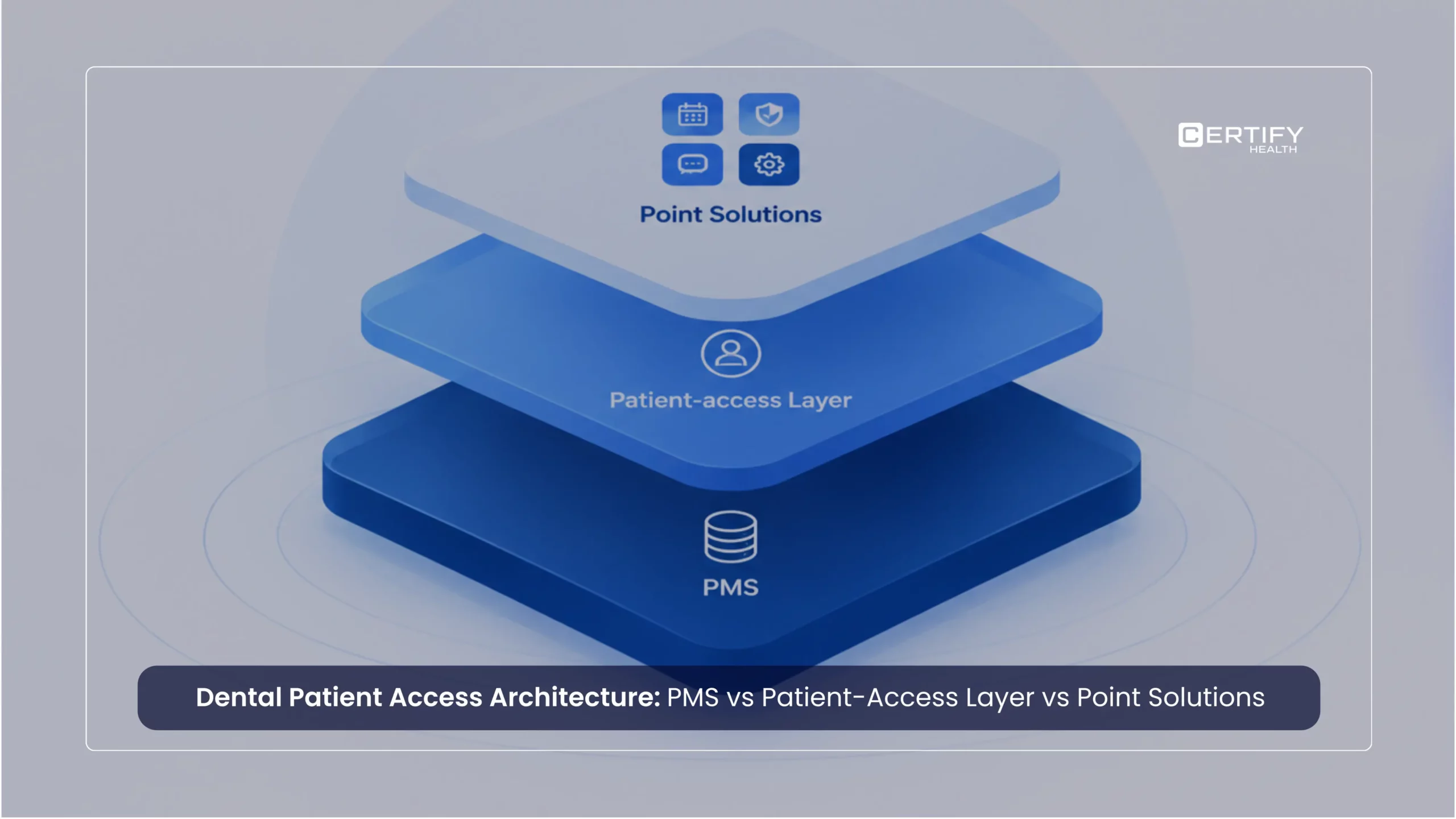
A common challenge is connecting the PMS with the other systems a practice already uses, such as scheduling, billing, patient payments, and communication tools.
When left unconnected, they create a workflow gap and prevent staff from accessing unified views of data.
Revenue leakage from disconnected tools
Practices with fragmented scheduling, intake, and billing systems report up to 20% more manual rework per claim. See how a connected workflow changes the numbers for your practice size.
1.1 Lack of Bi-Directional Sync
FHIR APIs have improved interoperability, but true bi-directional EHR-PMS sync (data flowing both ways in real time) remains a differentiator, not a standard.
Buyers should prioritize demos that show a live sync, not just a slide.
2. Poor Patient Financial Experience
Even strong practice management software is often underdeveloped for the evolving patient financial experience.
Pre-visit cost transparency and automated payment plans are widely available as features, but rarely set up well.
3. Reactive RCM
Another gap that still exists is that most practice management software only summarizes past financial performance.
What practices should actually ask vendors is whether their dashboards offer predictive insights, such as denial prediction and staff capacity forecasting, based on the data.
4. No Real Gains to Small & Solo Practice
Most of the gains from cloud-based practice management software go to practices with five or more providers.
Smaller providers do not see any big improvements from such systems. If you run a smaller place, pick a vendor with a dedicated small-business plan. Don’t go for those that tweak their big company offers to fit smaller needs.
5. Lack of Specialty Specific Features
Generic practice management software is useful for standard physician offices but not specialized fields. They’re not set up for specialties like ambulatory surgery centers, dental offices or orthopedic practices.
Ask your PMS Vendor if their software supports procedure-specific billing rules, manages and tracks multi-location clinic data, and specialty-specific workflows.
The 2026 Rules Your Practice Management Software Must Support
When choosing a practice management system (PMS) in 2026, make sure it can meet important healthcare rules and security requirements.
Patient Access and Information Sharing
Patients are entitled to view their medical records. Ask vendors:
- Is your system certified by the ONC?
- How can patients quickly access their records?
- How does your system help prevent information blocking?
Data Sharing and Interoperability
Healthcare systems need to share information with each other more easily than before.
Ask vendors:
- Does your system support TEFCA standards?
- Are you connected to a Qualified Health Information Network (QHIN), or do you plan to be?
Price Transparency
Patients want to know what their care will cost before treatment.
Ask if the PMS can:
- Create good-faith cost estimates
- Share expected patient costs before a visit
- Support required price transparency workflows
Security and Privacy
“We are HIPAA compliant” won’t do, vendors must prove it.
Ask for proof, such as:
- SOC 2 Type II reports
- HITRUST certification
These requirements affect contracts, audits, and patient trust. Add them to your PMS checklist.
AI and Your Patient Data: Questions to Ask
Many PMS vendors now offer AI features. Before signing a contract, ask how your data will be used.
Important questions include:
- Will our patient data be used to train AI models?
- Can we opt out of AI training and still use AI features?
- Who owns the AI-generated reports and insights?
- Is AI processing covered by our Business Associate Agreement (BAA)?
- Is any patient data shared with third-party AI providers?
A trusted vendor should have clear written answers to these questions.
How to Check a Vendor's Data Migration Plan
Moving data from one system to another can be one of the hardest parts of switching PMS vendors.
Before you sign, ask:
- Can you show us a migration plan for our current system?
- Who is responsible for the migration?
- What happens if data is lost or moved incorrectly?
- Can we speak with a customer who switched from the same system we use today?
- Will we receive a full copy of our data before go-live?
It is also a good idea to run both the old and new systems at the same time for 2–4 weeks. This helps catch problems before they affect billing, scheduling, or patient care.
Data migration is not just a setup task. It is a major part of a successful PMS implementation and should be reviewed carefully during vendor selection.
The Buyer's Checklist: What to Evaluate in 2026
Use this as your base. Remove what doesn’t apply to your specialty. Add what’s specific to your workflows.
Non-Negotiable Capabilities:
- Charge capture and claims submission
- Denial management with appeals workflow
- Patient billing with payment plans
- HIPAA-compliant data storage and transmission
- Role-based access and audit trails
- Customizable reporting dashboard
- SOC 2 Type II or HITRUST certification (not just HIPAA attestation)
Integration Requirements:
- Verify sync depth and bidirectional EHR/EMR integration
- Clearinghouse connectivity
- Patient portal or engagement platform integration
- Two-way patient messaging capability
- Open API with documentation you can actually read
- SSO compatibility with your current identity provider
How to Assess AI and Automation Features:
Don’t accept a recorded demo. As vendor to show live demo of that feature based on your real use case. Then ask:
Questions to Ask Every Vendor
- “How many of your current clients actually use this feature on a daily basis rather than just turning it on?”
- “What’s the average time-to-value after go-live?”
If they can’t answer the third question with a real number from a real client, that’s your answer.
Revenue Cycle Benchmarks to Verify (Ask for Client Data, Not Projections):
- Clean claim rate improvement by specialty
- Denial rate reduction at comparable practice sizes
- A/R days reduction from implementations similar to yours
- Patient payment collection improvement at point of care
A credible vendor should be able to share real client outcomes, including percentage improvements, implementation timelines, and the practice size or specialty those results came from.
Vendor Durability Questions (Don’t Skip These In 2026):
- Have you been acquired, or are acquisition talks ongoing?
- What’s your implementation timeline for a practice our size?
- What does support look like 90 days post go-live, not during implementation?
- What are your full data export terms at contract end?
- What’s the total cost of ownership including interfaces, per-transaction fees, and retraining?
- What are your uptime SLAs and support response-time commitments?
- Does your contract include auto-renewal clauses or price-increase caps?
A Four-Layer Framework for the Final Decision
Once you have narrowed your list, run every finalist through these four layers before signing.
Layer 1: Operational Fit
Does it solve your specific workflow problems? Not a practice in a brochure, your practice, your specialty, your staff.
Layer 2: Financial Impact
Will it measurably improve your revenue cycle? Ask for benchmarks from similar practices, not projections from the sales team.
Layer 3: Integration Depth
Does it actually integrate directly with your current EHR and clearinghouse? Verify the sync in a live environment.
Layer 4: Vendor Durability
Will this vendor be a good partner in three years? Given the consolidation in this market, this layer matters more than it did in 2020.
A system that clears Layers 1 and 2 but fails on 3 or 4 is a short-term gain with long-term risk. All four layers need to clear your threshold before you sign.
Where Should You Start?
Before you schedule demos, do three things:
- Benchmark your practice against the 2026 averages. Days in A/R, clean claim rate, denial rate, digital intake adoption. The biggest gap is usually your starting point.
- Define your top three problems. The PMS has to directly address these. Everything else is secondary. Don’t let a feature-heavy demo distract you from what you actually came to fix.
- Build your short checklist from Section 5. Customize it to your specialty. Use the same checklist and the same scenario across every vendor demo. You’re comparing apples to apples — not letting each vendor show you their best angle.
Practices that adhere to this order do more than simply select superior software. At year two, they have fewer regrets, implement faster, and reach ROI sooner.
Frequently Asked Questions
How is practice management software different from an EHR?
An EHR keeps track of patient health information, like diagnoses, doctor notes, and prescriptions. Practice management software handles the business side, like scheduling appointments, sending bills, and checking insurance. Many modern systems connect both, so information moves between them automatically.
What features should I look for in practice management software in 2026?
When evaluating a system, focus on capabilities that directly affect day-to-day performance: real-time insurance verification, integration with your EHR, digital patient intake, denial management workflows, online payment processing, and strong data security. Some software also uses AI to improve scheduling or flag likely claim denials, always ask to see these features working live before you buy.
How much does practice management software cost?
The price depends on the vendor, your practice size, and the features you need. Most cloud systems charge between $200 and $600 or more per provider each month. You also need to budget for setup fees, training, and other charges. Always ask for the full cost, not just the monthly price.
What is the typical implementation timeline for practice management software?
Setup usually takes 4 to 16 weeks. Smaller practices with simple workflows tend to go live faster. Ask the vendor how long setup takes for practices like yours. Also ask what support you get after the first 90 days.
Is CERTIFY Health a good fit for small practices?
CERTIFY Health brings scheduling, patient intake, insurance checks, billing, and patient communication into one system. If you run a small practice, ask about plans built for your size, not large-practice plans that have been scaled down. Book a free practice assessment to see if it fits your workflows.
The Bottom Line
Choosing the right practice management software in 2026 is harder than it looks from the outside. The market is crowded. The claims are loud. And the cost of a bad decision, in staff time, migration pain, and lost revenue, is higher than it was five years ago.
The practices that get this right do it the same way every time: they benchmark first, define their problems before talking to vendors, verify claims with live demos and real client references, and treat implementation as a workflow redesign rather than a software switch.
That discipline is what separates the practices running under 5% denial rates and 20-day A/R from everyone else. The technology helps, but the process gets you there.
CERTIFY Health’s Practice Management Software unifies scheduling, patient intake, insurance eligibility, billing, and operational workflows into one connected system, helping practices reduce administrative burden and run more efficiently.