CERTIFY Health Vs ModMed
Which Patient Workflow Platform Fits Your Specialty Practice?

ModMed and CERTIFY Health both support patient-facing workflows for specialty practices, but they solve different buying problems.

ModMed is often evaluated as a specialty EHR and practice-management ecosystem with patient collaboration powered by Klara.

CERTIFY Health supports specialty and outpatient workflows by connecting self-scheduling, digital intake, eConsent, insurance and ID capture, eligibility review, mobile/kiosk/tablet check-in, FaceCheck identity workflows, patient communication, CERTIFYPAY, and reporting around the clinical system already in use.

So the real question is simple: are you standardizing on ModMed as the clinical ecosystem, or improving the patient workflow around your current system of record?

A Simple Way
to Compare the Two

Look at
ModMed when

ModMed is worth a closer look when the practice wants specialty EHR, practice management, patient collaboration, payment, and specialty workflows inside one ecosystem.

Look at
CERTIFY Health when

CERTIFY Health is worth a closer look when the practice keeps its specialty EHR but needs intake, consent, eligibility, check-in, communication, identity verification, payment readiness, and staff-visible handoff to work better around the visit.

That difference matters. Better payment tools help at collection time, but they do not always fix the front-end gaps that create collection issues in the first place.

Key Differences at a Glance

Understand how each platform fits your outpatient or ambulatory workflow before you scope a project.

Buying Context

Often evaluated by specialty practices looking at ModMed EHR, PM, Klara collaboration, payments, kiosk, forms, telehealth, and recalls.

Often evaluated when specialty or outpatient teams want scheduling, intake, check-in, eligibility, communication, and payments to work together around existing systems.

Core strength

Specialty-specific clinical ecosystem with patient collaboration close to the EHR and practice-management workflow.

Controls the patient readiness workflow around specialty care: pre-visit forms, eConsent, insurance capture, eligibility checks, check-in, identity verification, payment prompts, reminders, and follow-up around the EHR.

EHR relationship

Works best when the practice is using or moving toward ModMed as the specialty system of record.

Works alongside existing EHR, EMR, and practice management systems without requiring rip-and-replace.

Patient access

Includes pre-visit forms, e-signatures, mobile check-in, kiosk, messaging, reminders, recalls, and related workflows in the ModMed ecosystem.

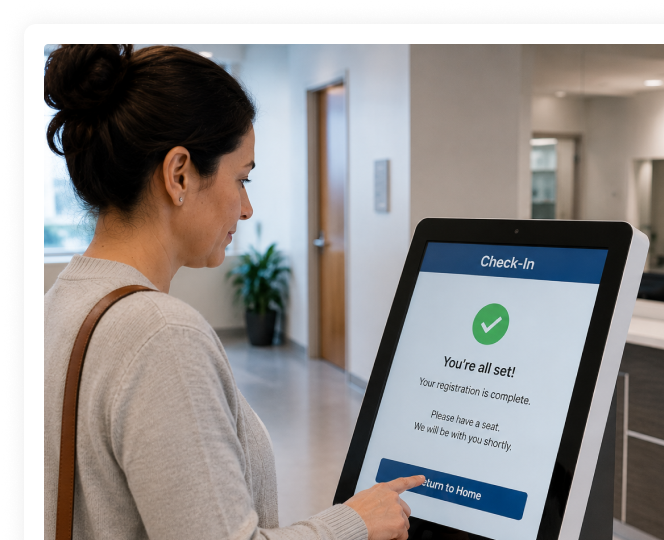
Supports mobile, web, kiosk, tablet, patient portal, and staff-assisted intake and check-in tied to scheduling, eligibility, insurance capture, and patient readiness.

Payments

Includes ModMed Pay, copay collection, and balance collection links within the broader ModMed context.

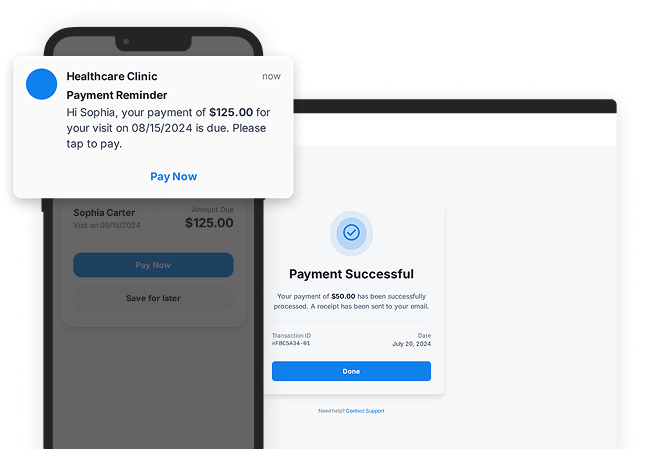
Supports patient payments through CERTIFYPAY, including Text-to-Pay, online payments, in-office payments, payment plans, card-on-file, and reminders where configured.

Who should look closer

Specialty practices already committed to ModMed or evaluating ModMed as their clinical backbone.

Specialty, dental, urgent care, PT, vision, ASC, and multi-location groups keeping current systems but improving patient-facing and revenue workflows.


The Workflow Difference Most Practices Miss

On a feature checklist, both platforms can appear to cover reminders, messaging, forms, check-in, payments, and patient collaboration. The practical difference is whether the practice is buying into a specialty EHR ecosystem or solving the workflow around one.

ModMed often makes sense when clinical documentation, specialty workflows, billing, and patient collaboration are meant to live in the same environment. But if a practice already has a system of record, the bigger need may be the handoff layer: intake, eligibility, check-in, identity, communication, and payments.

CERTIFY Health is built for that layer. It helps practices keep the clinical system where it is while improving the patient-facing and revenue work around the visit.

CERTIFY Health Capabilities That Matter in This Comparison

CERTIFY Health’s strongest fit is the outpatient workflow between the first patient action and the final payment. The capabilities that matter most in this comparison are:

Multi-channel intake

Patients can complete intake through a secure web portal, mobile link, kiosk, tablet, patient portal, or staff-assisted workflow. Intake can include demographics, insurance, medical history, digital forms, and eConsents.

EHR-connected intake

Submitted information can be routed into connected practice systems based on the integration and workflow configuration.

Insurance capture and eligibility review

Patients or staff can capture insurance card images, and coverage can be checked during scheduling, pre-registration, or check-in when the workflow is configured for it.

Check-in nudges

Automated reminders can prompt patients to finish forms, confirm arrival steps, complete mobile check-in, make payments, or use kiosk and staff-assisted options when needed.

Patient payments

CERTIFYPAY supports payment links, Text-to-Pay, card-on-file, payment plans, payment reminders, online payments, and in-office payment options where configured.

Identity verification

Photo ID capture can be part of intake and check-in. FaceCheck can be used as an optional identity assurance layer where the practice needs added control.

Interoperability

CERTIFY Health is built to work with existing healthcare systems through scoped EHR/PM integrations, HL7, FHIR, EDI, payment gateway connections, identity tools, and communication services.

Practice Scenarios Where the Difference Becomes Clear

How to Decide

Choose the evaluation path based on the problem you are trying to solve.

Evaluate ModMed Patient Collaboration more closely if:

  1. You are adopting or already using ModMed as your specialty EHR and PM environment.
  2. Clinical workflow and specialty charting are central to the buying decision.
  3. You want patient collaboration to stay native to the ModMed ecosystem.
  4. Your team prefers one specialty platform over a separate workflow layer.

Evaluate CERTIFY Health more closely if:

  1. The practice wants to keep ModMed or another specialty EHR in place while improving patient access.
  2. Intake, eConsent, insurance capture, eligibility review, check-in, identity verification, communication, and payment readiness need to move together.
  3. Patients need mobile, web, kiosk, tablet, portal, and staff-assisted paths instead of one digital route.
  4. Revenue friction starts before billing, through missing forms, late eligibility checks, unclear balances, weak payment prompts, or check-in delays.
  5. Leaders need readiness visibility without changing clinical documentation systems.

Where CERTIFY Health Fits Around Specialty EHR Workflows

CERTIFY Health does not need to replace ModMed as a specialty EHR, specialty PM, or clinical documentation system. The stronger comparison is patient readiness around the specialty visit. CERTIFY Health fits when the practice already has a clinical backbone but needs digital intake, consent, ID and insurance capture, eligibility review, check-in, patient communication, identity verification, payment prompts, and reporting to work better around it. If the buying decision is specialty charting or EHR replacement, ModMed deserves a closer look. If the issue is front-desk friction, incomplete intake, late eligibility, check-in delays, or payment readiness around an existing system, CERTIFY Health is the stronger workflow conversation.

See How CERTIFY Health Would Fit Your Workflow

Bring your current scheduling, intake, check-in, eligibility, communication, and payment process into the demo. We’ll walk through where work breaks down today and where CERTIFY Health can help connect the patient journey without replacing the systems that already run your practice.

Questions to Ask Before You Choose

Four questions that separate a quick communication fix from a real workflow decision. Step through them and tick off the ones you’ve thought about.

Frequently Asked Questions

Is CERTIFY Health a ModMed replacement?

No. CERTIFY Health is not positioned as a specialty EHR replacement. It supports patient-facing and administrative workflows around the systems the practice already uses.

ModMed may make more sense when the practice needs a specialty EHR and clinical ecosystem. CERTIFY Health may make more sense when the practice already has a clinical system and wants better patient access and revenue workflow around it.

The comparison page should not claim that CERTIFY Health replaces specialty clinical documentation. Keep clinical charting, operative notes, and specialty records in the EHR or clinical system unless product approves a specific claim.

Compare the project scope: specialty EHR ecosystem versus modular patient access and payment workflows. Confirm modules, integrations, implementation, payment setup, and support before deciding.

Download: Kiosk & Mobile Check-In Readiness Checklist

Download: Patient Identity & Check-In Risk Checklist

Download: Medical Practice Software Evaluation Checklist

Download: EHR Integration Readiness Checklist

Download: Patient Communication Workflow Audit

Download: Eligibility & Denial Prevention Checklist

Download: Digital Intake & Pre-Visit Readiness Checklist

Download: Revenue Leakage & Patient Payment Workflow Audit

Download: No-Show & Waitlist Recovery Checklist

Download the Free Checklist

Schedule a free demo

Eliminate Check-In Delays | Prevent Claim Denials | Simplify Patient Workflows