Table of Contents
Patient Portal ≠ Patient Engagement Platform
Ask five people at a busy practice to define a patient portal. Then ask them to define a patient engagement platform. You will likely get five different answers. Many of those answers will overlap. That is because the two terms often get used as if they mean the same thing. This habit causes real trouble once a practice sits down to pick new software.
A patient portal and a patient engagement platform are not the same tool. They solve different parts of the patient experience. A patient portal is a secure place patients can log into. It gives them access to their own records, results, and balances. A patient engagement platform is a much wider system. It handles messages, scheduling, intake, and outreach across the full patient journey. A portal is often just one small piece inside that larger system.
Mixing up the two leads to poor buying decisions. Some practices expect a simple portal to send reminders and run outreach it was never built to do. Other practices pay for a full engagement platform when a basic portal would have covered their needs just fine. Getting this difference right saves money. It also saves staff time. Most of all, it sets clear expectations for what each tool can and cannot do for a busy front office.
The distinction becomes much easier to understand when you stop comparing feature lists and look at what the practice is actually trying to accomplish.
A patient who wants to retrieve a test result needs access. A practice trying to reduce no-shows needs outreach. A patient checking a balance needs access. A billing team trying to collect that balance needs a workflow. A patient looking at an upcoming appointment needs information. A scheduling team trying to refill tomorrow’s cancellation needs action.
That is the practical divide this guide explores: patient access versus patient activation.
What Is a Patient Portal?
A patient portal is a secure, patient-facing login. Patients use it to view their own health data whenever they choose. Most patient portal software includes a few core features. Patients can see test results and past visit summaries. They can send secure messages to their care team. They can check upcoming appointments in one place. They can also view billing statements and account balances.
Because a portal sits behind a secure login, it works well for private data. This is where the real patient portal benefits show up day to day. Patients can check their own results without picking up the phone. Staff spend less time reading balances aloud or faxing old paperwork. Over time, the portal becomes a quiet, always-open resource for patients who want to help themselves.
Where a Patient Portal Works Best
A portal is particularly useful when the patient’s intent already exists.
They want to see a result. Download a document. Review a balance. Send a secure question. Check information from a previous visit.
In each case, the patient already knows what they want to do. The portal gives them a secure place to do it without calling the practice.
That makes a portal especially effective for patient-initiated activity. Its limitation appears when the practice needs to initiate the next action.
That same setup also creates a clear limit. A patient portal is a destination, not a messenger. Patients have to remember it exists. They have to choose to log in on their own. A recent Ipsos survey found that close to half of respondents used a healthcare portal less than once a month. 16 percent had never used one at all. This is a sign of how easily a login-only tool can go unused. Most basic portals cannot run reminder campaigns on a schedule. They cannot manage self-scheduling across many locations at once. They cannot chase down patients who have not logged in for months. In short, a portal answers questions when a patient comes looking for them. It does not go looking for the patient. Practices that need more than a secure inbox often need to look past the portal alone.
What Is Patient Engagement Software?
Patient engagement software covers a much wider job. It handles messages and workflow across every stage of the patient relationship. This includes the moments when a patient never logs into anything at all. A portal is a place patients visit on their own time. A patient engagement platform is a system built to visit the patient first, without waiting to be asked.
This category often bundles several tools into one system. Automatic appointment reminders go out by text or email through Patient Communication tools. Two-way messaging lets staff and patients talk without a phone call. Digital Intake forms get sent out before the visit, not handed over on a clipboard in the waiting room. Patient Scheduling tools let patients pick their own time slot online. An ASAP List or waitlist tool fills last-minute cancellations on its own. Patient Payments reminders and digital statements go out on a set schedule. Recall campaigns bring back patients who are overdue for their next visit.
What Makes Engagement Software Different Is the Trigger
The bigger distinction is not the number of features. It is what starts the workflow.
A patient books an appointment. That can trigger confirmation and intake.
An appointment approaches. That can trigger a reminder.
A patient cancels. That can trigger a waitlist or ASAP workflow.
A balance becomes available. That can trigger payment outreach.
A patient becomes overdue for care. That can trigger recall communication.
The patient does not have to remember that another task is waiting for them. The workflow recognizes the event and moves the journey forward.
The goal behind all of this is simple. Good digital patient engagement should happen whether or not a patient remembers to check a portal. A reminder goes out three days before a visit, no matter what. An intake form lands on a patient’s phone the morning of their appointment. A payment notice fires the moment a new balance posts to their account. Nothing here waits for the patient to log in first.
This is why engagement software works so well as patient journey software. It supports a patient from their first search for a provider. It stays with them through scheduling, the visit, and the billing that follows. A portal often plays a small role inside this bigger system. It can serve as the secure page a text message links out to. But the engagement platform decides when that message goes out. It also decides why that message matters.
Patient Portal vs. Patient Engagement Software: What's the Difference?
| Function | Patient Portal | Patient Engagement Software |
|---|---|---|
| Core purpose | Secure access to personal health information | Handles messages and workflow across the patient journey |
| Information access | Test results, records, visit summaries | May include portal access, but covers far more |
| Messaging | Patient-started messages to the care team | Automatic and staff-driven outreach at scale |
| Appointments | View existing appointments only | Book, reschedule, fill cancellations, run waitlists |
| Intake and forms | Limited or none in a basic portal | Digital intake, pre-registration, consent forms |
| Automatic messages | Minimal to none | Reminders, recalls, payment notices, follow-ups |
| Outreach to inactive patients | Not typically supported | Built-in recall and win-back workflows |
| Channels used | Mostly a web login | Text, email, and portal, often combined |
| Patient journey coverage | One access point, mostly after scheduling | Before, during, and after the appointment |
| Who usually initiates action? | Patient | Practice, workflow event, or patient |
| Best suited for | Access and self-service | Outreach, activation and workflow automation |
| When patient does nothing | Usually nothing changes | Workflow can continue with reminders, follow-up or escalation |
| Operational impact | Reduces some inbound requests | Reduces repeat outreach and manual coordination across the journey |
The real difference here is not that one tool beats the other. A patient portal platform is built for secure, on-demand access. A patient engagement platform is built for proactive, scheduled, and automatic communication across many more tasks, often connected to Insurance Verification and billing so a message about coverage or a balance goes out at the right moment. Most growing practices end up needing both. They simply solve two different problems. One gives patients a place to retrieve their own data. The other manages the ongoing outreach that gets patients to show up for visits, fill out forms on time, and pay their bills without ten phone calls. Neither tool fully replaces the job the other one does.
Patient Portal vs. Patient Engagement Platform: 6 Real-World Use Cases
Use Case 1: Reducing Appointment No-Shows
The situation: Appointments are already available inside the portal, but patients still miss visits.
Where the portal helps: Patients who log in can see upcoming appointments and appointment information.
Where it stops: Visibility depends on the patient remembering to log in.
What engagement software adds: Scheduled reminders can reach patients by SMS or email before the appointment. Patients can confirm, cancel, or reschedule, and cancellations can feed the next scheduling workflow.
What to measure:
No-show rate
Confirmation rate
Cancellation lead time
Recovered appointment slots
Who cares most: Practice Manager, Director of Operations, Scheduling Manager.
Use Case 2: Completing Intake Before Arrival
The situation: The practice has a portal, but patients still arrive with incomplete demographics, insurance information, medical history, or consent forms.
Where the portal helps: Forms and documents may be available for patients who know where to find them.
Where it stops: Making a form available does not mean it will be completed before the visit.
What engagement software adds: Intake can be sent automatically before the appointment, with reminders for incomplete information and data flowing into the practice’s existing systems.
What to measure:
Pre-registration completion rate
Average check-in time
Missing information at arrival
Manual data-entry time
Who cares most: Front Office Manager, Practice Manager, Operations Director.
CERTIFY Health Application
In a multi-location dental deployment, digital pre-registration reached 87% overall completion, including 73% among patients aged 75+, while phone/email data completeness increased from roughly 50% to 98% and form completion from below 25% to around 90%.
Use Case 3: Recovering Last-Minute Cancellations
The situation: A patient cancels tomorrow’s appointment. The portal records the cancellation, but the opening remains on the schedule.
Where the portal helps: Patients may be able to view, cancel, or request appointment changes.
Where it stops: A newly opened slot still needs another patient.
What engagement software adds: Waitlist or ASAP workflows can identify patients interested in an earlier appointment and notify eligible patients when availability opens.
What to measure:
Slot recovery rate
Time to refill
Waitlist conversion
Unused provider capacity
Who cares most: Operations, Scheduling, Practice Management.
Use Case 4: Collecting Patient Balances
The situation: The patient’s balance is visible inside the portal, but payment still hasn’t happened.
Where the portal helps: The patient can log in, view the balance, and potentially pay.
Where it stops: The workflow depends on the patient remembering that a balance exists and returning to the portal.
What engagement software adds: Digital statements and payment reminders can proactively reach the patient, while options such as Text-to-Pay, Autopay, card-on-file, or payment plans reduce the steps between notification and payment.
What to measure:
Days-to-payment
Digital payment adoption
Patient collection rate
Paper statement volume
Cost to collect
Who cares most: CFO, RCM Director, Billing Manager.
Use Case 5: Recall and Reactivation
The situation: Thousands of patients have not returned when expected for follow-up or recurring care.
Where the portal helps: Their records remain accessible if they decide to log in.
Where it stops: A portal does not solve inactivity simply by existing.
What engagement software adds: Recall workflows can identify patients based on care timing or appointment history and initiate outreach without staff working through lists manually.
What to measure:
Recall response rate
Reactivated patients
Rebooked appointments
Staff outreach touches per booking
Who cares most: Practice Manager, Growth/Patient Access, Operations.
Use Case 6: Managing Patient Communication Across Multiple Locations
The situation: Every location has the same EHR or portal, yet patients receive different reminders, instructions, and follow-up depending on which office they visit.
Where the portal helps: It provides a common access point for patient information.
Where it stops: A shared login does not automatically create a shared operating workflow.
What engagement software adds: Organizations can standardize communication rules, timing, intake, scheduling, and follow-up across locations while still adapting workflows by specialty, appointment type, or site.
What to measure:
Workflow completion by location
No-show rate by site
Intake completion by site
Communication response rate
Staff workload per appointment
Who cares most: COO, VP Operations, CIO, Regional Operations.
Which Problem Are You Actually Trying to Solve?
| If your primary problem is... | Portal alone? | Engagement layer? |
|---|---|---|
| Patients need access to results | Usually | Not necessarily |
| Patients need secure document access | Usually | Not necessarily |
| Too many inbound calls | Partly | Often |
| Patients aren't completing intake | Limited | Yes |
| Appointment no-shows | Limited | Yes |
| Last-minute schedule gaps | No | Yes |
| Manual reminder calls | No | Yes |
| Patients aren't paying balances promptly | Partly | Often |
| Overdue patients aren't returning | No | Yes |
| Different workflows across locations | No | Yes |
| Need proactive patient outreach | No | Yes |
How Patient Portals Fit Into the Larger Patient Journey
A simple way to judge either tool is to map it against the full patient journey. That journey breaks into three clear parts: before the appointment, during the visit, and after care ends.
Before the appointment, patients need to book their visit. They need reminders sent on time. They need to fill out forms ahead of the visit. They need clear pre-visit instructions. A portal can hold static forms and show basic appointment details. But the reminders and nudges that actually cut down no-shows come from a system that reaches out on its own schedule. A portal that only waits for a login will not send that reminder in time. It will simply sit there until the patient thinks to check it.
During the visit, digital intake and check-in messaging matter most. A patient might fill out history and consent forms on a tablet in the waiting room. They might do it on their phone the night before instead. Either way, this step often depends on workflow automation, not a portal sitting quietly in the background. Staff still need the data to land in the right place, at the right time, without a manual re-entry step.
After the appointment, patients need results, follow-up notes, billing statements, and reminders for future care. A portal is a fine place to store results once they are ready to view. But letting a patient know a result just arrived, sending a payment reminder before a balance goes to collections through Revenue Cycle Management workflows, or reaching back out for a recall visit, all depend on automatic outreach. That work belongs to engagement software, not to a static login page.
| Journey Stage | Patient Need | Portal Role | Engagement Role | Operational Outcome |
|---|---|---|---|---|
| Discover | Find access to care | Minimal | Digital scheduling/outreach | More accessible booking |
| Schedule | View/manage appointment | View details | Book, confirm, reschedule | Less scheduling work |
| Prepare | Access documents | Stores information | Sends intake/instructions | More visit-ready patients |
| Arrive | Access information | Supporting role | Check-in/intake workflow | Faster arrival |
| Receive care | View health information | Strong | Supporting communication | Better continuity |
| Pay | View balance | Strong | Payment outreach/options | Faster collection |
| Return | Access past information | Strong | Recall/reactivation | Better retention |
Why the Difference Matters for Multi-Specialty Practices
Multi-specialty practices carry a message load that one simple portal was never built to handle. Different departments see very different patient volumes. They run on different visit schedules with different follow-up needs. A dermatology visit might only need one short reminder. A physical therapy patient might need several reminders spread across many weeks of care. A behavioural health patient might need slower, more private messaging built around trust.
Why Engagement Workflows Change by Specialty
Dental / DSO
Recall, hygiene scheduling, ASAP List, intake, insurance capture, payments.
Dermatology
High-volume scheduling, procedure-specific intake/consent, appointment reminders, payment readiness.
Physical Therapy
Recurring appointment sequences, repeated reminders, care-plan adherence, cancellations and rescheduling.
Behavioral Health
Recurring visits, discreet communication preferences, consent workflows, continuity and follow-up.
ASC
Pre-procedure intake, consent, insurance readiness, pre-service communication and payment readiness.
The software category may be the same. The workflow shouldn’t be.
Trying to manage all of this by hand puts a heavy load on staff. Front desk teams end up making individual calls for every department, every single day. Nothing scales well this way, and small mistakes creep in fast during busy hours.
This is exactly where the gap between a portal and ana engagement platform stop being a matter of wording. It turns into a real day-to-day problem for staff. A portal treats every patient the same way. It offers one login screen with one set of features, no matter the specialty or visit type. Engagement software built on unified Practice Management Software can set different rules for each department. It can time messages differently for each type of visit. At the same time, it keeps the overall tone and pace of every message steady across the whole organization.
For a group with many locations and specialties, that steady pace matters just as much as the automation itself. Patients expect the same standard of care and contact whether they visit one office or five different ones. Staff need a single system that scales without hiring new people for every new department or site added. Fewer manual steps also mean fewer chances for a message to get missed or sent twice.
Do You Need a Patient Portal, Patient Engagement Software, or Both?
The right answer depends on the actual problem a practice is trying to solve, not on which tool sounds more advanced. If the main need is a secure place for patients to view results, send a message, and check a balance, a patient portal may be enough on its own. It covers the basic digital access patients expect, without adding a larger system for staff to manage and maintain.
If the practice struggles with high call volumes, uneven reminders, manual outreach to overdue patients, or scattered messages across departments and sites, that points to a different kind of need. Those are workflow and volume problems at their core. A portal alone will not fix them, no matter how well built that portal happens to be. This tracks with national data: the share of patients logging into a portal six or more times a year doubled from 15 percent in 2019 to 34 percent in 2024, largely once providers actively pointed patients toward it. Left on its own, a portal rarely drives that kind of engagement.
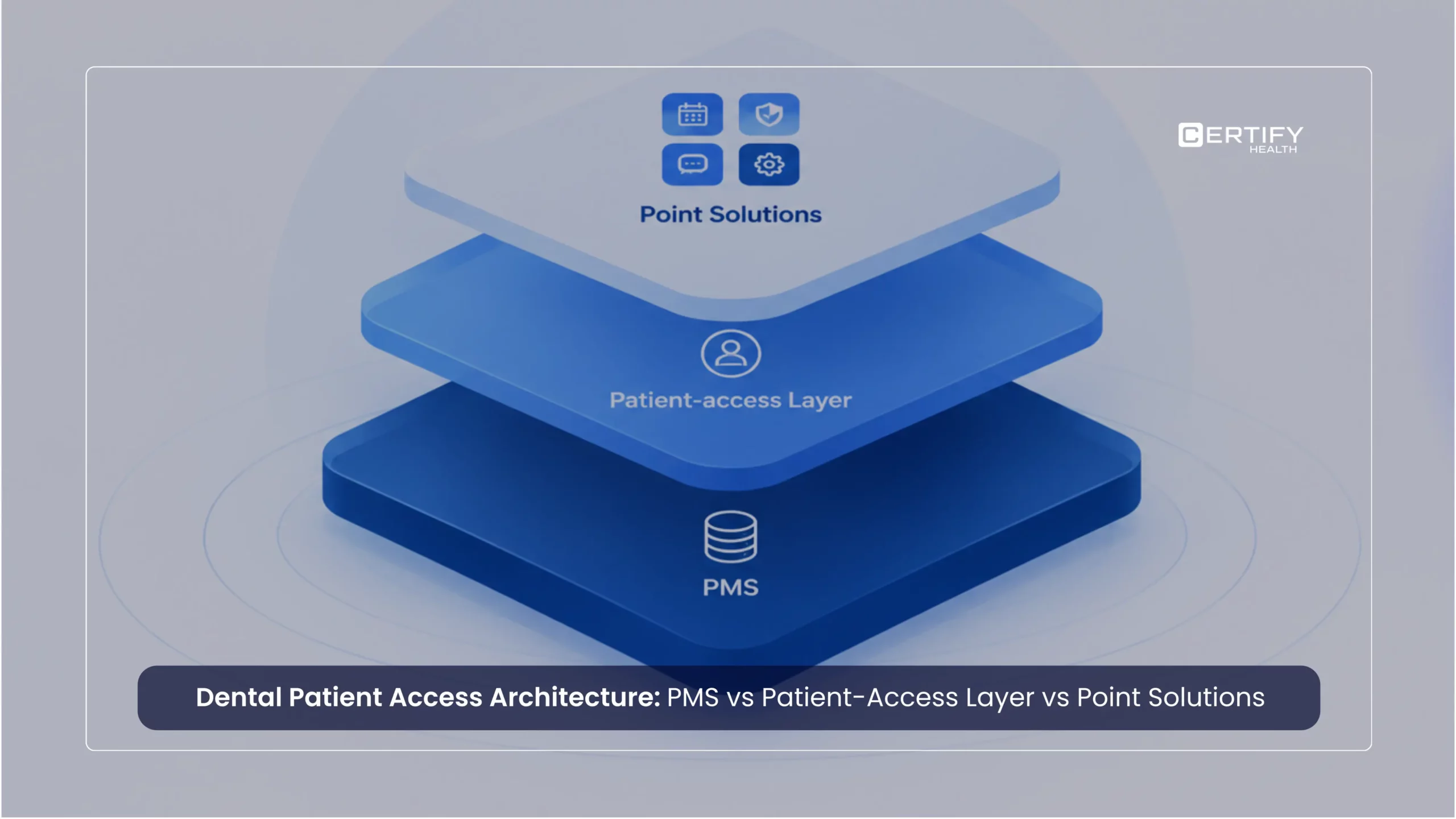
For most multi-specialty practices, the honest answer is both, working together rather than competing for the same budget. The portal stays the secure spot where patients go to retrieve their own data. The engagement platform, often built on a connected system with Integrations into the practice’s existing EHR or EMR, becomes the layer that decides when to reach out, what to automate, and how to keep every department’s messages steady and on time. Seen this way, the portal is not a competing purchase at all. It becomes one working part inside a larger patient engagement platform, doing one job well while the rest of the system handles the outreach around it.
There is no magic provider count or location threshold. The signal is operational complexity.
A practice may be ready for an engagement layer when:
- Staff repeatedly call patients for routine tasks
- Patients arrive with incomplete forms or insurance information
- Reminder workflows differ by employee or location
- Cancellations routinely become unused capacity
- Patient balances require repeated manual follow-up
- Recall lists exist but staff rarely have time to work them
- Adding locations also means adding administrative headcount
- The portal exists, but patients still need staff intervention to complete routine actions
- The tipping point isn’t when the portal stops working. It’s when too much work begins happening around it.
CERTIFY Health A portal does not have to be replaced simply because a practice needs broader patient engagement.
CERTIFY Health is designed to work as the engagement and workflow layer around the systems a practice already relies on. It connects patient scheduling, digital intake, insurance verification, check-in, communication, payments, and related workflows while integrating with existing EHR, EMR, and practice management environments.
That matters especially for multi-location and multi-specialty organizations. Instead of solving reminders with one tool, intake with another, waitlists with another, and patient payments somewhere else, the organization can manage more of the patient journey through a connected operating layer.
The goal isn’t another place for the patient to log in. It’s fewer places where the workflow can break.
Questions to Ask Before Choosing a Patient Engagement Platform
Don’t ask only whether the platform has a portal. Ask what happens around it.
- Can patients complete key actions without logging into the portal first?
- What events can automatically trigger communication or workflow?
- Can scheduling, intake, insurance, communication, and payments share context?
- Can workflows differ by specialty, appointment type, provider, or location?
- What happens when a patient doesn’t respond?
- Can cancellations trigger waitlist or slot-recovery workflows?
- Does information write back to the existing EHR/EMR/PMS?
- Can we measure completion, response, no-shows, collections, and workload by location?
- What manual work remains after implementation?
- Can the platform integrate with our existing systems rather than forcing us to replace them?
Use these questions to evaluate your current patient journey before comparing vendors.
Frequently Asked Questions
Is a patient portal the same as a patient engagement platform?
No. A patient portal primarily gives patients secure, on-demand access to information and self-service functions. A patient engagement platform extends beyond access by initiating communication and coordinating workflows such as reminders, intake, scheduling, recalls, and payment outreach.
Can patient engagement software replace a patient portal?
Not necessarily. The two solve different needs. A portal is useful for secure patient-initiated access, while engagement software manages proactive communication and workflow. Many organizations use both as parts of the same patient journey.
Does an EHR patient portal count as patient engagement software?
Having a portal does not automatically mean a practice has a complete patient engagement workflow. The question is whether the system can proactively initiate and coordinate actions such as reminders, digital intake, scheduling, follow-up, recalls, and payment communication without relying on patients to log in first.
When does a medical practice need more than a patient portal?
A practice should consider a broader engagement platform when routine patient actions still require repeated staff calls, manual reminders, incomplete intake follow-up, waitlist management, payment outreach, or different processes across locations.
What should a patient engagement platform integrate with?
What is the biggest difference between a patient portal and patient engagement software?
Key Takeaways
- Patient portals are strongest at access. Patient engagement platforms are strongest at activation and workflow.
- A portal works well when the patient already intends to retrieve information or complete an action.
- Engagement software becomes more valuable when the practice needs to initiate the next action without waiting for a login.
- Evaluate the two technologies using real workflows: no-shows, intake completion, cancellations, recalls, patient payments, and multi-location communication.
- Measure operational outcomes, not feature counts: completion rates, no-shows, recovered slots, collection speed, staff touches, and workflow consistency.
- Most larger practices do not need to choose between portal and engagement. They need to decide how the two should work together around their existing EHR/EMR/PMS.
- The need for an engagement layer usually appears when administrative work starts accumulating around the portal.
Want the full breakdown of what to look for in a broader system? Read the Full Guide: Patient Engagement Software Guide.