
Table of Contents
- Secure dental patient forms help avoid costly HIPAA fines and protect patient trust
- Digital dental patient forms speed up intake, reduce errors, and improve patient experience
- Integrated dental patient forms streamline your dental front desk by connecting scheduling, billing, and insurance
Most dental offices still use old or partly safe dental patient forms. This can put patient data at risk.
If data is not protected, it can lead to big fines. Some fines can go from $10,000 – $70,000 or even $140,000 for one mistake. It can also break patient trust if their data is exposed.
The good news? You can fix this.
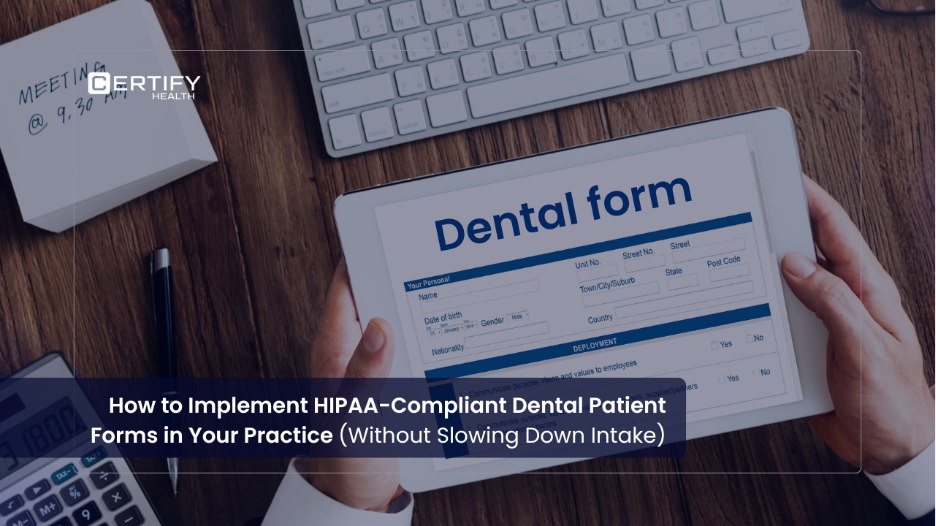
This guide will help you move to digital, safe, and HIPAA compliant dental forms. You will get faster intake, fewer mistakes, and happier patients.
What Makes Dental Patient Forms HIPAA-Compliant?
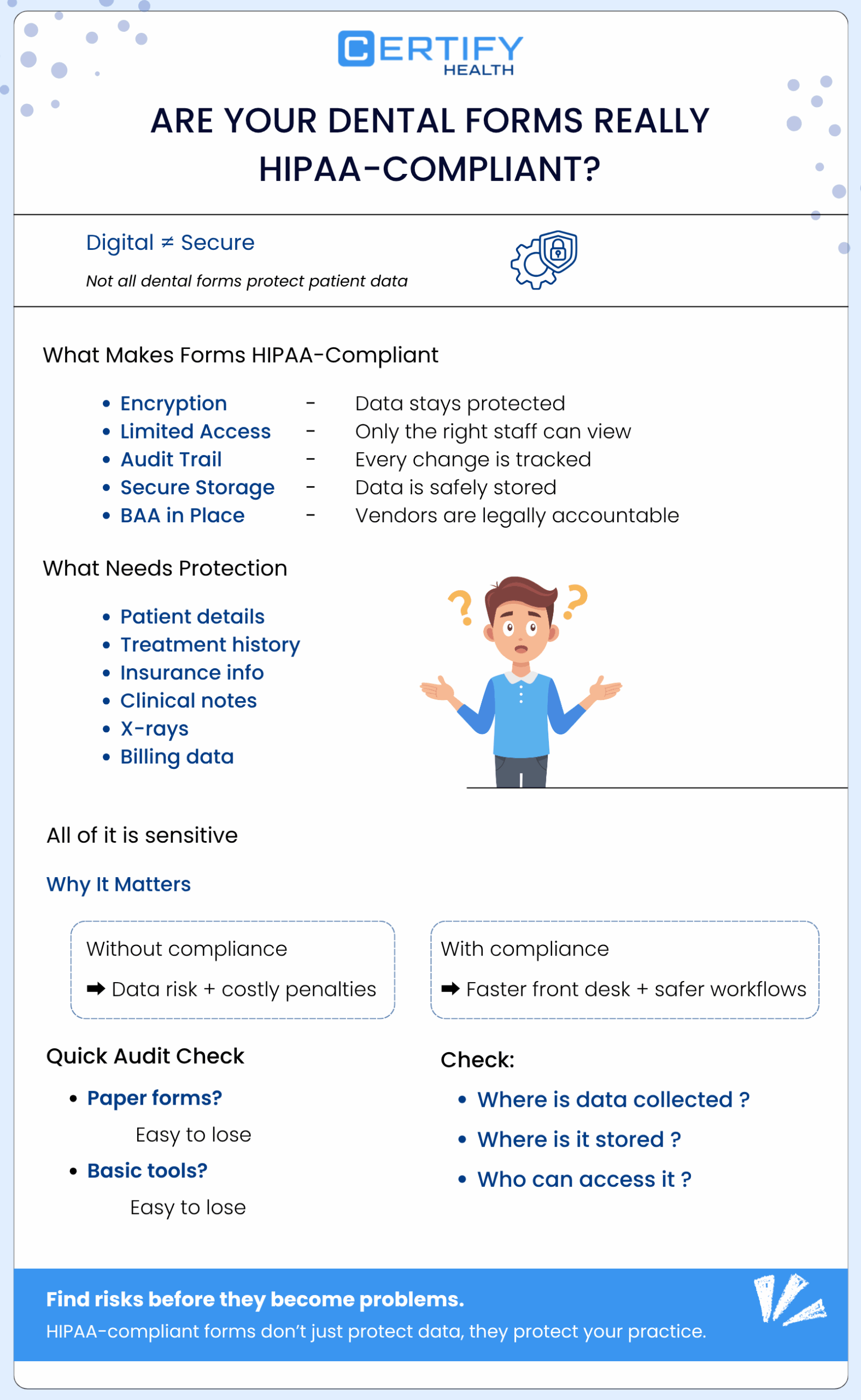
Many people think that digital dental patient forms are always safe. That is not true.
To be safe, HIPAA compliant dental forms must follow strict rules:
- Data must be protected with strong encryption
- Access must be limited to the right staff
- Every change must be tracked (audit trail)
- Data must be stored safely
- Vendors must sign agreements (BAAs)
Dental offices collect sensitive data like:
- Names and addresses
- Treatment history
- Insurance details
- Clinical notes
- X-rays
- Billing data
So, dental HIPAA forms must protect all of this.
Good compliance also helps your dental front desk work faster and better.
Implementing HIPAA Compliant Dental Forms
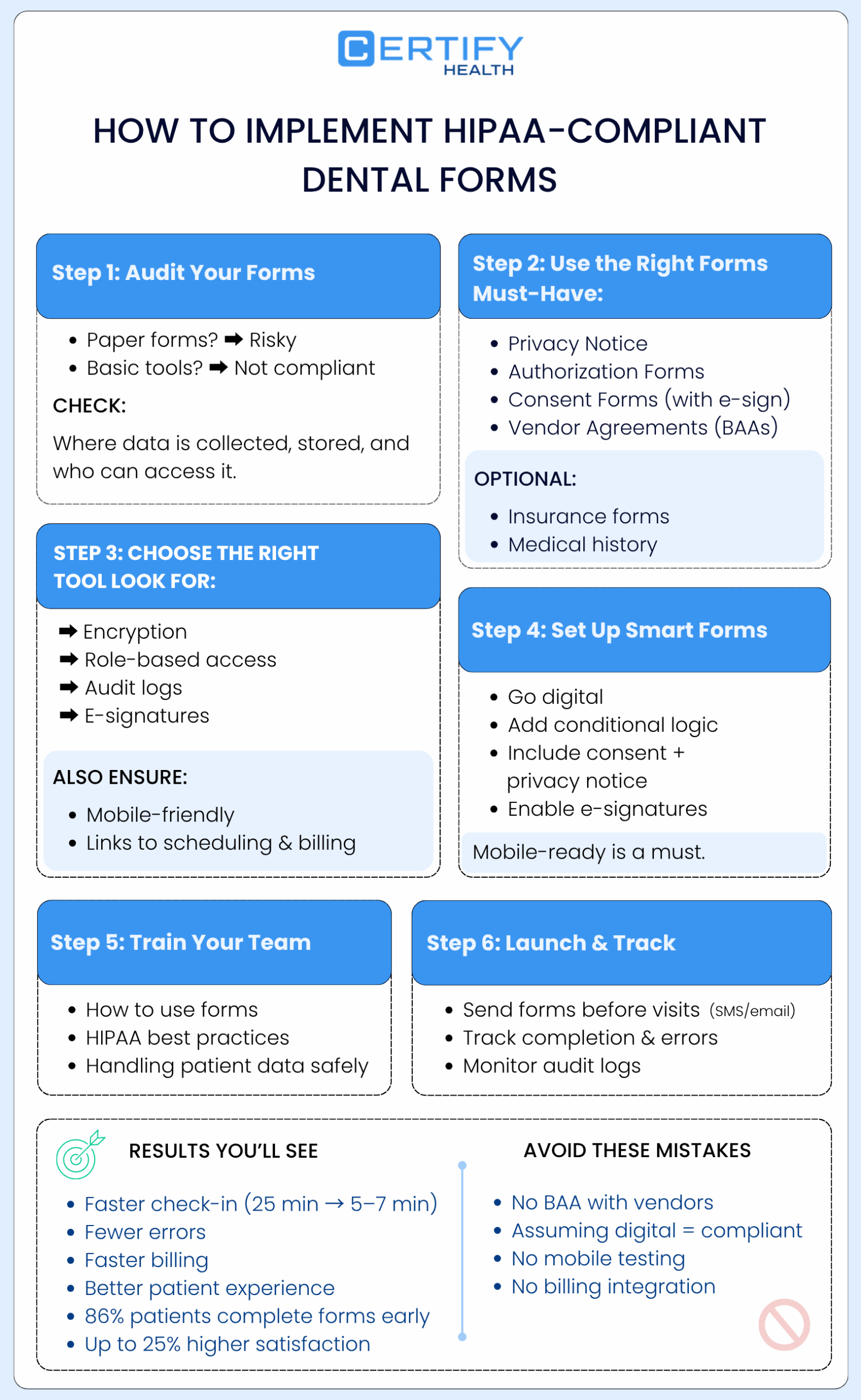
Audit Your Current Dental Patient Forms
Start by checking your current dental patient forms.
Paper forms are easy to lose. This can expose patient data.
Some digital tools are also risky. Many basic tools do not offer proper protection or agreements.
Look at all your forms:
- Dental consent forms
- Appointment requests
- Insurance forms
Ask simple questions:
- Where do we collect data?
- Where do we store it?
- Who can see it?
This step helps you find problems early.
Essential HIPAA-Compliant Dental Forms Checklist
1. Notice of Privacy Practices
This explains how patient data is used. Patients must sign it during their first visit.
2. Authorization Forms
These forms explain:
- What data is shared
- Who gets it
- How long it is used
3. Dental Consent Forms
These forms take patient approval for treatment. Use secure digital signatures.
4. Business Associate Agreements (BAAs)
You must sign these with vendors who handle patient data.
Optional Forms
- Insurance verification forms
- Medical history forms
- Patient consent form updates
Using a checklist helps your hipaa form dental office setup stay complete.
Choose the Right Tool for Dental Patient Forms
Not all tools are built for healthcare.
When choosing a tool for dental patient forms, look for:
- Strong encryption
- Built-in BAAs
- Role-based access
- Audit logs
- E-signatures
Also, make sure the tool supports:
- Smart dental intake forms
- Mobile-friendly design
- Links to scheduling and billing
This helps your paperless dental forms work smoothly.
Discover a smarter way to handle dental digital forms and e-consent with CERTIFY Health.
Why Basic Form Tools Do Not Work
Many offices use simple form builders. These tools are not made for healthcare.
They often:
- Do not support dental HIPAA compliance forms
- Charge extra for security features
- Do not connect with billing systems
Manual data entry also causes problems.
- Error rate can be as high as 20%
With smart digital dental patient forms, errors drop to less than 1%
- Without billing links, your dental front desk will face delays.
Using proper paperless dental forms can save up to 650 hours each year.
How CERTIFY Health Helps with Dental Patient Forms
CERTIFY Health’s forms makes it easy to manage dental patient forms.
It offers:
- Pre-built dental intake forms
- Built-in HIPAA compliance
- Secure storage and audit logs
It also connects with:
- Insurance checks
- Payments
- Scheduling
This means:
- Less admin work
- Faster patient intake
- Clean data for billing
It is a simple way to manage hipaa compliant dental forms. Take a Live Walkthrough.
Step-by-Step Guide to Set Up Dental Patient Forms
Step 1: Go Digital
Turn your paper forms into digital dental patient forms.
Use structured fields for clean data.
Step 2: Customize Forms
Add:
- Conditional questions
- Notice of Privacy Practices
- Patient consent form
- E-signatures
Make sure forms fit your dental needs.
Step 3: Test for Patients
Check if forms work well on mobile.
Digital dental intake forms can reduce check-in time from 25 minutes to 5–7 minutes.
Also test security and submission flow.
Step 4: Train Your Team
Train your dental front desk and staff.
Make sure everyone understands:
- How to use forms
- How to follow HIPAA rules
- How to handle dental consent forms
Step 5: Launch and Track
Send forms before the visit using SMS or email.
Track:
- Completion rates
- Errors
- Audit logs
This keeps your hipaa compliance form for dental office strong.
Results After Switching to Digital Dental Patient Forms
Digital dental patient forms bring fast results:
- Patients fill forms before arrival
- Wait times go down
- Data is accurate from the start
Other benefits:
- Fewer no-shows with reminders
- Faster billing
Around 86% of patients complete digital forms quickly.
This can improve patient satisfaction by up to 25%.
Your team also saves many hours every week.
Common Mistakes to Avoid
Avoid these mistakes when using dental patient forms:
- Not signing BAAs
- Thinking digital means compliant
- Skipping mobile testing
- Not connecting forms to billing
- Forgetting a breach notification form
If there is a data breach, you must inform patients within 60 days.
Avoiding these mistakes keeps your dental HIPAA forms safe and effective.
Dental Patient Forms Do More Than Protect Data
Good dental patient forms do more than just follow rules.
They help your practice:
- Work faster
- Reduce errors
- Build patient trust
Modern paperless dental forms also improve the full patient journey.
They connect intake, billing, and communication in one flow.
This makes your dental front desk more efficient and less stressed.
Ready to Upgrade Your Dental Patient Forms?
Now is the right time to improve your dental patient forms.
Switching to secure and digital forms helps your practice grow.
You get:
- Better safety
- Faster workflows
- Happier patients
Schedule a demo with CERTIFY Health to see how simple it can be.